
DNX Office: open and save Word, Excel, PowerPoint
DNX Office is the office suite in DNX OS: DNX Word, Sheets and Presentation open and save Word, Excel and PowerPoint files, plus a PDF editor in six screens.
Part of the guide: Replacing the vendor stack: office, HR, chat and cost
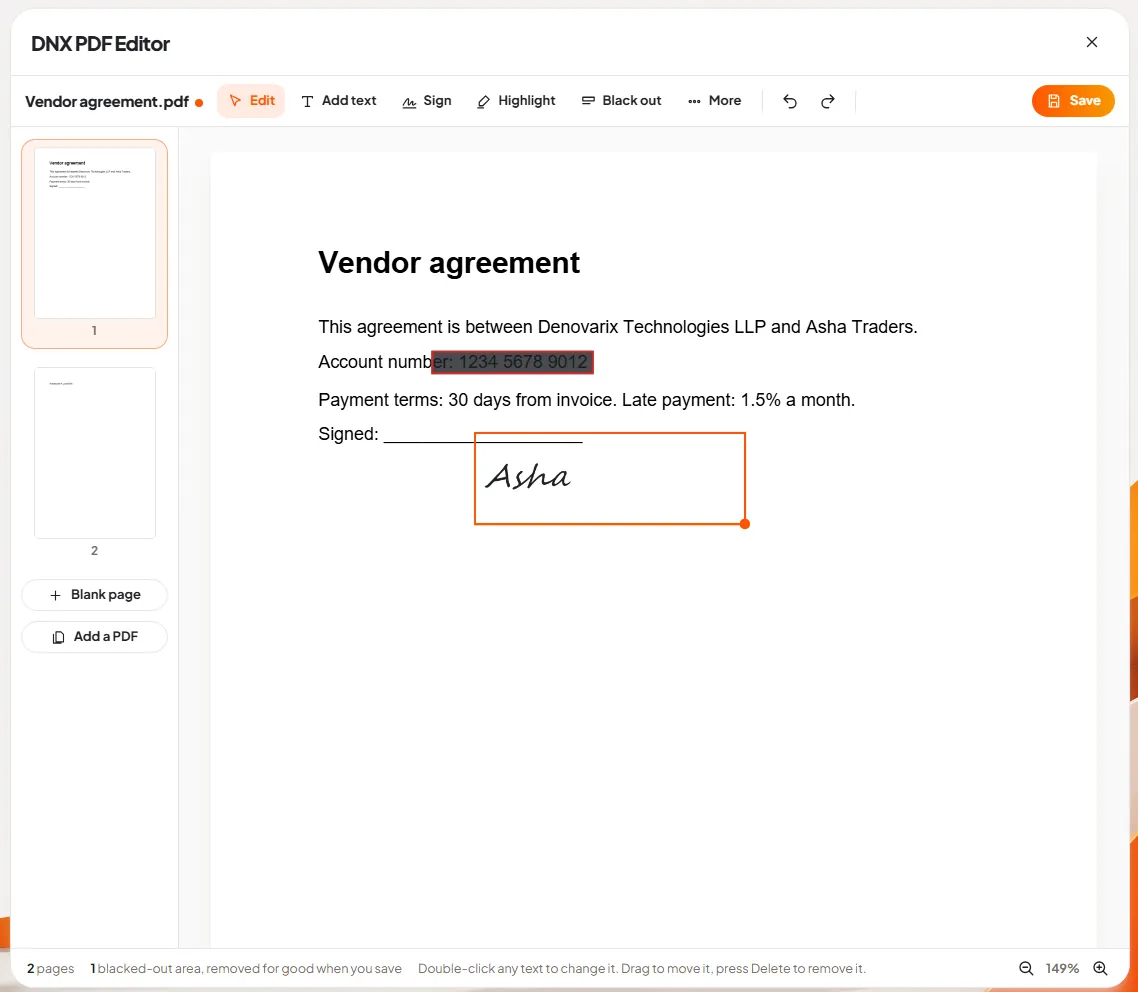
The short answer: DNX Office is the office suite inside DNX OS. It has four apps: DNX Word for documents, DNX Sheets for spreadsheets, DNX Presentation for slides and DNX PDF Editor for PDFs. The first three open and save Word, Excel and PowerPoint files by default and use a ribbon, the row of tabs and buttons along the top that office staff already know. So the files you send to clients and receive from them stay in the formats they expect.
A note on the pictures. The slideshow above shows DNX PDF Editor only, in six real screens. We do not yet have screenshots of DNX Word, DNX Sheets and DNX Presentation that meet our own rule, which is that every picture on this blog is the real product photographed at work. So this article describes those three briefly and shows none of their screens. When the screenshots exist, each will get its own article.
What is in DNX Office?
| App | What it is for | Files it opens and saves |
|---|---|---|
| DNX Word | Letters, contracts and reports | .docx |
| DNX Sheets | Budgets, registers and GST workings | .xlsx |
| DNX Presentation | Pitch decks and reviews | .pptx |
| DNX PDF Editor | Changing, signing and redacting PDFs |
All four are part of DNX OS. They are on the Start menu from the first day, with no separate installer, no licence key and no account to sign in to before you can type.
Will our Word, Excel and PowerPoint files open?
That is the question every company asks first, and it should be.
DNX Word, DNX Sheets and DNX Presentation open .docx, .xlsx and .pptx files, and they save in those same formats by default. You do not have to remember to "save as" before emailing a file to a client. A document that arrives as a Word file leaves as a Word file.
What we will not promise is that every file will look identical in every detail. No office suite can honestly promise that about another's formats, and you should distrust any vendor who does. The files that travel perfectly are the ordinary ones: letters, quotations, reports, price lists, registers, simple decks. The files to test before you commit are the unusual ones:
- Spreadsheets with macros, or with links to other workbooks.
- Documents with complex tracked changes passed between several firms.
- Presentations with heavy animation or embedded video.
- Templates built around a particular font that is not installed.
Make a folder of your ten most important and most awkward files, and open each one. That one hour tells you more than any comparison chart. It is the same test we recommend in Microsoft 365 vs Google Workspace vs Zoho One, whichever suite you are considering.
Will staff need retraining?
The three apps use a ribbon: tabs across the top, with the buttons for each task grouped under them. Anyone who has written a letter or made a sheet in the last fifteen years knows where to look for bold, borders, a table or a chart.
We are not going to describe individual tabs and buttons here, for the reason given at the top: we have not photographed them, and a description without a picture is how readers get misled. What we can say is what the design aim is, which is that a person moving from the office suite they use now should be able to do their normal work on the first morning.
What does the PDF editor do?
This is the app we can show, so the slideshow walks through it.
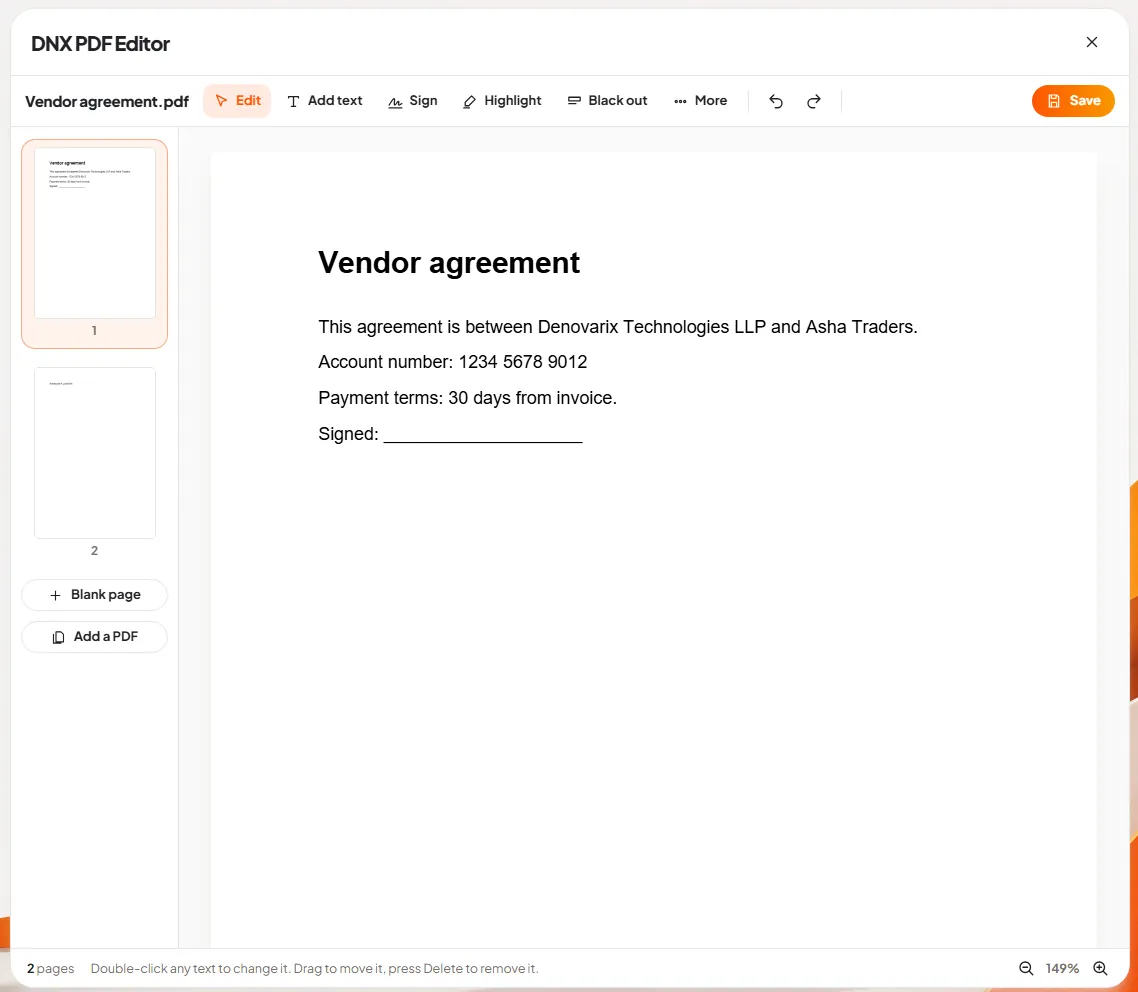
Slide 1: open a PDF. The agreement opens with five tools across the top: Edit, Add text, Sign, Highlight and Black out. Pages are listed at the side.
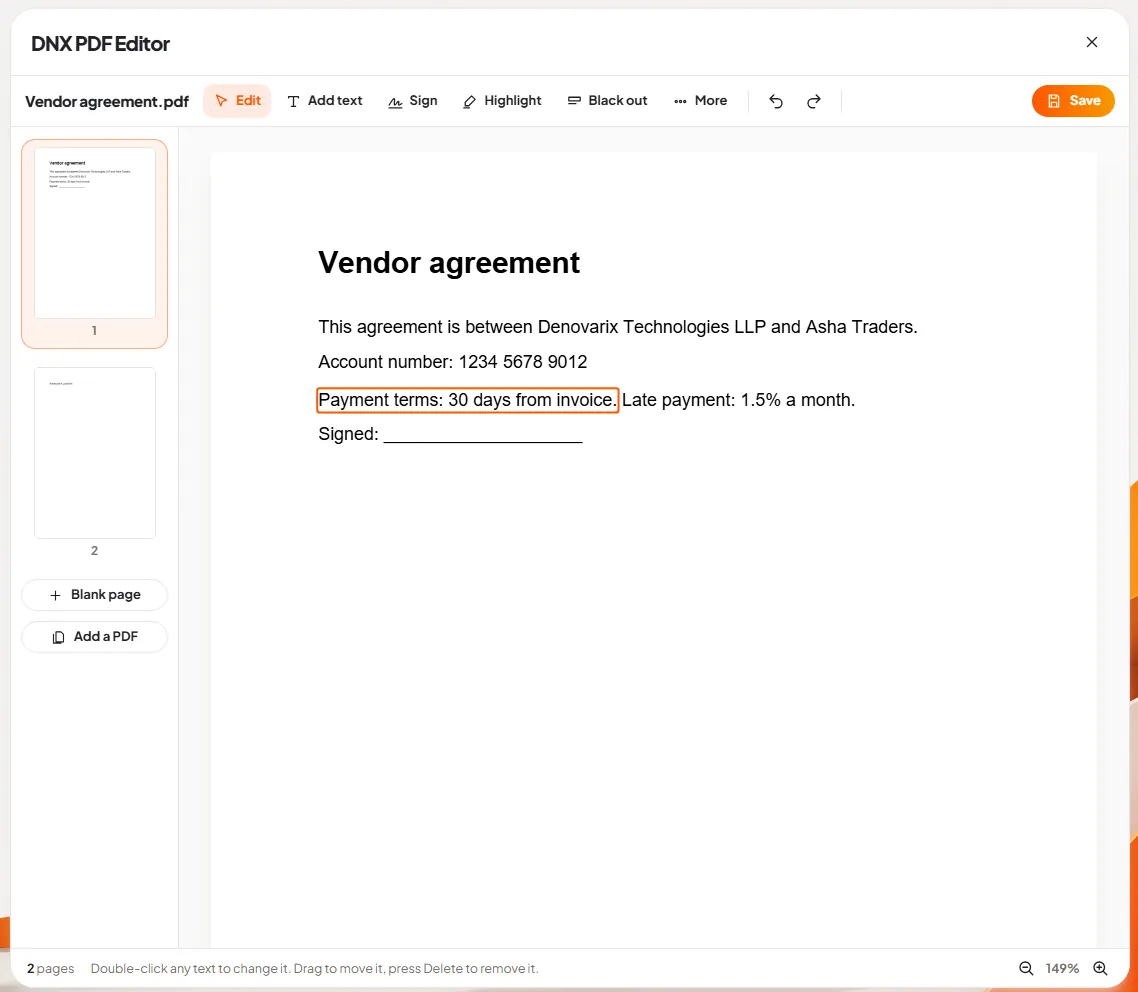
Slide 2: change the text itself. Double-click a line and type. The editor rewrites the text inside the PDF. It does not cover the old words with a white box.
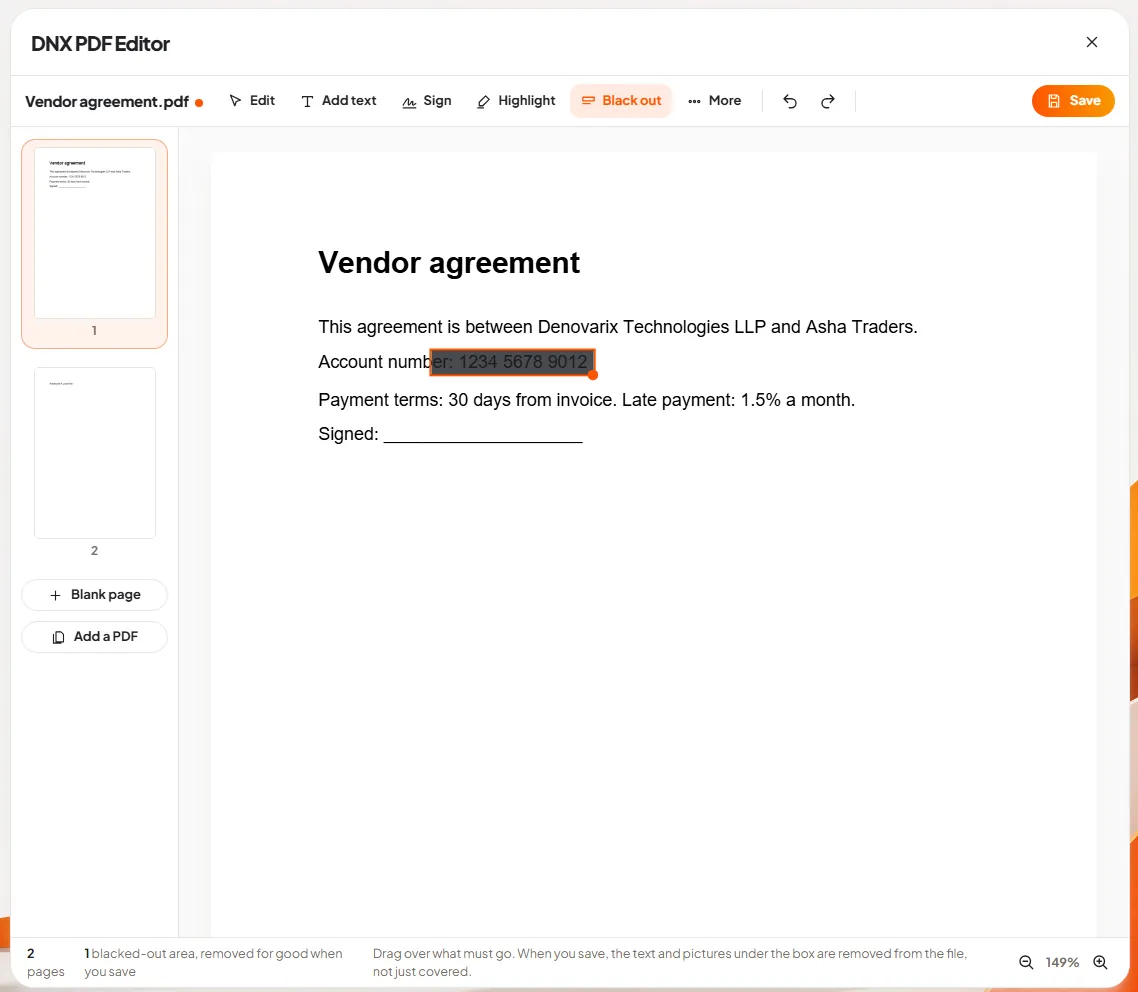
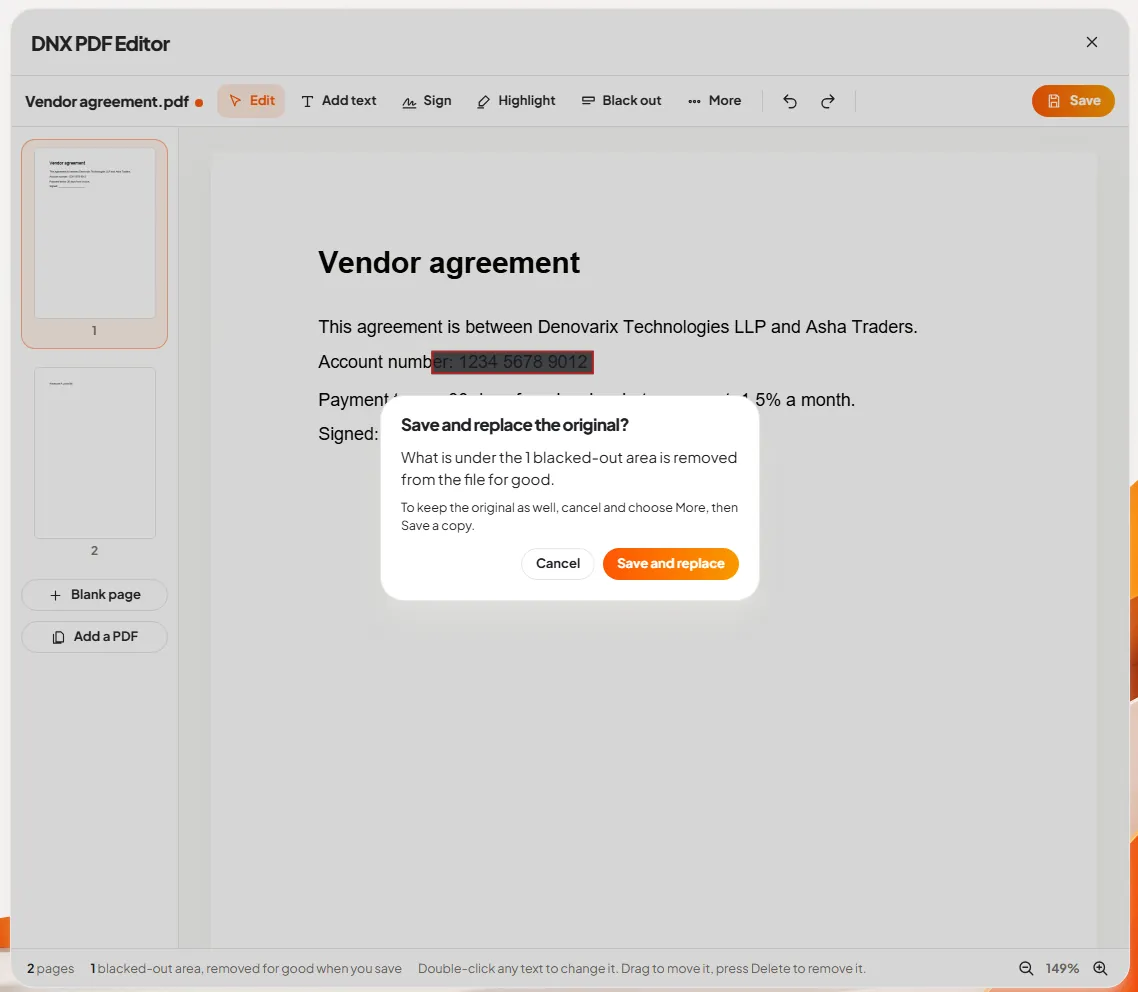
Slide 3: black out private details. Drag a box over an account number or a name. On saving, what is under the box is removed from the file, not just hidden.
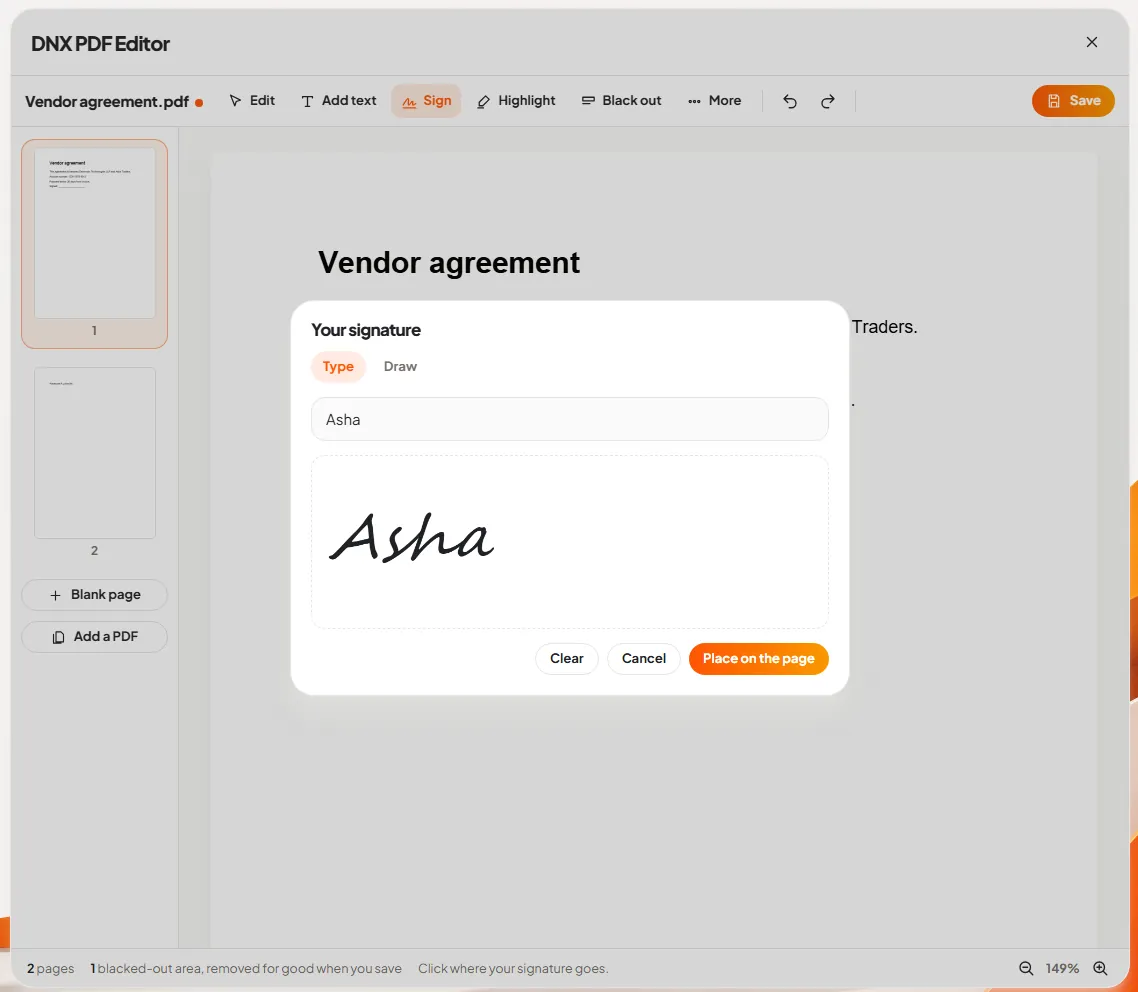
Slide 4 and slide 5: sign it. Type or draw a signature, then place it on the page.
Slide 6: save, knowing what changes. The save box says plainly that the blacked-out area will be removed for good.
The full walk-through, with the page tools and the limits, is in DNX PDF Editor: edit PDFs without a subscription.
Where are documents saved?
On the computer, in your own folders, as ordinary files. You find them in DNX Files, attach them in DNX Mail and share them in DNX Team Chat.
That sounds too obvious to say, but it is a real difference. With a cloud office suite, the working copy of your documents lives on the vendor's servers and you reach it through a browser. With DNX Office, the file is yours, in a standard format, on your disk. If you ever stop using DNX OS, your documents open in any other suite the same afternoon. Our article on vendor lock-in explains why that is worth more than it sounds.
What does DNX Office not do?
- No simultaneous editing in a browser. DNX Office is desktop software working on files. It is not a web suite where six people type into one document at once from anywhere. Teams share files through chat and mail.
- Macros are the thing to test. If your finance team depends on spreadsheets with macros written for another suite, check those exact files before you decide.
- It is not a database or an accounting package. Sheets is for spreadsheets. Your accounting software stays what it is.
- Screens of Word, Sheets and Presentation are not shown here, for the reason above. Ask us for a live demonstration in the beta and judge them yourself.
What does it cost?
DNX Office is not sold separately. It comes with DNX OS, so there is no office licence to count per user and no renewal date for it. This article does not quote a price for DNX OS; ask us when you apply for the beta. If you want to see what a typical small company spends on its current stack, what a 25-person company pays for software works through an example.
How do you try it?
The beta programme opens in December 2026 and DNX OS launches in January 2027. Registered Indian businesses with 5 to 50 people can apply for the beta. Bring the folder of ten awkward files. If they open, edit and go back to your client without complaint, the suite has passed the only test that matters.
Keep reading
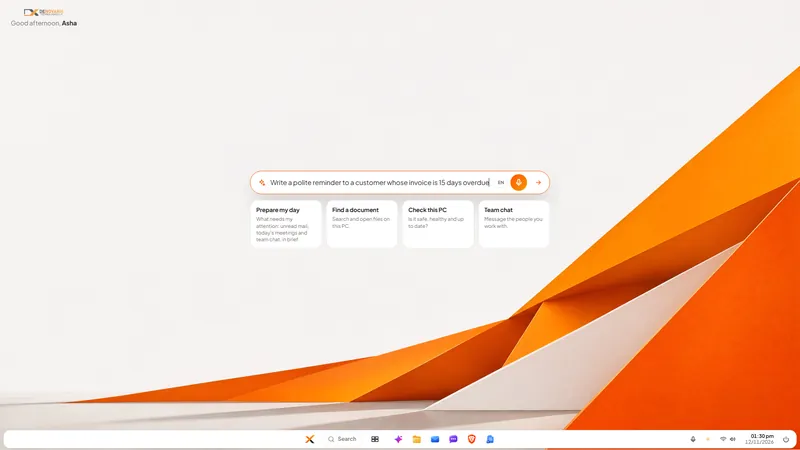
Nova AI: a private AI assistant for office work
Nova is the private AI assistant built into DNX OS. It runs on the office PC itself, so questions and files stay there. See it at work in six real screens.
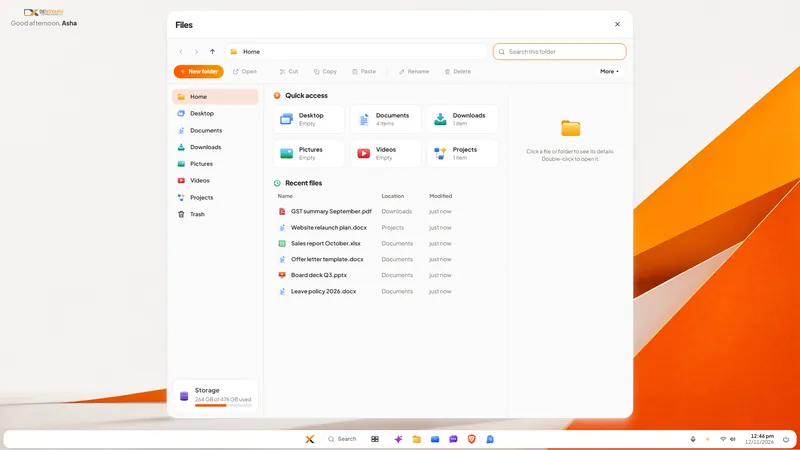
DNX Files: find and tidy company documents fast
DNX Files is the file manager in DNX OS: folders, search, a Trash you can undo, and Nova to summarise a document or tidy a folder. Seven real screens show it.
DNX People: HR and leave software for small companies
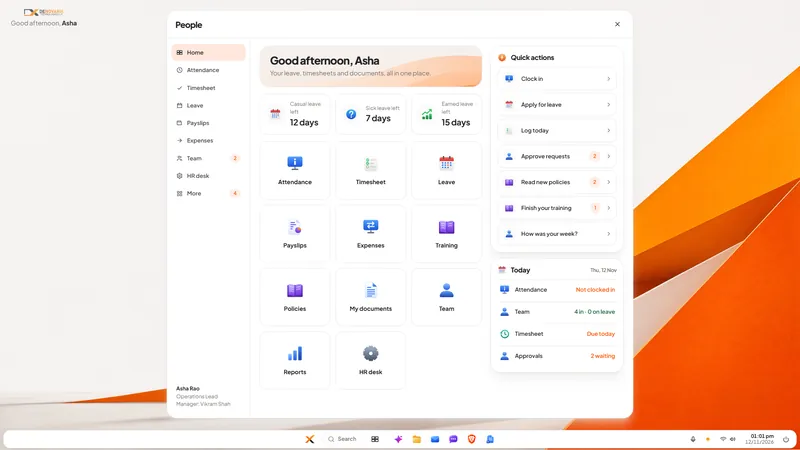
DNX People handles leave, attendance, timesheets, payslips and expenses for a small Indian company, on a server you host. Eight real screens show how it works.