
Microsoft 365 vs Google Workspace vs Zoho One in India
Microsoft 365, Google Workspace or Zoho One for a small Indian company? How the three differ, what each really covers, and where a stack you own fits in.
Part of the guide: Replacing the vendor stack: office, HR, chat and cost

The short answer: choose Microsoft 365 if your clients live in Word and Excel files and you need the desktop apps; choose Google Workspace if your team works in the browser and values simplicity over depth; choose Zoho One if you want HR, CRM and accounts in the same bundle as mail and documents. All three are rented, per user, and all three keep your company's data on the vendor's servers. If that last part is the problem, the fourth option is a stack you own.
That is the decision in four lines. The rest of this article is the reasoning, so you can check it against your own company.
What does each suite actually cover?
People compare these three as if they were the same product. They are not. Two of them are office suites with collaboration attached; the third is a business-software bundle with an office suite attached.
| Microsoft 365 | Google Workspace | Zoho One | |
|---|---|---|---|
| Core strength | Desktop Word, Excel and PowerPoint | Browser-first documents and mail | Breadth: dozens of business apps |
| Documents | The file formats everyone else imitates | Docs, Sheets and Slides; exports to Microsoft formats | Writer, Sheet and Show; exports to Microsoft formats |
| Mail and calendar | Outlook and Exchange | Gmail and Calendar | Zoho Mail |
| Chat and meetings | Teams | Chat and Meet | Cliq and Meeting |
| HR, CRM, accounts | Separate products | Not included | Included in the bundle |
| Device management | Included in some plans | Basic controls included, more in higher plans | Available as a Zoho product |
| How it is licensed | Per user, by plan | Per user, by plan | Per employee or per user |
A few practical observations sit behind that table.
Microsoft 365 is the safe choice when documents travel. If your auditor sends an Excel workbook with macros, or a client's legal team sends a Word contract with tracked changes, the desktop apps open them exactly as intended. The cost of that safety is complexity: plans differ in whether they include the desktop apps at all, and administration assumes someone who knows what a tenant is.
Google Workspace is the easiest of the three to run. A new employee is productive within the hour, sharing works the way people expect, and there is very little to administer. The weak point is heavy spreadsheet work and long formatted documents that must round-trip with Word and Excel users.
Zoho One answers a different question. It is less an office suite than an attempt to be the whole back office: HR, payroll, CRM, accounts, helpdesk, projects. For a company that would otherwise buy five separate products, that breadth is the point. Read the licensing carefully, though. Zoho's own pricing page offers a lower price when you license every employee on the payroll and a higher one when you license only some users.
Which one suits a small Indian company?
Start from how your work actually moves, not from the feature list.
- Your work is documents exchanged with clients, banks and government. Chartered accountants, law firms, consultants, exporters. Microsoft formats are your working language, so pick the suite that handles them natively, or one that opens and saves them faithfully.
- Your work is coordination. Agencies, sales teams, small service companies. Mail, shared documents and quick calls matter more than typography. Google Workspace fits.
- Your pain is the back office. Leave on WhatsApp, payroll in a spreadsheet, leads in someone's notebook. Zoho One covers the most ground in one login.
- You already use Tally and a separate HR tool that work. Then you only need mail and documents, and the cheapest plan that covers them is the right one.
Whichever you lean towards, run it with five people for two weeks before buying for everyone. Open your ten ugliest real files in it. That test tells you more than any comparison, including this one.
What do all three have in common that owners overlook?
Three things, and they matter more as the company grows.
- You rent, per head, for ever. The bill grows with every hire, and prices are revised by the vendor, not negotiated by you. We worked through a typical bill in what software really costs a 25-person company.
- Your data sits on the vendor's servers. Mail, contracts, salary sheets and customer lists are held in data centres you do not control, under terms you did not write. For most companies this is an accepted trade. For some, such as firms handling client financials or health records, it deserves a deliberate decision. The DPDP Act checklist covers what to ask.
- AI is priced and governed separately. Each vendor now sells an assistant. On some plans it is included, on others it is an add-on, and in every case your prompts and files are processed on the vendor's cloud. Check the current plan pages before you assume: Google's India pricing page, for example, lists which plans include Gemini.
None of this makes the three suites bad choices. It means the comparison between them is narrower than it looks: you are choosing which landlord, not whether to rent.
Where does a stack you own fit?
An owned stack means the software runs on your own computers and a server you control, instead of being rented from a cloud. Until recently this was only practical for companies with an IT department. That is changing, and it is the reason we are building DNX OS.
DNX OS is a standalone operating system for businesses. It includes an office suite (DNX Word, DNX Sheets, DNX Presentation and DNX PDF Editor, which open and save Microsoft formats), DNX Hub for HR, payroll, team chat, meetings and device management, and an AI assistant that runs on the laptop itself instead of in someone else's cloud. One login, one bill, and the data stays on machines you own, in India.
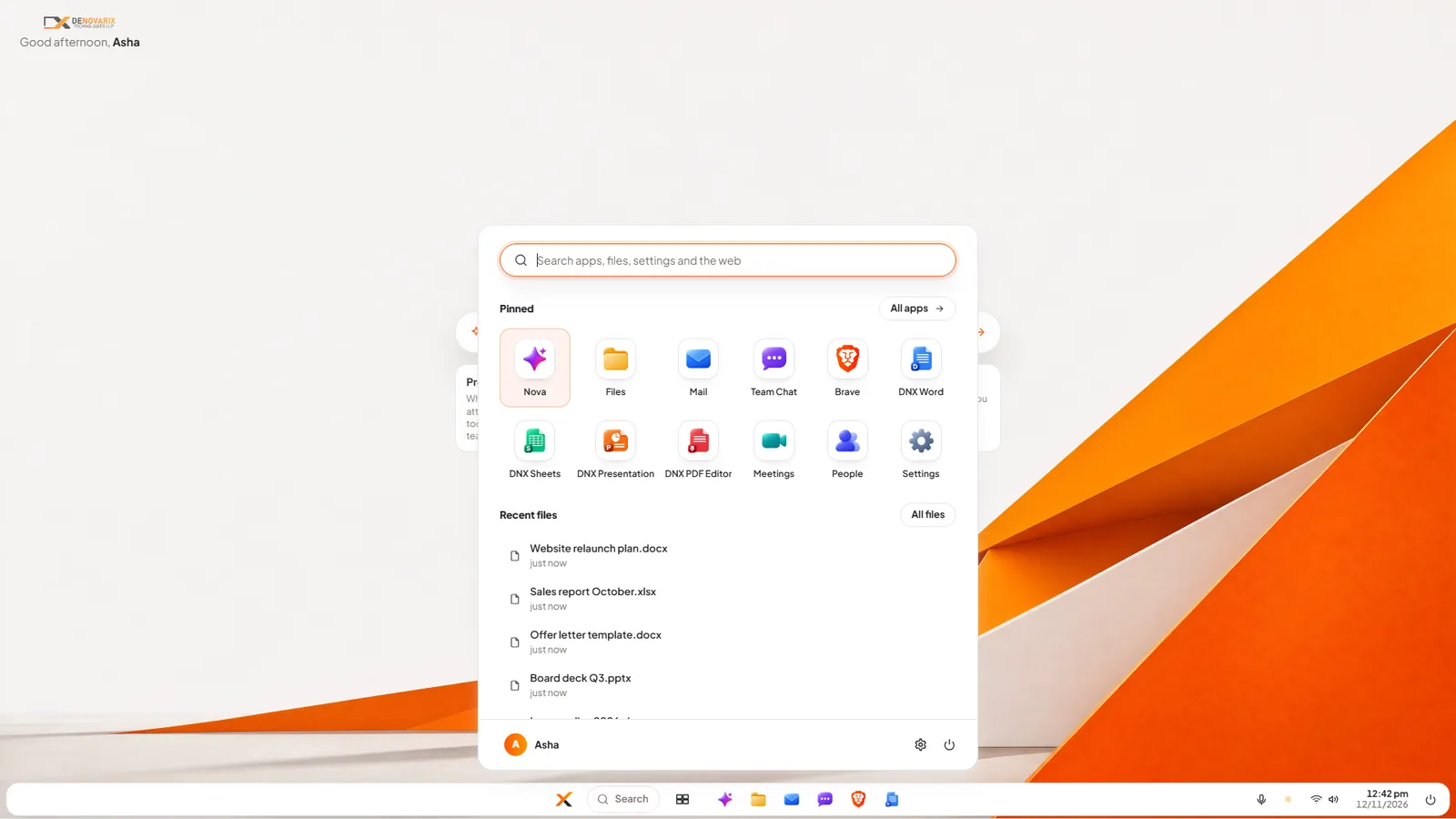
It is honest to say where this does not fit yet. DNX OS enters its beta programme in December 2026 and launches in January 2027. If you need something running next week, pick one of the three suites above. If you depend on a Windows-only application that has no alternative, an operating system change is not for you today.
It fits when the three points in the previous section bother you: a bill that rises with headcount, data you cannot locate, and AI you cannot govern.
How should you decide this month?
- List what you pay for today, per tool and per user. Most owners are surprised by the total.
- Write down which files you exchange with outsiders, and in which formats.
- Decide who will administer the suite. If the answer is "nobody", weight simplicity heavily.
- Ask each vendor where your data is stored and how you get all of it out if you leave. The questions are in our guide to vendor lock-in.
- Pilot your first choice with five people and real files for two weeks.
- Only then sign an annual plan.
A suite is a five-year decision that is usually made in an afternoon. Give it the two weeks.
Keep reading

Shadow AI: staff, ChatGPT and a policy that works
Employees are pasting company data into ChatGPT and other AI tools. Here is what shadow AI is, the real risks, and a one-page AI policy you can adopt today.

DPDP Act checklist: where does your company's data live?
A plain DPDP Act checklist for Indian businesses: what the law expects, why you must know where personal data lives, and twelve steps to get ready in time.

Sovereign AI and private AI: what they mean in India
Sovereign AI and private AI explained for Indian business owners: who controls the model, where your data goes, and five questions to ask any AI vendor.