
DNX Files: find and tidy company documents fast
DNX Files is the file manager in DNX OS: folders, search, a Trash you can undo, and Nova to summarise a document or tidy a folder. Seven real screens show it.
Part of the guide: Operating systems for companies: what to run in 2026
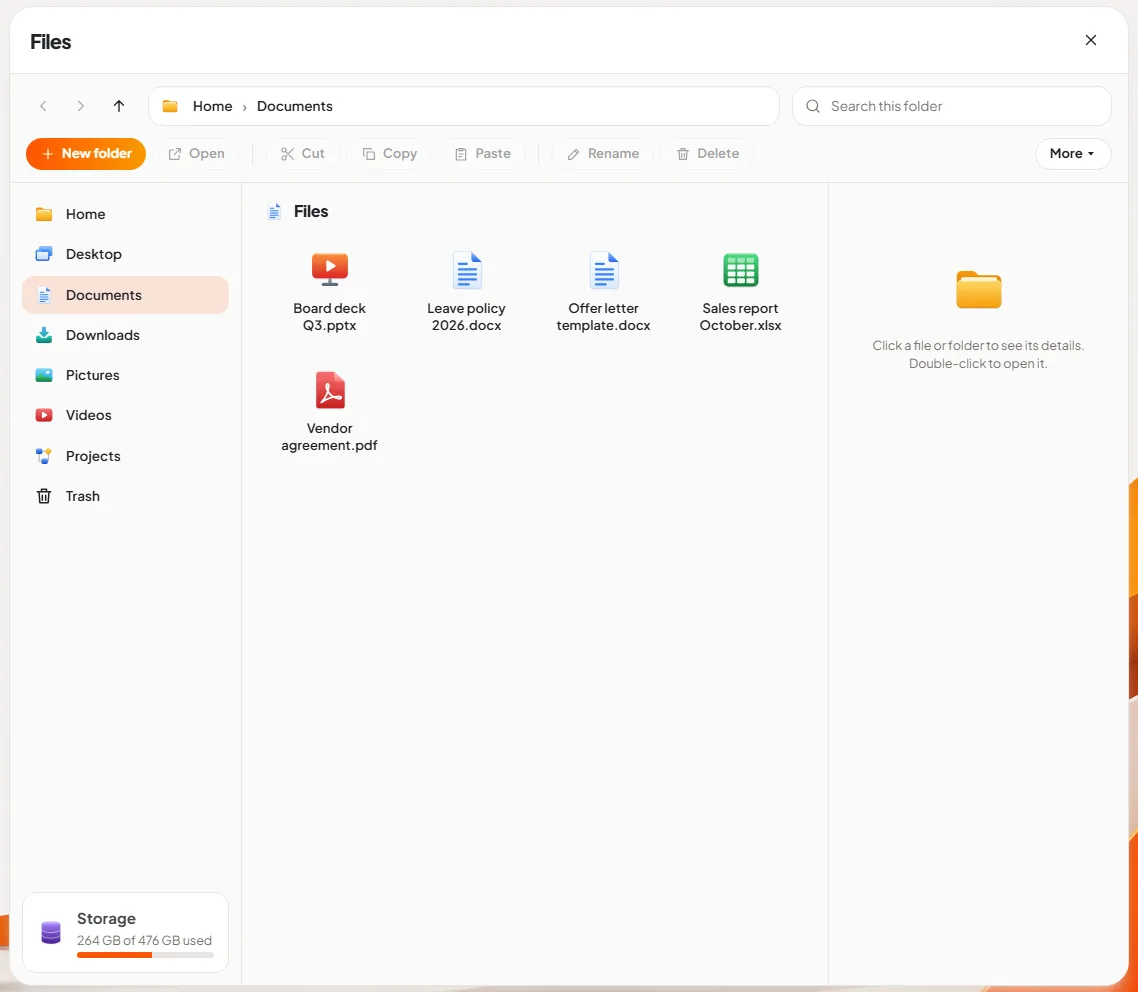
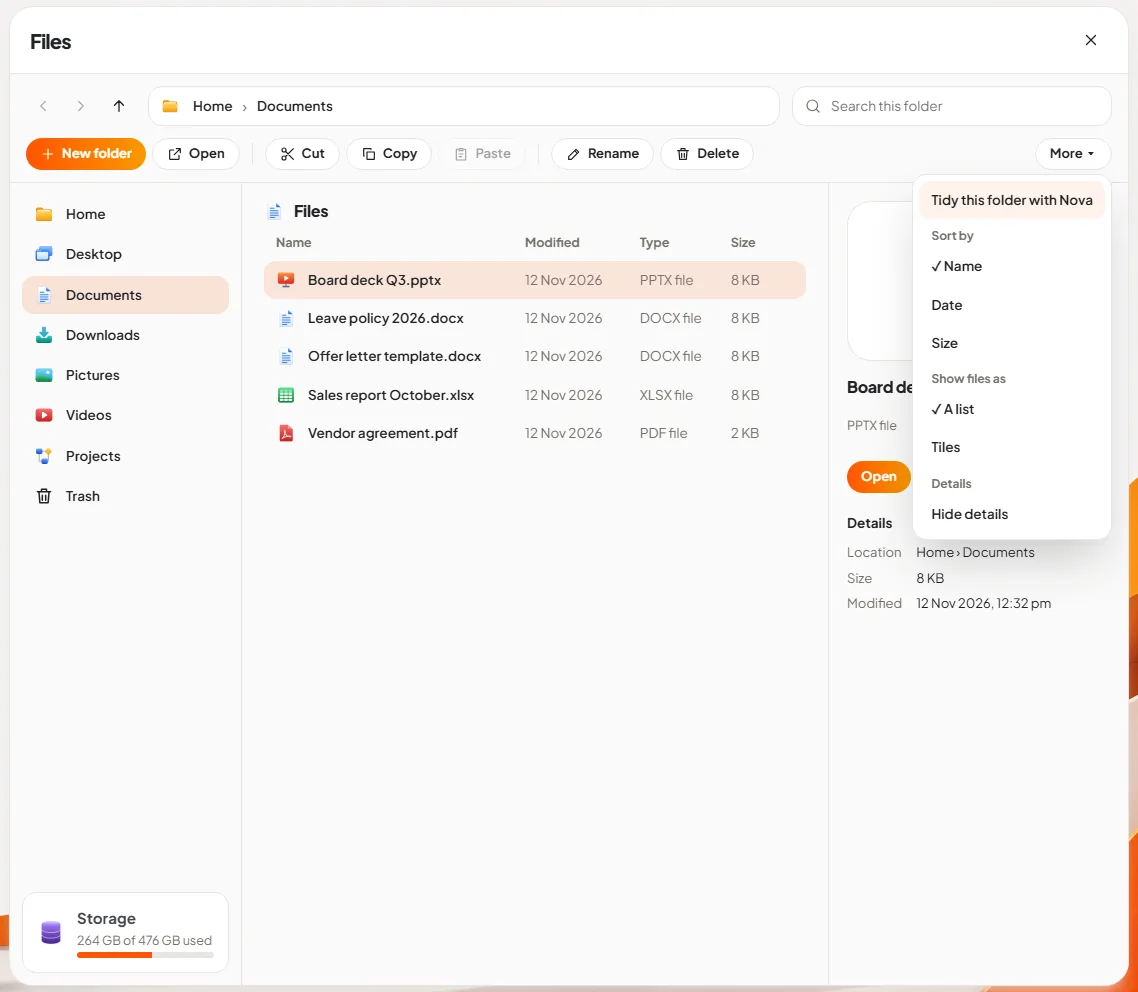
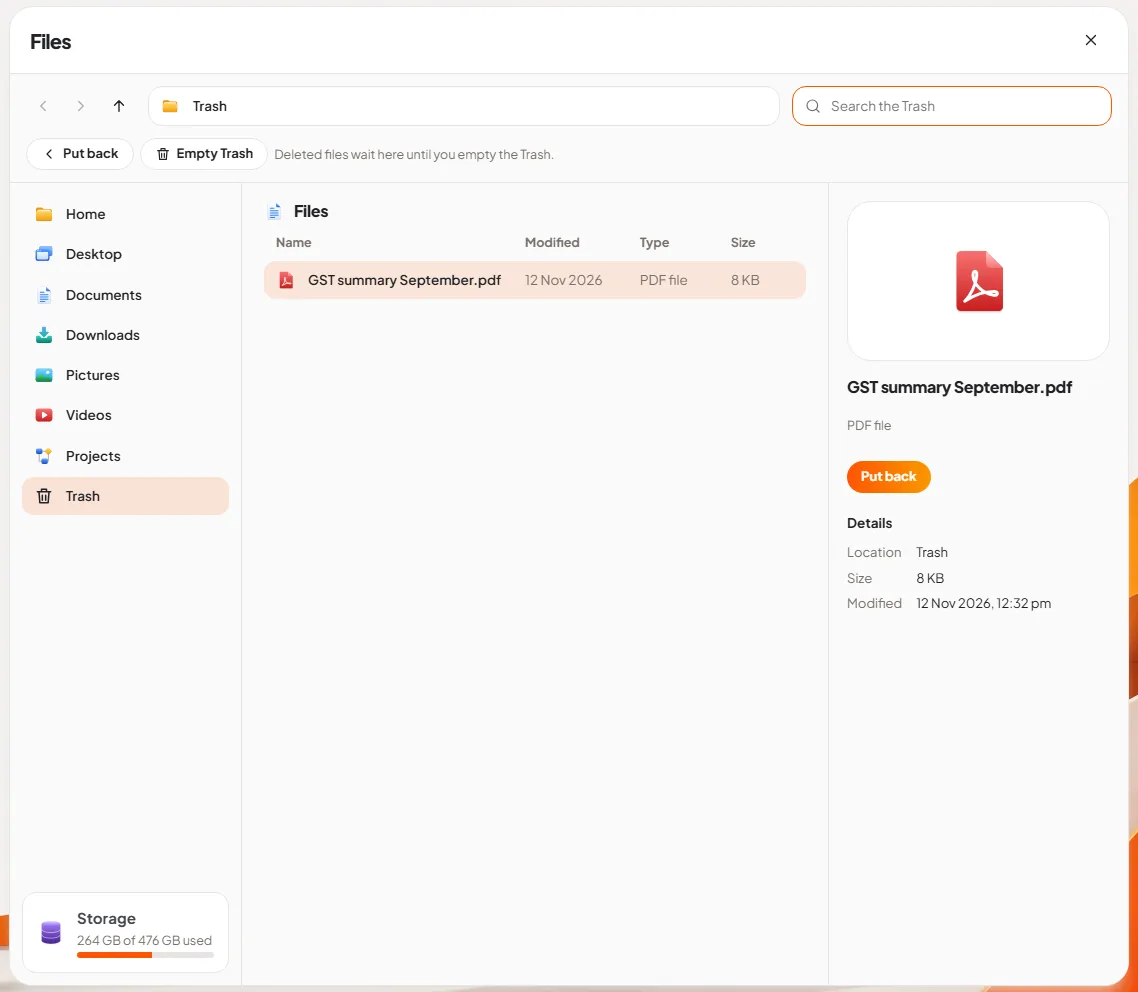
The short answer: DNX Files is the file manager that comes with DNX OS. It looks and works the way office staff already expect: folders at the side, files in the middle, details of the selected file on the right. It adds two things most file managers do not have. Nova, the built-in assistant, can summarise a document or tidy a messy folder without the file leaving the PC, and nothing you delete is gone until you empty the Trash.
The slideshow above is seven real screens of DNX Files with sample documents, from the first thing a person does to the more advanced.
Why does a file manager matter to a business owner?
Because lost time hides in it. A person who cannot find last month's sales report asks a colleague, who sends it again by email, and now there are two copies. A person who deletes the wrong file calls whoever looks after the computers.
A good file manager removes those small interruptions. It should be obvious on the first day, forgiving of mistakes, and quick to search. That is the brief DNX Files was built to.
What do you see when you open Files?
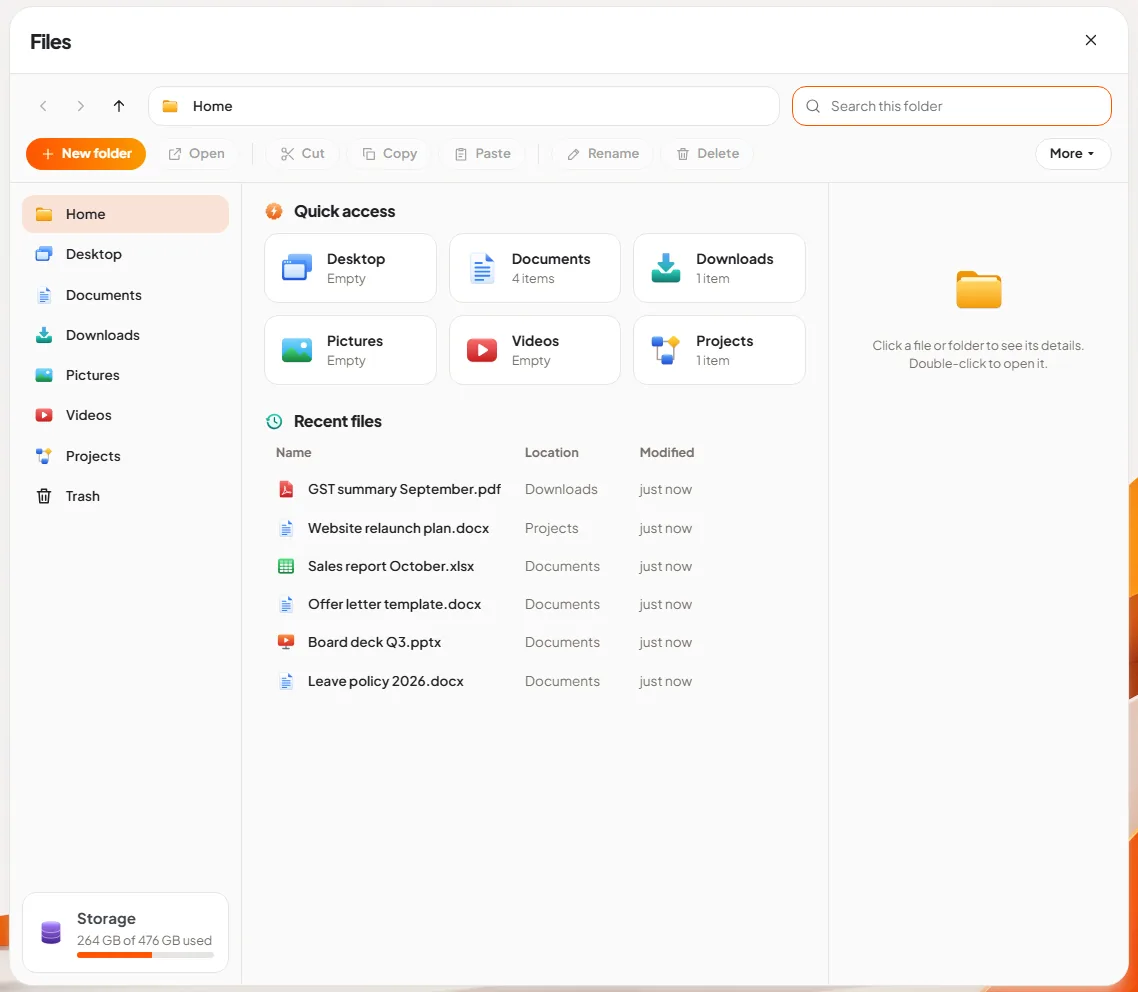
Slide 1: open Files. The home screen shows Quick access: Desktop, Documents, Downloads, Pictures, Videos and Projects, each with a count of what is inside. Below it, Recent files lists the documents you opened or saved last, with the folder each one lives in. The same folders are in the pane on the left, with Trash at the bottom and a storage meter that shows how full the disk is.
Most days, the file you want is in Recent files, and you never open a folder at all.
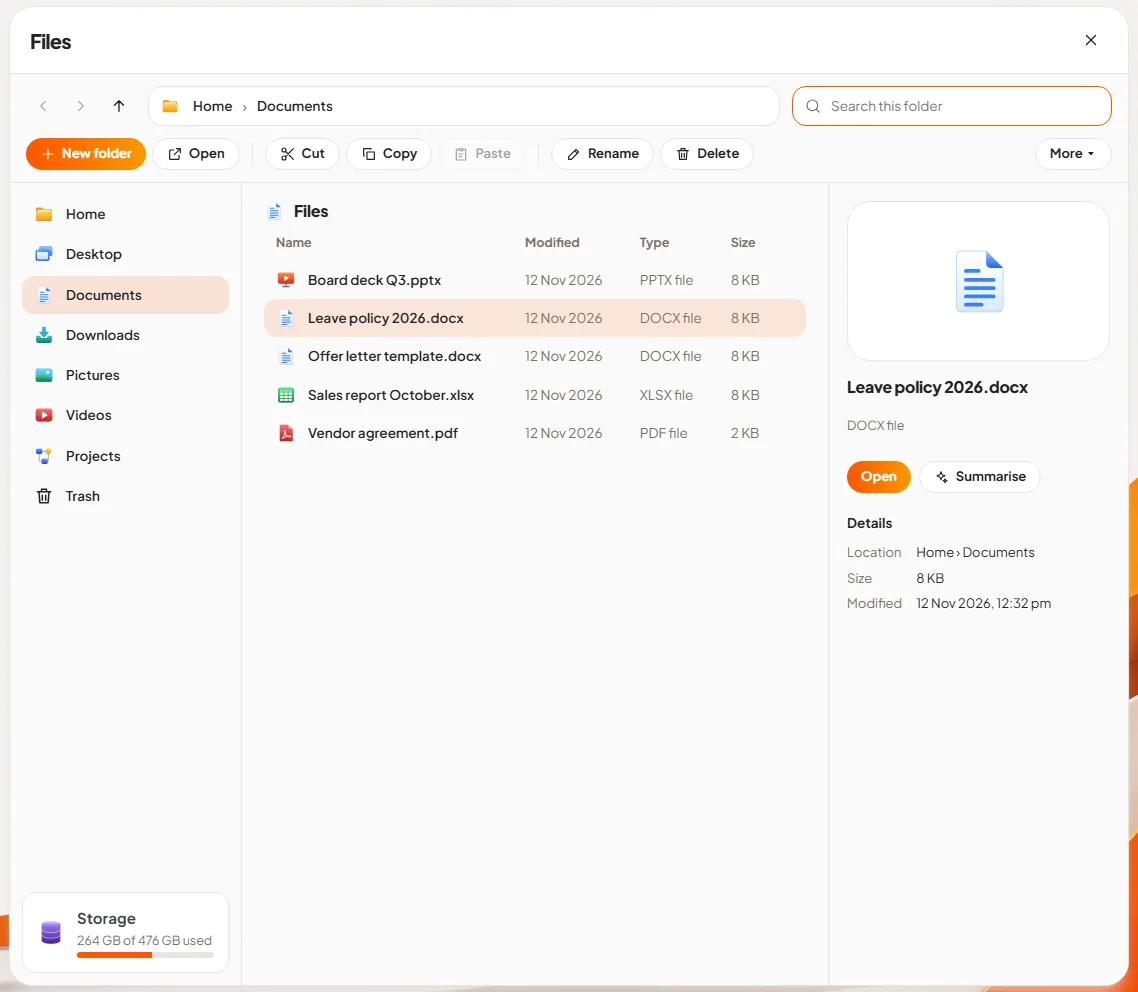
Slide 2: select a file. Click a file once and the pane on the right shows its details: what kind of file it is, where it is, its size and when it was last changed. Two buttons sit above the details. Open opens the file in its app, so a .docx opens in DNX Word and a PDF opens in DNX PDF Editor. Summarise hands the document to Nova and asks for the gist, which is useful for a long policy or a contract you only need to understand, not edit.
The toolbar across the top has the actions everyone knows: New folder, Open, Cut, Copy, Paste, Rename and Delete. They light up when something is selected.
How do you keep documents organised?
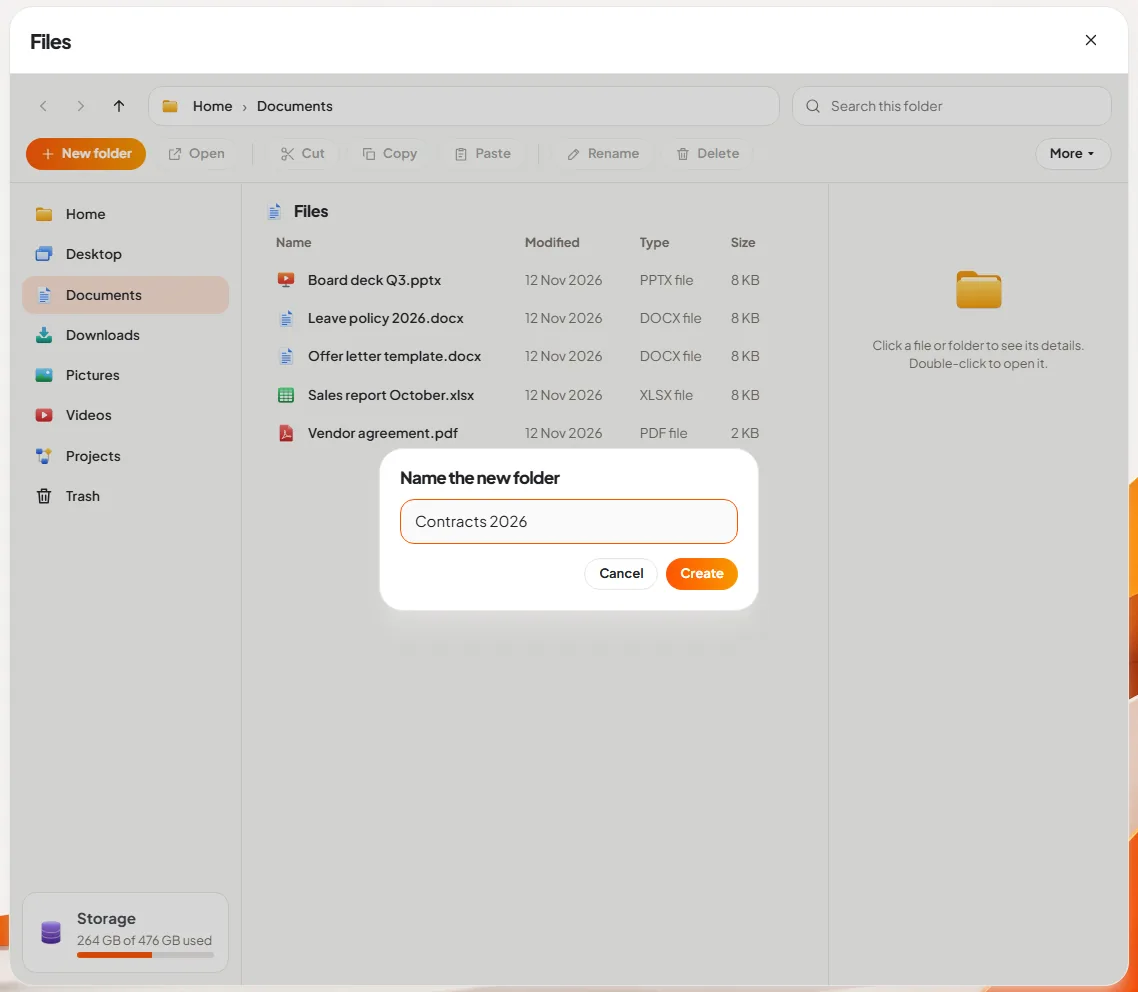
Slide 3: make a folder. Press New folder, type a name, press Create. The picture shows a folder called "Contracts 2026" being made inside Documents. Files are moved into it with Cut and Paste.
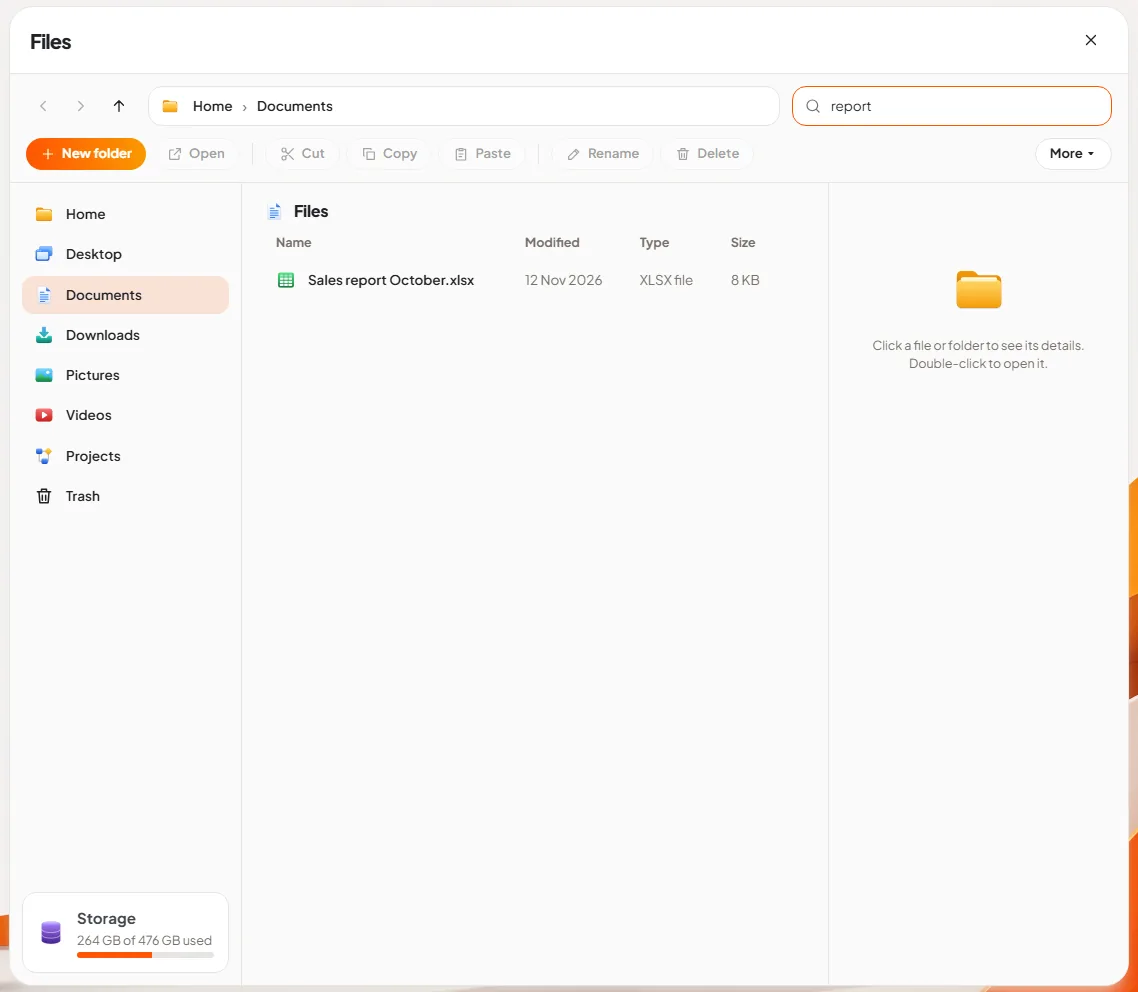
Slide 4: search a folder. The search box at the top right filters the folder you are in as you type. In the picture, typing "report" leaves one file: the October sales report. For a search across the whole computer, press the Start button and type there instead; our article on the DNX OS desktop and Start shows it.
Slide 5: switch to tiles. Some people think in lists, some in pictures. The More menu switches a folder between a list with columns and large tiles. Each kind of file has its own icon and colour, so a presentation, a document and a spreadsheet can be told apart at a glance.
Slide 6: sort, and tidy with Nova. The More menu also sorts by name, date or size, and hides the details pane when you want more room. At the top of the menu is Tidy this folder with Nova. That asks Nova to organise the folder by file type, and the request is written so that Nova shows its plan first, as a dry run, and moves nothing until you approve it. A Downloads folder with four hundred files is the usual place to use it.
What happens when someone deletes the wrong file?
Slide 7: bring a file back. Delete does not destroy anything. The file goes to the Trash, and the Trash says so: "Deleted files wait here until you empty the Trash." Select the file and press Put back, and it returns to the folder it came from. Empty Trash is the only button that removes files for good, and it asks first.
For a small company without an IT desk, this one screen prevents most "I deleted it by mistake" emergencies.
Does Files send documents anywhere?
No. Files works on the disk of the PC. When you press Summarise, the document is read by Nova, and Nova runs on the same machine. It is not uploaded to an AI service. In DNX OS the AI services are sandboxed with no network access, which is what lets us say that plainly. If you are comparing tools on this point, our DPDP Act data location checklist lists the questions to ask any vendor.
Can you use Files without a mouse?
Yes. Every screen in DNX OS is built to work from the keyboard. Tab moves between the folder pane, the file list and the toolbar, the arrow keys move through files, Enter opens, and Esc closes whatever is open.
What does DNX Files not do?
- The details pane does not preview the page. It shows an icon and the facts about the file. To see inside, open the file or ask for a summary.
- Search in Files looks at names. The box filters the open folder by file name. It does not search the text inside documents.
- The pictures show one PC. Everything in this article is about files on the computer itself. Team sharing of files happens in DNX Team Chat, where a file sent in a conversation is kept in that chat's shared files.
- Summaries depend on the model. Nova uses a small model that runs on the processor. It is good at the gist of a document. Check anything important against the original.
How do you try it?
DNX Files is part of DNX OS, a standalone operating system for businesses with private AI built in. The beta programme opens in December 2026 and the launch follows in January 2027. If your company is registered in India and has 5 to 50 people, apply for the beta and put Files in front of the person in your office who is least comfortable with computers. If they find last month's report without asking anyone, it has done its job.
Keep reading
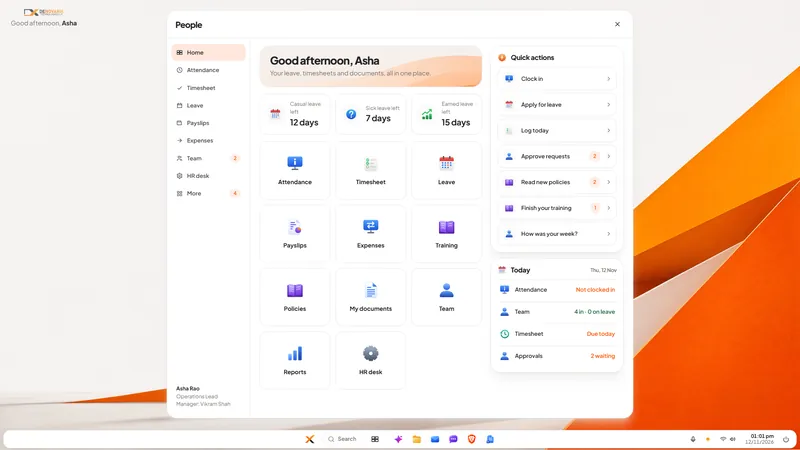
DNX People: HR and leave software for small companies
DNX People handles leave, attendance, timesheets, payslips and expenses for a small Indian company, on a server you host. Eight real screens show how it works.
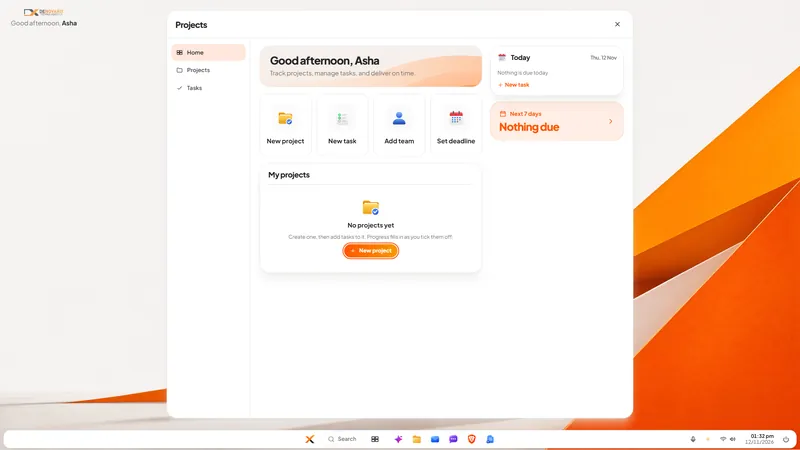
DNX Projects: a simple project and task tracker
DNX Projects is a simple project and task tracker in DNX OS: projects, tasks, deadlines and progress on one screen, with nothing to configure. Seven screens.
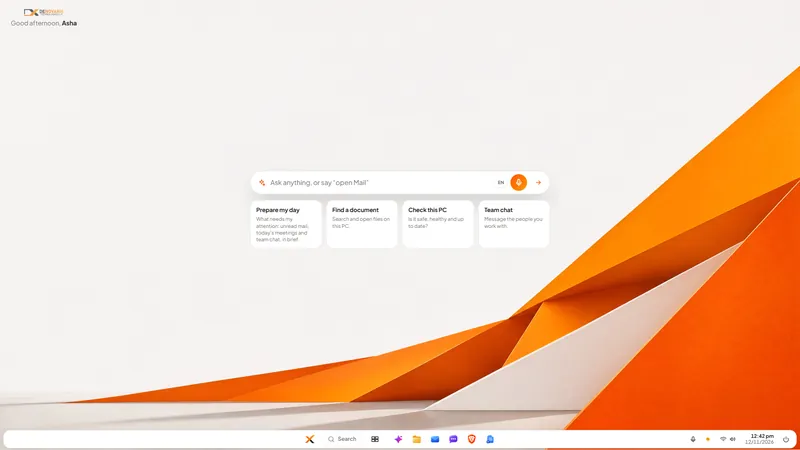
DNX OS desktop: Start, search and "open Mail"
The DNX OS desktop is built so office staff need no training: a Start button, one search, and a bar where you type or say "open Mail". Seven screens show it.