
DNX PDF Editor: edit PDFs without a subscription
DNX PDF Editor changes the text inside a PDF, signs, blacks out details for good and reorders pages, with no subscription and no upload. Seven real screens.
Part of the guide: Replacing the vendor stack: office, HR, chat and cost
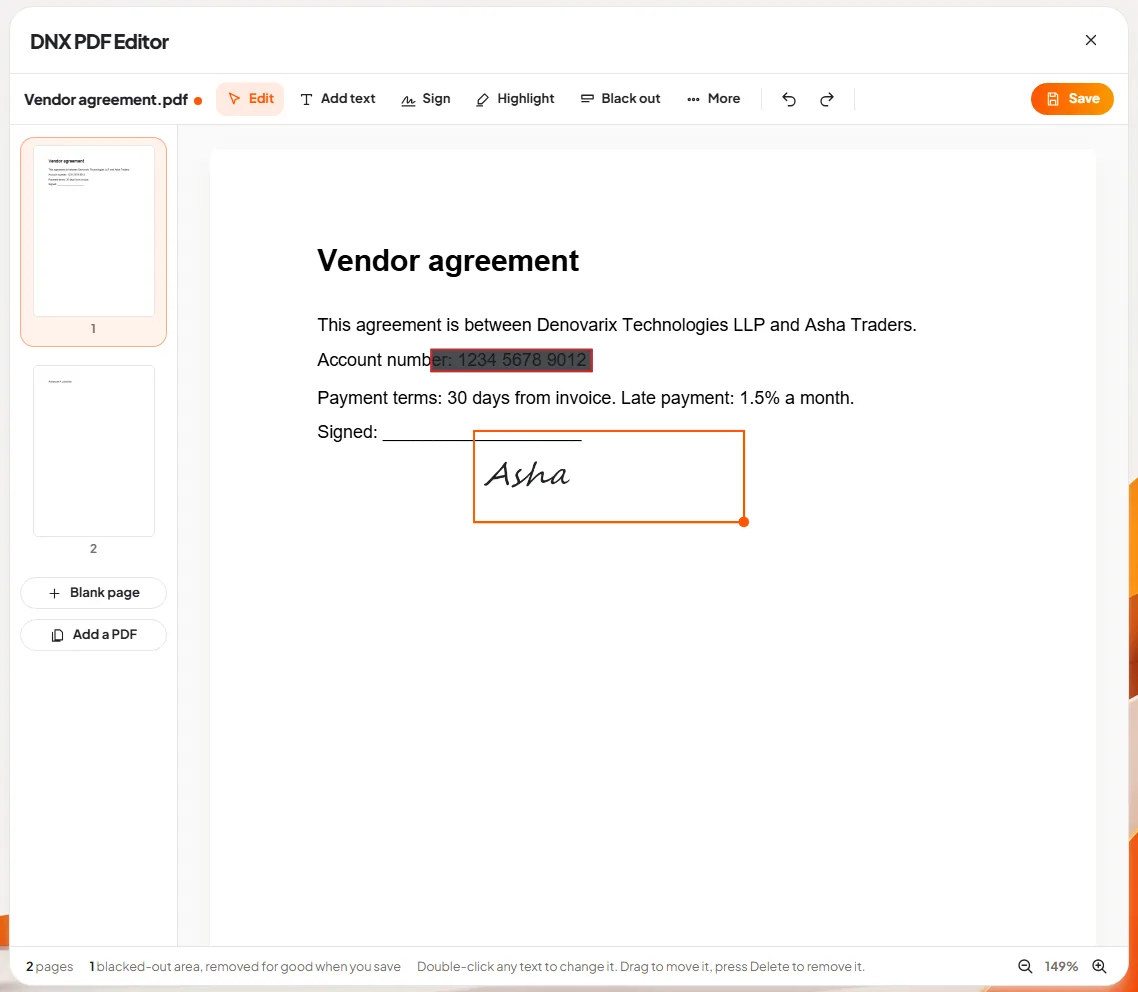
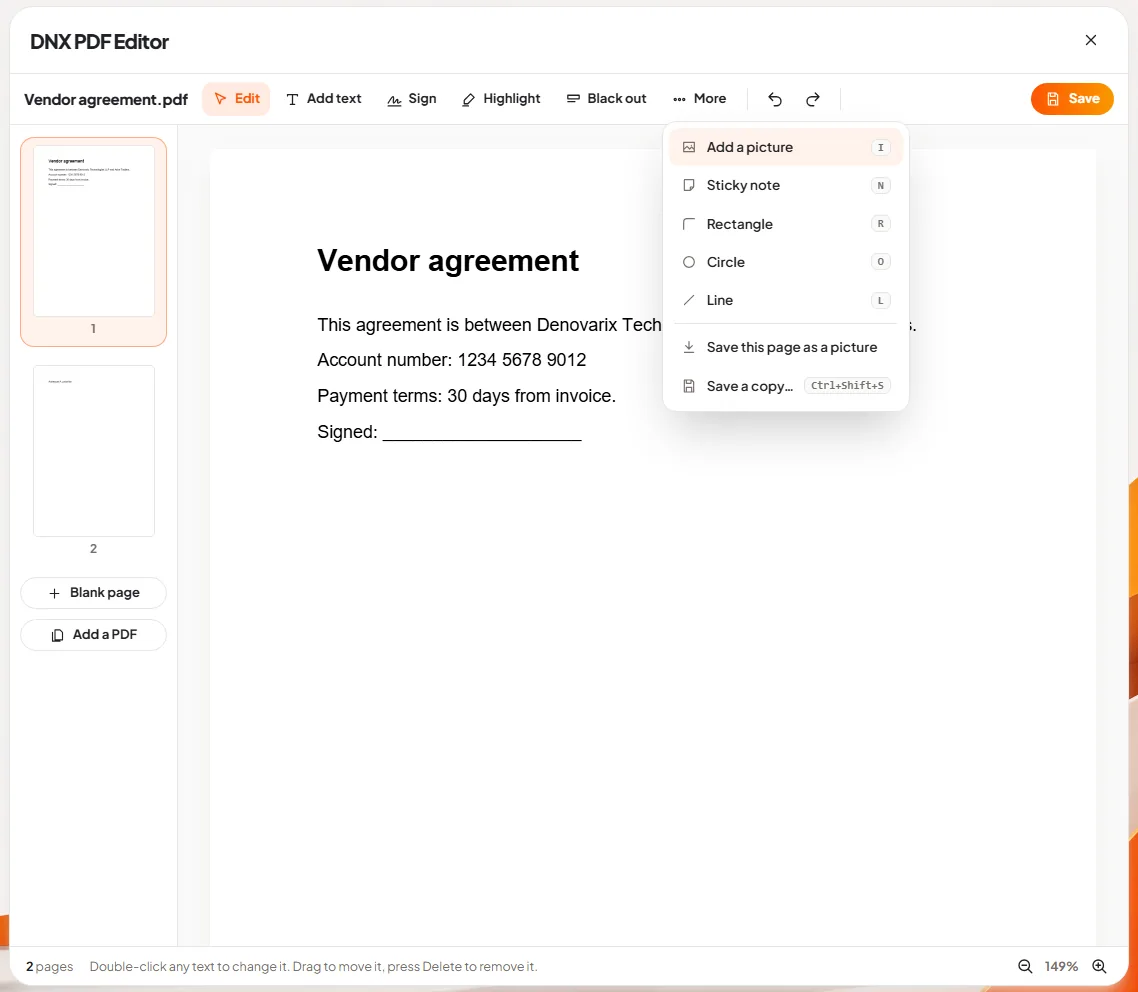
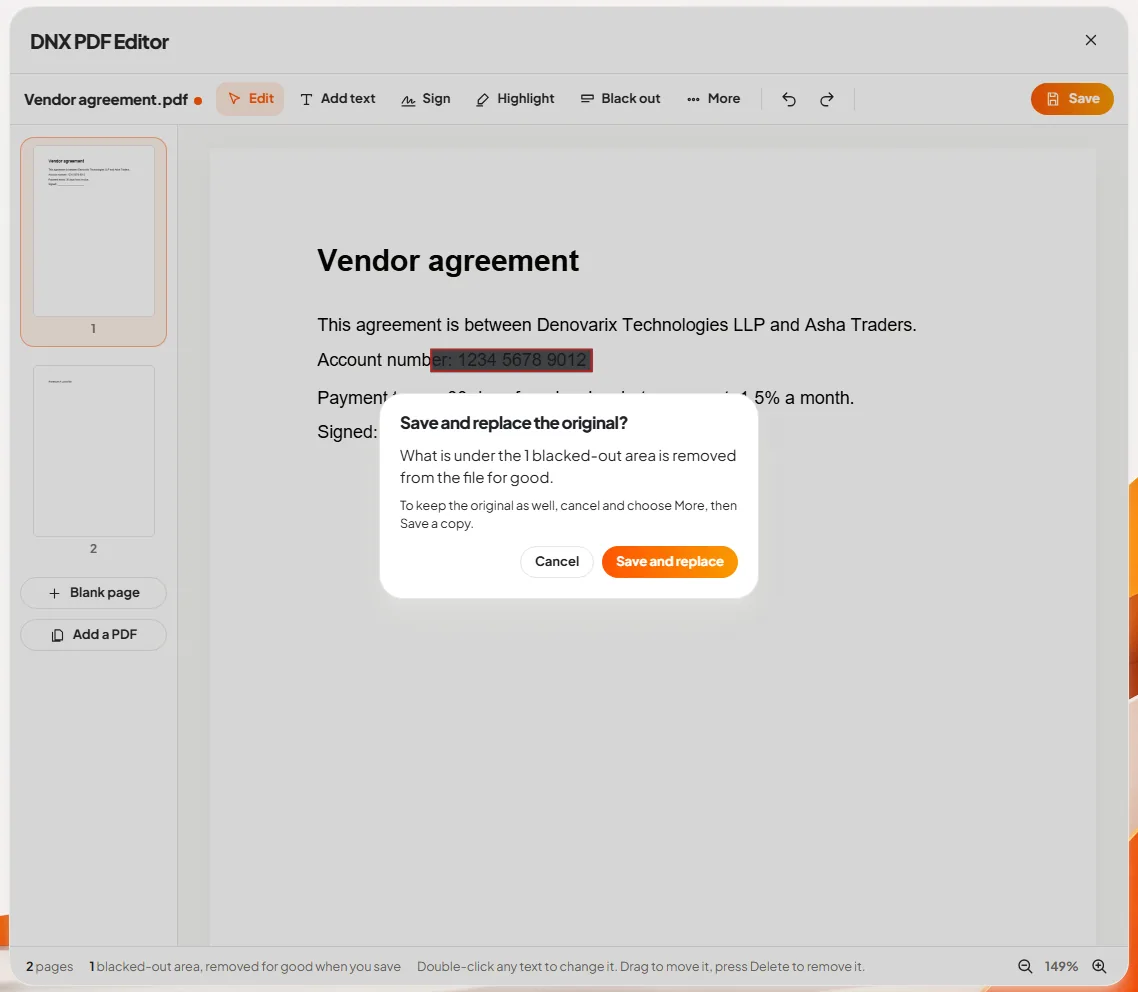
The short answer: DNX PDF Editor is the PDF app that comes with DNX OS. It does the jobs offices pay a monthly fee for: change the wording inside a PDF, add text, sign, highlight, black out private details so they are truly gone, and add, turn or remove pages. It is included in the operating system, so there is no subscription, and it works on the file on your PC, so nothing is uploaded to a website.
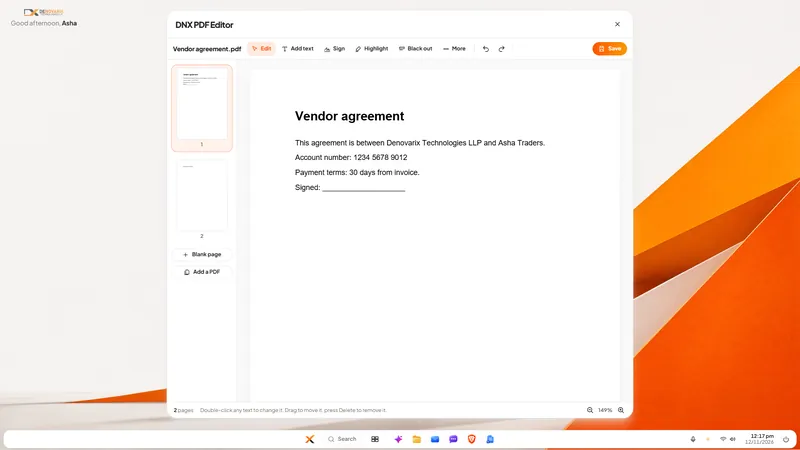
The slideshow above is seven real screens of the editor at work on a sample agreement. Each step was done with the mouse and keyboard in the real app.
Why is editing a PDF usually a paid feature?
A PDF is built to look the same everywhere, not to be changed. Reading one is free in every browser. Changing one is hard, so the tools that do it well have been sold by subscription, per user.
That leaves a small office with three poor choices: pay for an editor that is used twice a month, retype the document, or use a free website and upload a contract with bank details to a server nobody in the company has ever heard of. The third choice is the common one. It is also a data leak of the kind described in our article on shadow AI and company data.
How do you change the text in a PDF?
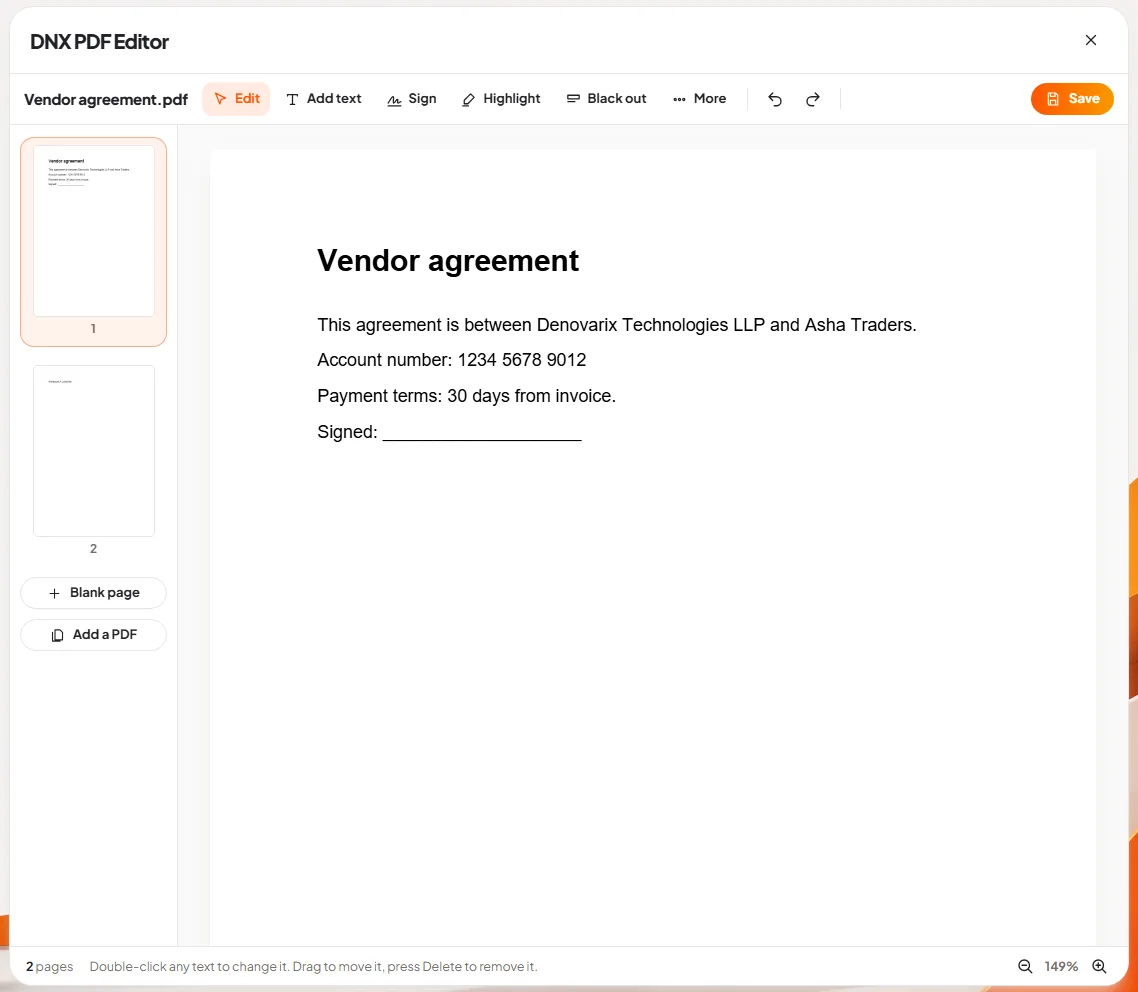
Slide 1: open a PDF. Open a PDF from DNX Files and it opens in the editor. The file name is at the top left, and beside it are the five tools a letter or a form needs: Edit, Add text, Sign, Highlight and Black out. Then More, undo and redo, and Save. The pages are listed down the left side, and the line at the bottom tells you what the current tool does: "Double-click any text to change it. Drag to move it, press Delete to remove it."
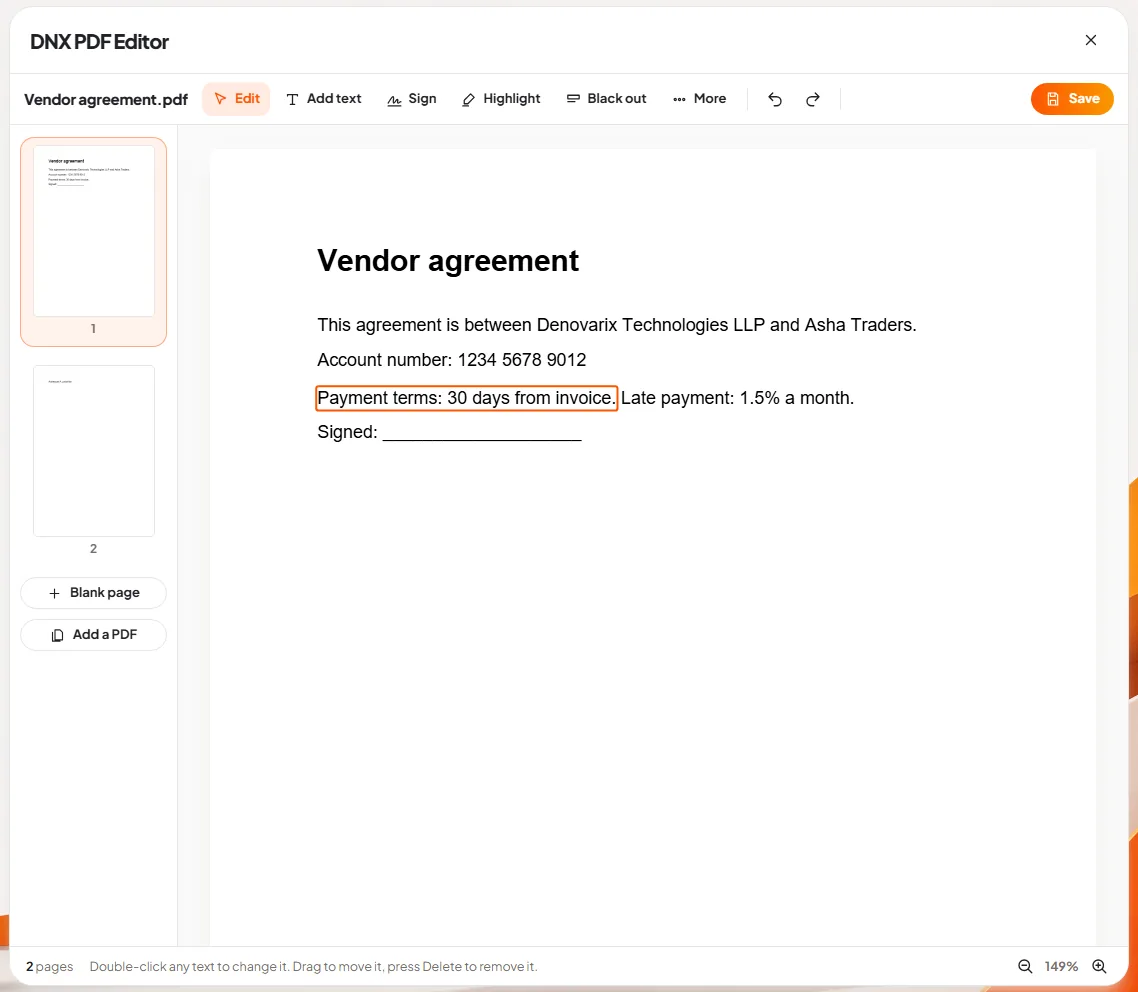
Slide 2: change the text itself. Double-click a line and type. In the picture, a late-payment clause is being added to the payment terms of an agreement. The words go into the line itself, in the same position.
This is a real edit. The editor rewrites the text inside the PDF. It does not place a white box over the old words and print new ones on top, which is how many cheap tools fake it and why their "edited" files reveal the original when someone selects the text.
How do you remove private details for good?
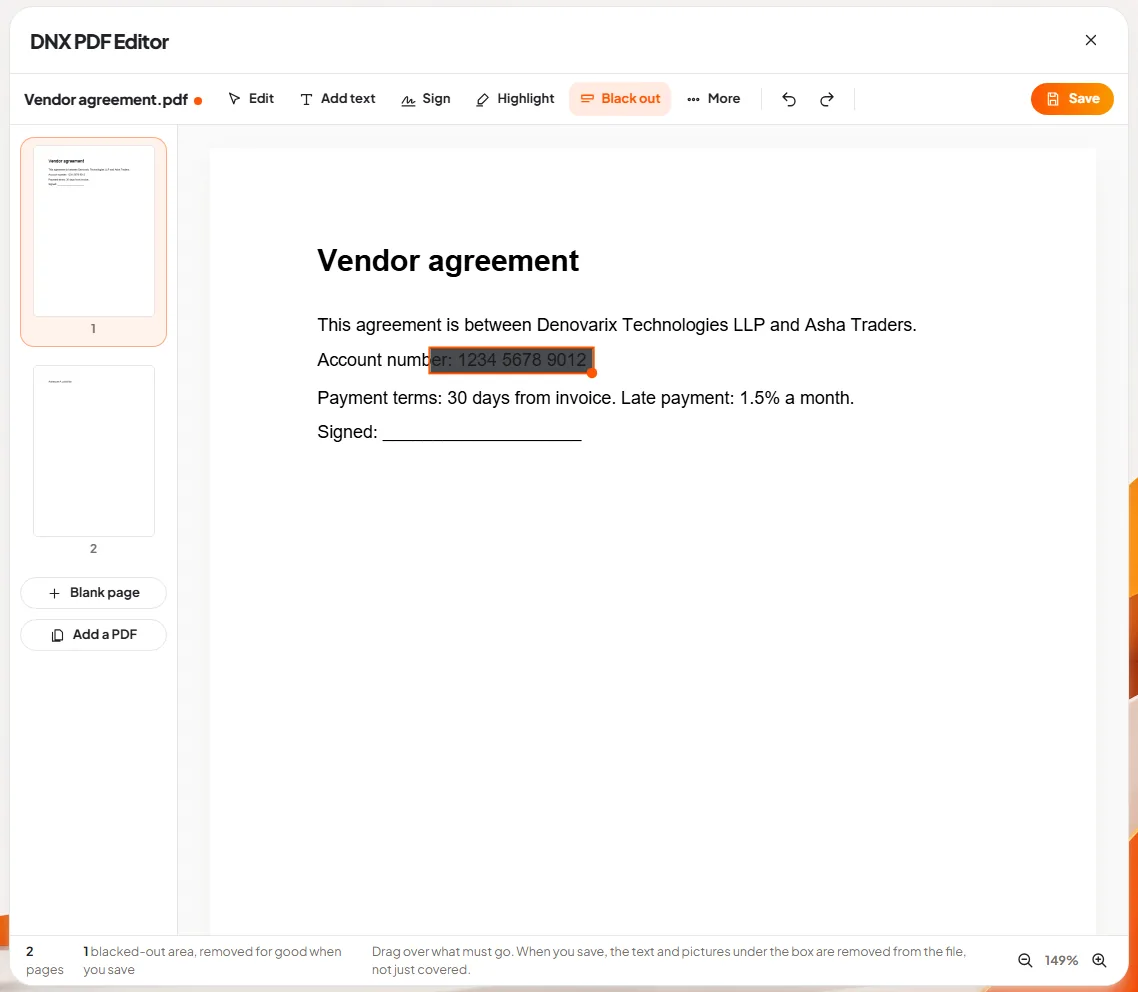
Slide 3: black out private details. Choose Black out and drag a box over what must not be seen: an account number, a PAN, a salary figure, a name. The area turns black.
Slide 7 shows what happens when you save, and it is the most important screen in the app. The save box states that the blacked-out area will be removed from the file for good. The text under the box is taken out of the file, pictures under it are blacked out in the picture itself, and the whole file is written afresh so the old content is not left inside.
Why it matters: a black rectangle drawn over text hides it from the eye, not from the file. Anyone can copy the "hidden" text out. Documents sent to banks, courts, tax authorities and clients have been exposed this way many times. If you redact, the content must be gone.
How do you sign a PDF?
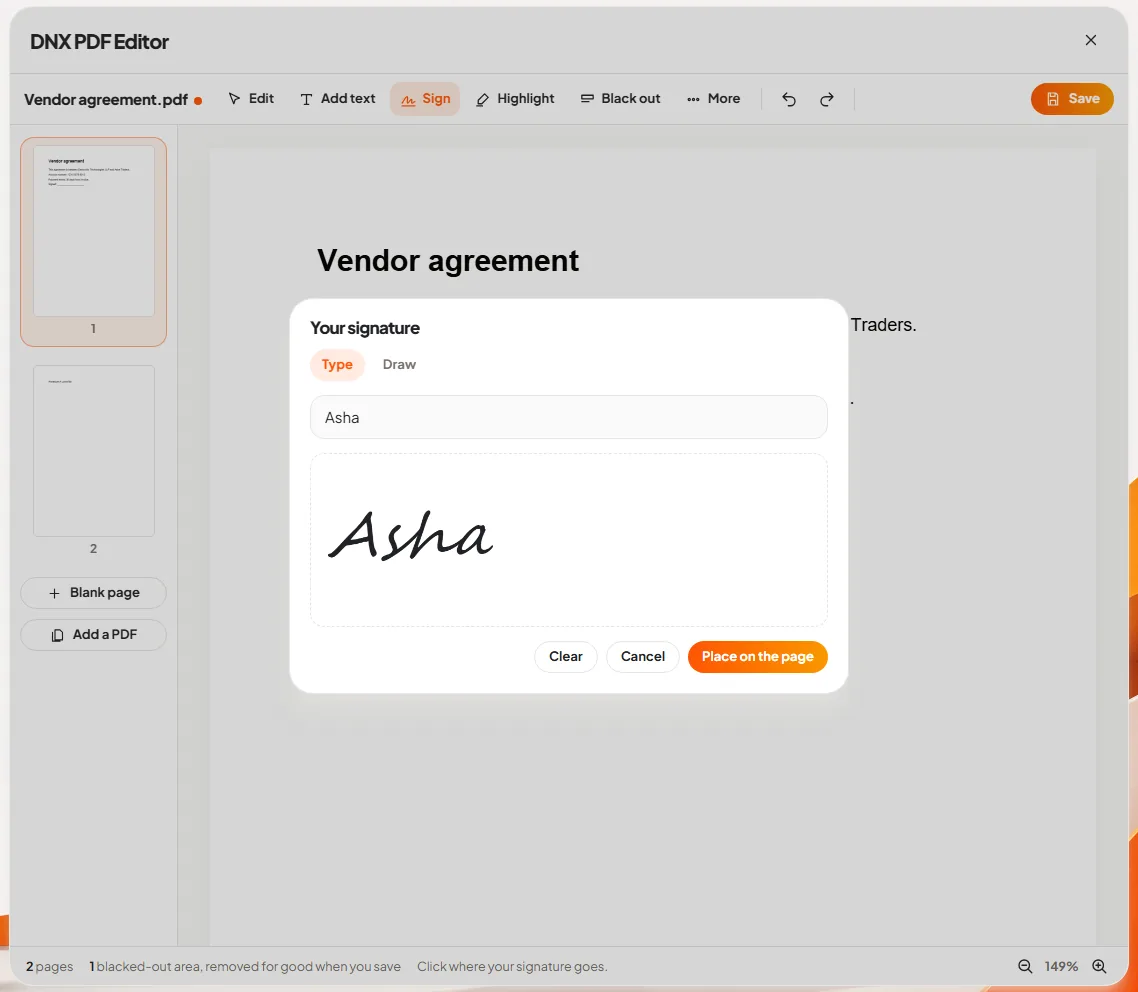
Slide 4: sign it. Choose Sign and click where the signature should go. A panel opens where you type your name and it is drawn in a handwriting style, or draw the signature yourself.
Slide 5: place the signature. The signature sits on the page where you clicked. Drag it to adjust. It is saved as part of the document.
A note on what this is. It is a signature image placed on a page, the same as signing a printout and scanning it. It is the right tool for the everyday agreements where that is accepted. It is not a digital signature certificate (DSC) or Aadhaar eSign, and where the law or the other party requires one of those, you still need it.
What else can it do?
Slide 6: add pictures, notes and pages. The More menu holds the tools used less often: add a picture (a company stamp or a logo), a sticky note, a rectangle, a circle or a line, save the current page as a picture, and Save a copy, which keeps the original untouched.
The page list on the left is also a tool. Each page can be turned or removed, a blank page can be added, and Add a PDF joins another PDF to this one. Combining three scans into one file, or dropping the blank page a scanner added, takes seconds.
The editor also fills in PDF forms, and every tool has a single-key shortcut (V to edit, T for text, G to sign, H to highlight, X to black out) for people who do this all day.
Is anything uploaded when you edit?
No. The file is opened from your disk, changed on your PC and saved to your disk. There is no account to create and no "processing in the cloud". That is true of the whole office suite in DNX OS, and it is a large part of why the suite exists. See vendor lock-in and software you can leave for the wider argument.
What does DNX PDF Editor not do?
- It does not turn a scan into editable text inside the editor. A scanned page is a picture. You can black out parts of it, sign it and add text on top, but you cannot double-click a scanned word to change it. Nova can read scanned documents separately.
- Black out has two known limits. A drawn line or shape that only partly crosses the box is painted over, not cut out, and hidden description text that some PDFs carry for screen readers is not cleaned. For text and pictures, which is nearly every case, the content is removed.
- A changed line keeps its place, not its neighbours. Text you edit stays on its line. The paragraph does not re-flow like a word processor. For heavy rewriting, edit the original Word file in DNX Word and export again.
- No digital signature certificates or eSign, as explained above.
What does it cost?
Nothing on its own. DNX PDF Editor is part of DNX OS and the DNX Office suite, described in DNX Office: Word, Excel and PowerPoint files. There is no per-user PDF licence to count. If you want to see what such small subscriptions add up to in a year, read what a 25-person company pays for software.
How do you try it?
The beta programme opens in December 2026 and DNX OS launches in January 2027. Registered Indian businesses with 5 to 50 people can apply for the beta. Bring the PDF you most often have to change, and one you must redact, and try both on the first day.
Keep reading
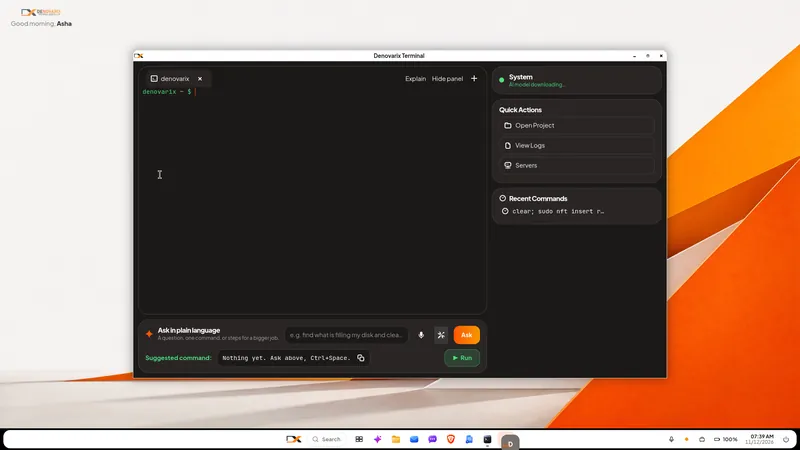
DNX Terminal: run commands in plain language
DNX Terminal turns a request in plain words into the exact command, labels it by risk and waits for you before anything that changes the PC. Two real screens.
DNX Office: open and save Word, Excel, PowerPoint
DNX Office is the office suite in DNX OS: DNX Word, Sheets and Presentation open and save Word, Excel and PowerPoint files, plus a PDF editor in six screens.
Nova AI: a private AI assistant for office work
Nova is the private AI assistant built into DNX OS. It runs on the office PC itself, so questions and files stay there. See it at work in six real screens.