
What software really costs a 25-person company in India
A worked example of what a 25-person Indian company pays for software subscriptions in a year, with illustrative prices, hidden costs and ways to cut the bill.
Part of the guide: Replacing the vendor stack: office, HR, chat and cost

The short answer: a 25-person company that rents the usual set of tools, such as an office suite, HR software, an AI assistant for some staff, device management and a few specialist licences, can easily spend ₹2,500 to ₹3,000 per employee per month before GST. In the illustrative example below, that comes to about ₹7.9 lakh a year, or ₹9.3 lakh with GST. The single lines look small. The total rarely gets looked at, because no one person sees all the invoices.
Read this first: every price in this article is an illustration chosen to show how the arithmetic works. Vendors change prices, run introductory offers and bill in different currencies. Do not treat any figure here as a quotation. Before you decide anything, check the current price list of each vendor you use.
What does a 25-person company typically subscribe to?
Take a services company in Kolkata: 25 people, most on laptops, a few in the field. Nobody set out to build a software stack. It accumulated.
Mail and documents came first. Then someone needed proper PDF editing. HR moved off spreadsheets. A security questionnaire from a client led to a device management tool and a password manager. Last year the sales team asked for an AI assistant, and ten licences were bought. The accountant has always had accounting software, and after a hard-disk failure the owner signed up for cloud backup.
Each of those decisions was reasonable. Here is what they add up to.
The worked example
| Tool | Illustrative price | Users | Per month |
|---|---|---|---|
| Office suite with business mail | ₹800 per user | 25 | ₹20,000 |
| HR and payroll software | ₹100 per user | 25 | ₹2,500 |
| AI assistant add-on | ₹1,700 per user | 10 | ₹17,000 |
| PDF editor | ₹1,200 per user | 5 | ₹6,000 |
| Device management | ₹300 per device | 25 | ₹7,500 |
| Password manager | ₹300 per user | 25 | ₹7,500 |
| Accounting software | ₹2,500 flat | 1 | ₹2,500 |
| Cloud backup | ₹3,000 flat | 1 | ₹3,000 |
| Total before GST | ₹66,000 |
Across a year:
| Amount | |
|---|---|
| Monthly total before GST | ₹66,000 |
| Annual total before GST | ₹7,92,000 |
| GST at 18% | ₹1,42,560 |
| Annual total with GST | ₹9,34,560 |
| Per employee per month, before GST | ₹2,640 |
Your own numbers will differ, in both directions. A company on a basic mail plan with no AI licences will be well under this. A company with design software, a CRM and a helpdesk tool will be well over. The useful thing is not the total in this table but the exercise of building your own.
To check real prices, go to the source. Google publishes its plans on its India pricing page, and Zoho lists its bundle on the Zoho One pricing page. Microsoft and most HR and security vendors publish theirs too. Note whether each price is per user or flat, monthly or annual, in rupees or dollars, and whether it includes GST.
What costs do not show up on the invoices?
The subscriptions are the visible part. Four other costs sit behind them.
Licences nobody uses. People leave, and their licences keep renewing. Teams buy a tool for a project and forget it. A first audit commonly turns up seats that belong to nobody.
Paying twice for the same thing. Video meetings inside the office suite and a separate meetings subscription. Storage in three places. A PDF tool for five people when the suite's own editor would have done for three of them.
Currency and annual increases. Tools billed in dollars move with the exchange rate. Most vendors revise prices from time to time, and a per-user price rise multiplies by your headcount without anyone approving it.
Administration time. Ten tools mean ten admin consoles, ten sets of user accounts to create when someone joins, and ten to remember to close when someone leaves. In a company without an IT person, that work falls on the owner or the office manager, and the accounts that are not closed become a security problem as well as a cost.
There is also a fifth cost that is harder to price: every tool is another place your data lives. That matters for the duties described in our DPDP Act checklist.
How does the bill grow as you hire?
Per-user pricing means software cost scales with headcount, not with revenue. In the example, each new employee adds roughly ₹1,500 a month in subscriptions that apply to everyone (suite, HR, device management, password manager), before any specialist licence.
Grow from 25 to 40 people and the same stack goes from about ₹66,000 to about ₹88,500 a month, if nothing else changes and no more AI or PDF licences are added. Hardware you buy once. Subscriptions you buy again every month, at a price someone else sets.
How can you cut the bill without hurting the work?
- Build the table. One row per tool, with price, number of licences and the name of the person who asked for it. Bank and card statements are the reliable source.
- Match licences to people. Remove seats for leavers and for people who have not signed in for ninety days.
- Remove overlaps. For each tool, ask whether the suite you already pay for does the same job well enough.
- Right-size plans. Not everyone needs the top tier. Field staff who only read mail may need the cheapest plan.
- Buy AI licences by task, not by team. Give them to the people who can show what they use them for, and review quarterly.
- Move to annual billing only for tools you are sure about. The discount is real, and so is the commitment.
- Set one renewal month. Staggered renewals are how increases slip through unexamined.
The first three steps are where savings usually turn up, without changing a single tool.
When does owning the stack make sense?
Trimming helps, but it does not change the model: you are still renting each function separately, per head. The alternative is to run on a system that includes those functions and that you host yourself.
That is what we are building with DNX OS: an operating system that includes the office suite, PDF editing, HR and payroll, team chat, meetings, device management and an on-device AI assistant, with one login and one bill. In terms of the table above, it is designed to replace most of the rows with a single one.
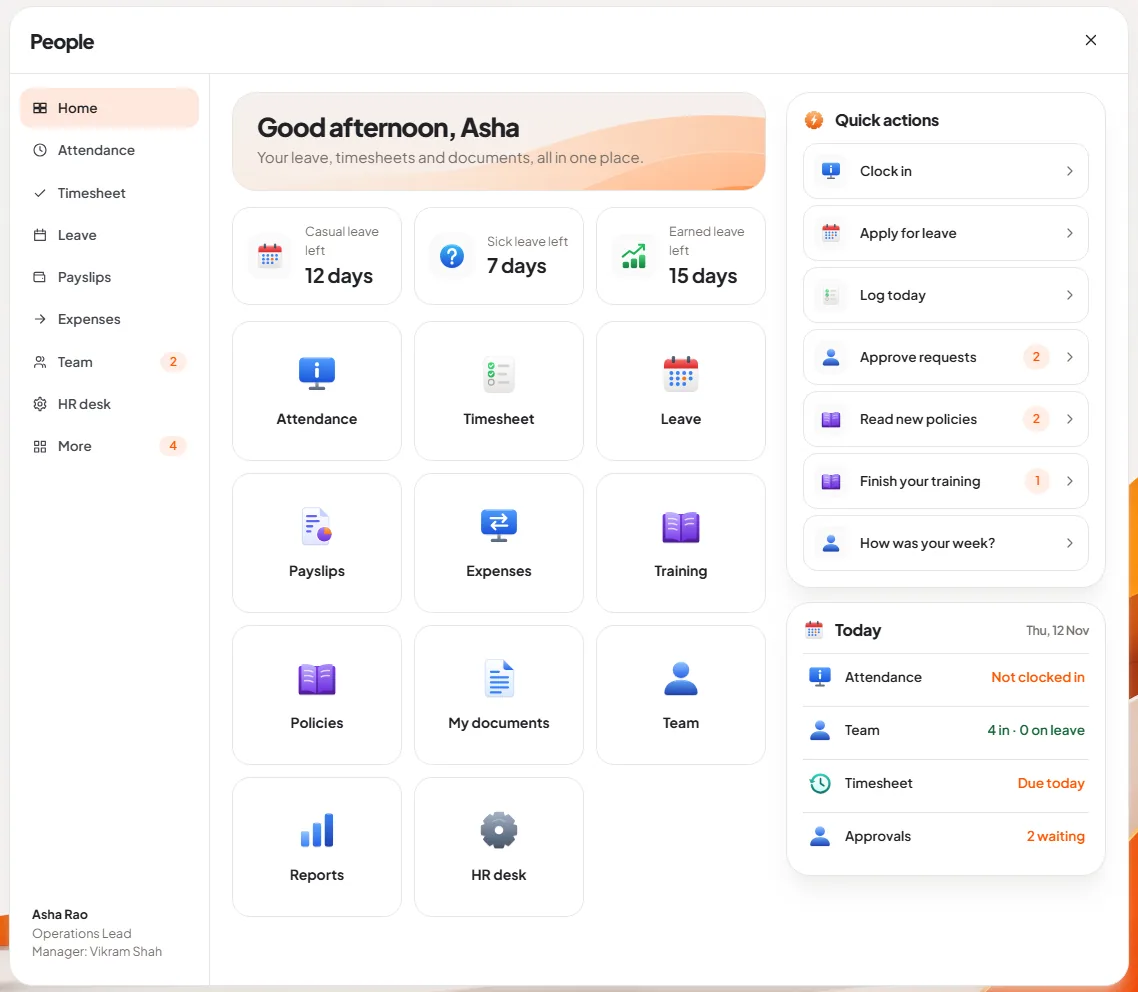
We have not published pricing yet, so we will not claim a saving figure here. DNX OS is free for companies in the beta programme, which opens in December 2026, and beta companies keep a founding-customer price at launch in January 2027. If you are comparing the rented suites in the meantime, our guide to Microsoft 365, Google Workspace and Zoho One is the place to start.
Whichever way you go, build the table first. It takes an afternoon, and it is the only way to know what you are deciding about.
Keep reading

On-device AI vs cloud AI for business: how to choose
On-device AI or cloud AI for your business? A plain comparison of speed, cost and privacy, the tasks each one suits, and how to decide which work goes where.

HRMS for small companies in India: what to look for
Choosing HRMS software for a small company in India: the leave, attendance, payroll and statutory features that matter, and the questions to ask every vendor.

Business intelligence without a data team
How a small company can get business intelligence without a data team: asking plain-language questions of its own data, and how to check the answers are right.