
DNX People: HR and leave software for small companies
DNX People handles leave, attendance, timesheets, payslips and expenses for a small Indian company, on a server you host. Eight real screens show how it works.
Part of the guide: Replacing the vendor stack: office, HR, chat and cost
The short answer: DNX People is the HR app in DNX OS. An employee uses it to clock in, apply for leave, log the day's work, read a payslip and claim an expense. A manager uses the same app to approve. HR sets salaries, runs the month's payroll and sees the reports. It runs on DNX Hub, a server your company hosts on its own premises or in an Indian data centre, so salary and leave records are not in another vendor's cloud.
The slideshow above is eight real screens from a local DNX Hub filled with invented staff of an invented company. Nothing in it is a mock-up.
Who is DNX People for?
It is for the company that has outgrown the leave register and the attendance spreadsheet, usually somewhere between ten and a few hundred people. If you are still deciding whether you need HR software at all, read HRMS for small companies in India: what to look for first. It applies to any product, including this one.
What does an employee do in DNX People?
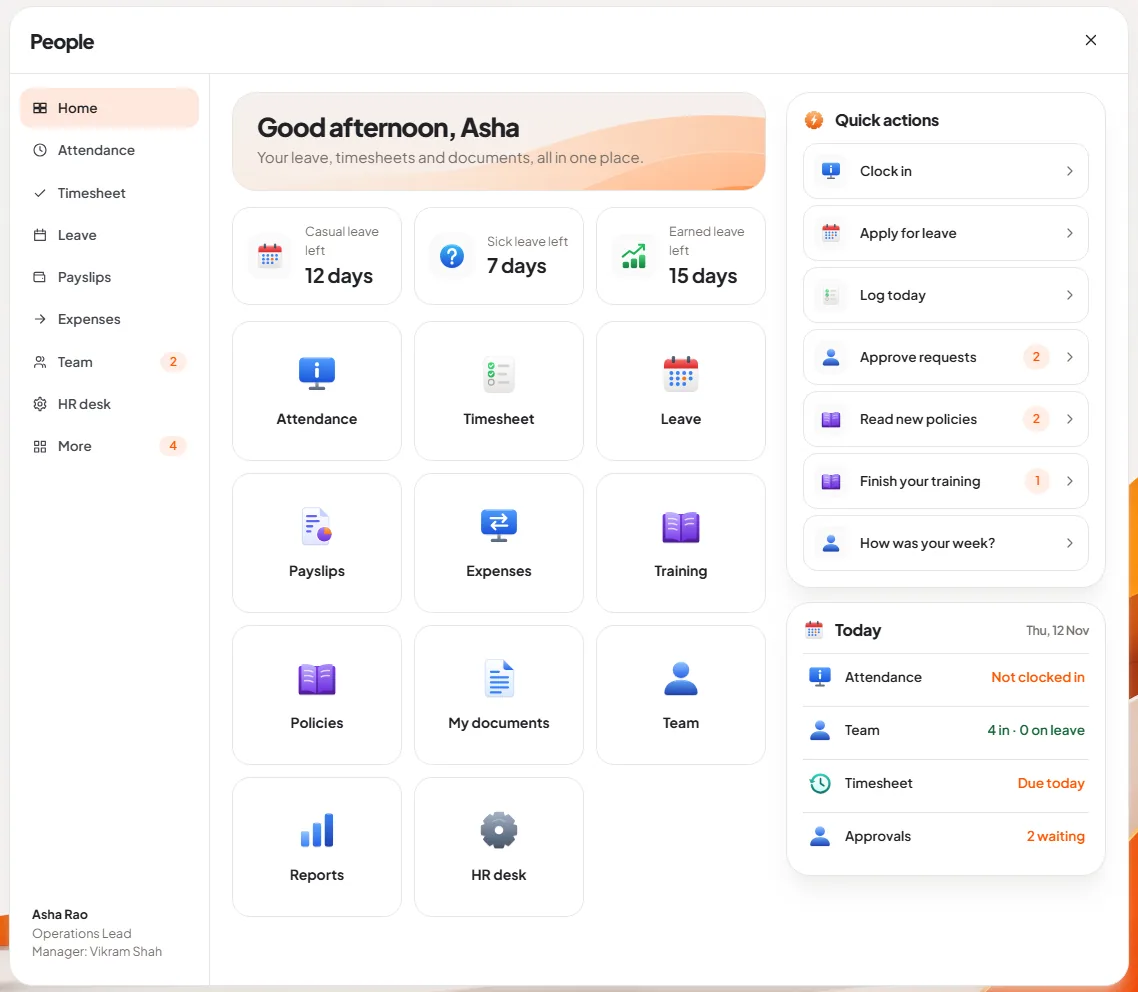
Slide 1: open People. The home page greets the person by name and shows what they ask HR most often: how many casual, sick and earned leave days are left. Below are tiles for each task, and on the right a list of quick actions and a "Today" card: clocked in or not, timesheet due or done, and for a manager, how many approvals are waiting.
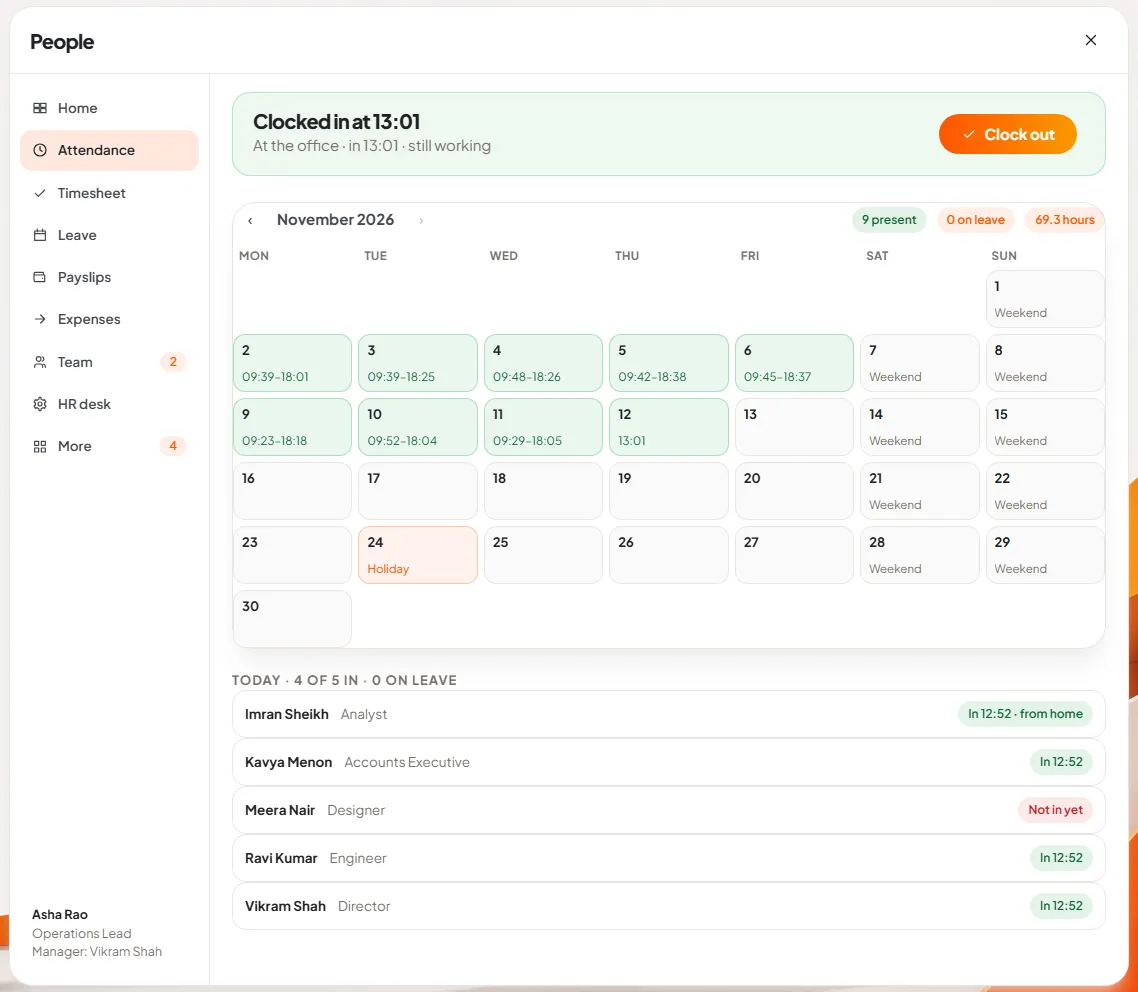
Slide 2: clock in. One press on Clock in marks you present, at the office or from home. A second press when you leave records the time out. The month is laid out as a calendar with in and out times on each day, weekends and holidays marked, and totals for days present, days on leave and hours. Managers also see who in the team is in today.
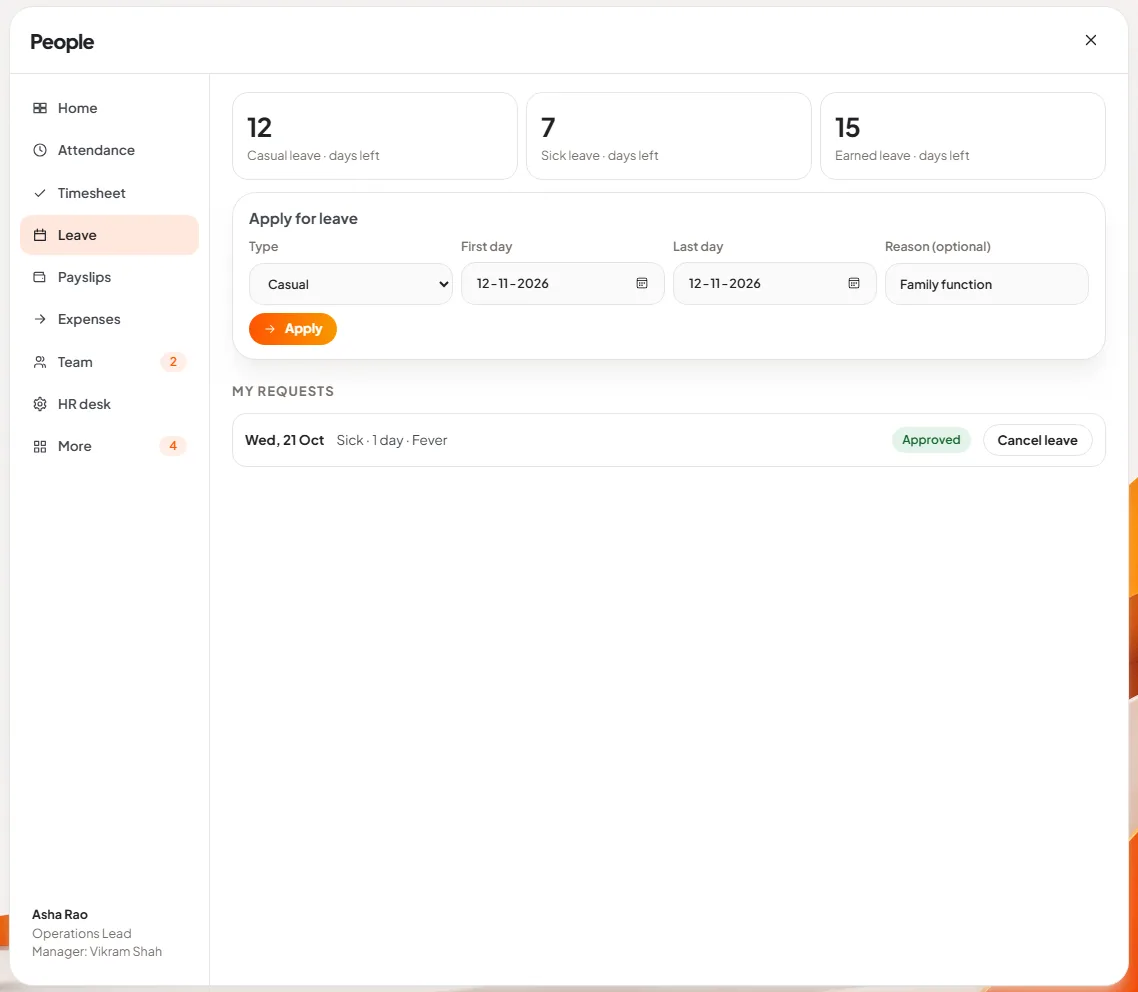
Slide 3: apply for leave. The balances are at the top, the form below: type of leave, first day, last day and an optional reason. People counts only working days, so a Friday to Monday request is two days, not four. If the balance is too low, it says how many days are left and suggests unpaid leave for the rest. Earlier requests are listed with their status, and a request can be cancelled.
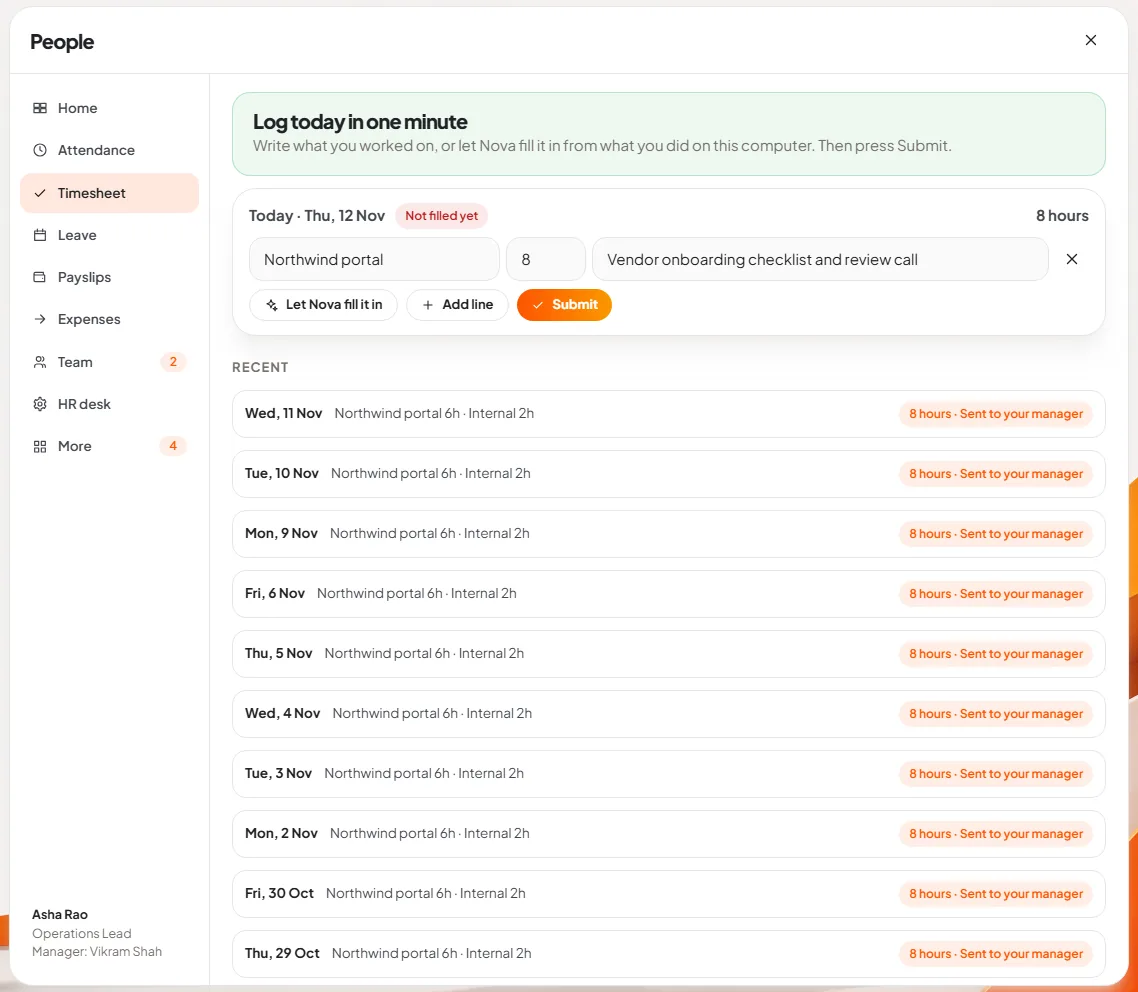
Slide 4: log the day's work. A timesheet is one or more lines: project or client, hours, and what you did. Press Submit and it goes to your manager. The button beside it, Let Nova fill it in, asks Nova to draft the day from what you did on the computer, for you to correct.
There is also a weekly rule, useful for companies that bill by the hour: if last week's timesheets are still missing after a grace period on Monday morning, the PC asks for them before anything else. Days on approved leave and holidays never need a timesheet.
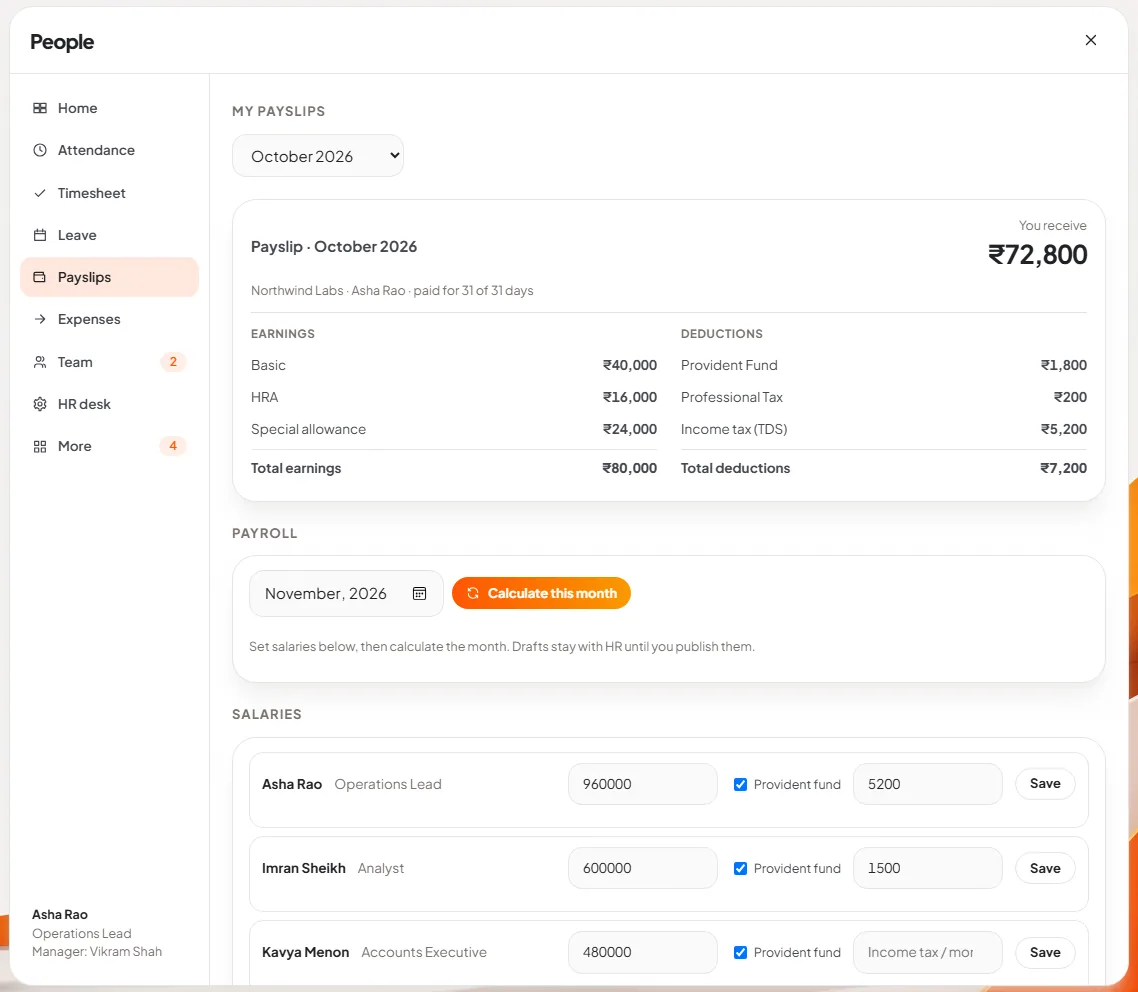
Slide 5: read a payslip. Each finalised month has a payslip: earnings on the left, deductions on the right, and the amount received at the top. In the picture, the signed-in person is also the HR lead, so the payroll section appears below the payslip.
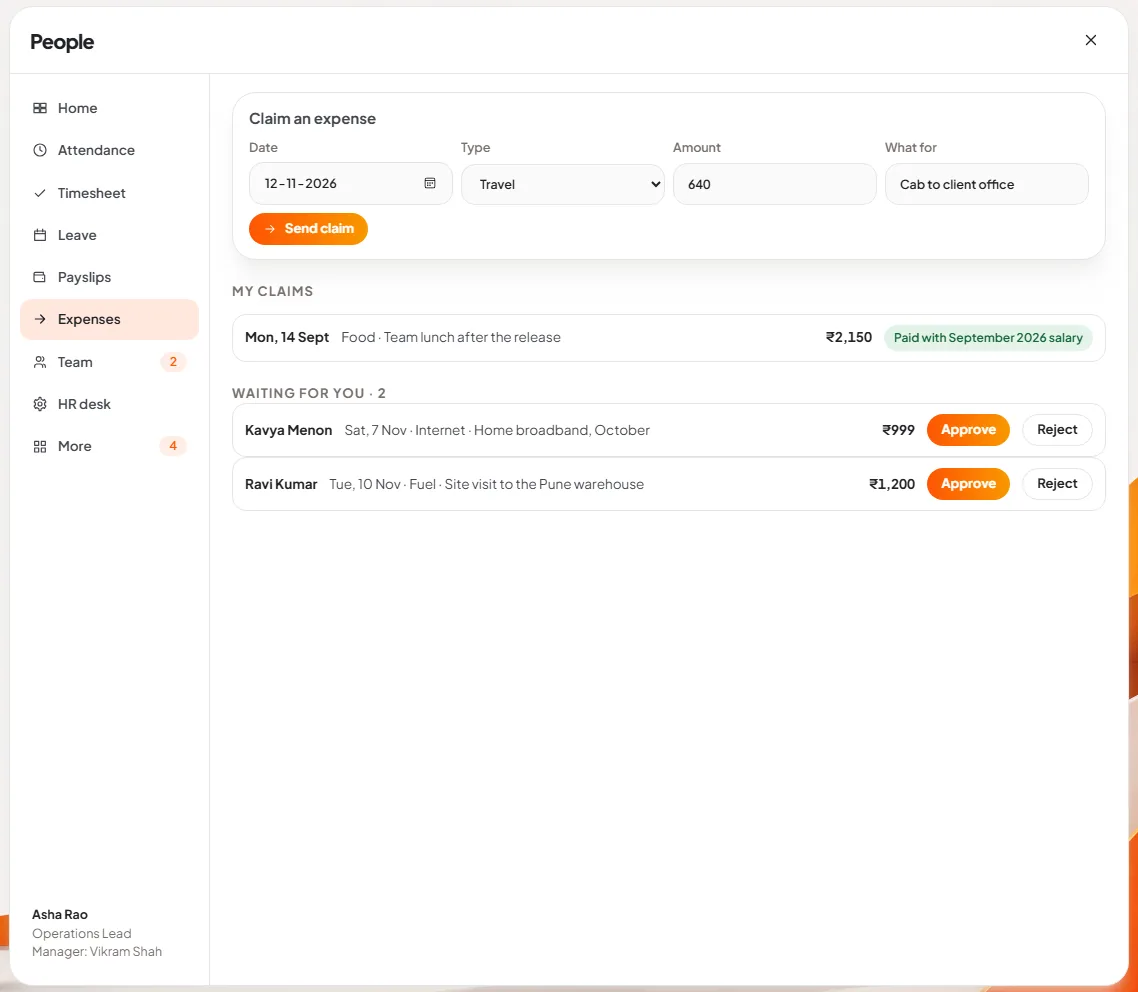
Slide 6: claim an expense. Date, type, amount and what it was for. Types are travel, stay, food, fuel, internet, supplies and other, and claims can be made for the last 90 days. An approved claim is paid with that month's salary, and the list shows it: "Paid with September 2026 salary".
What do managers and HR see?
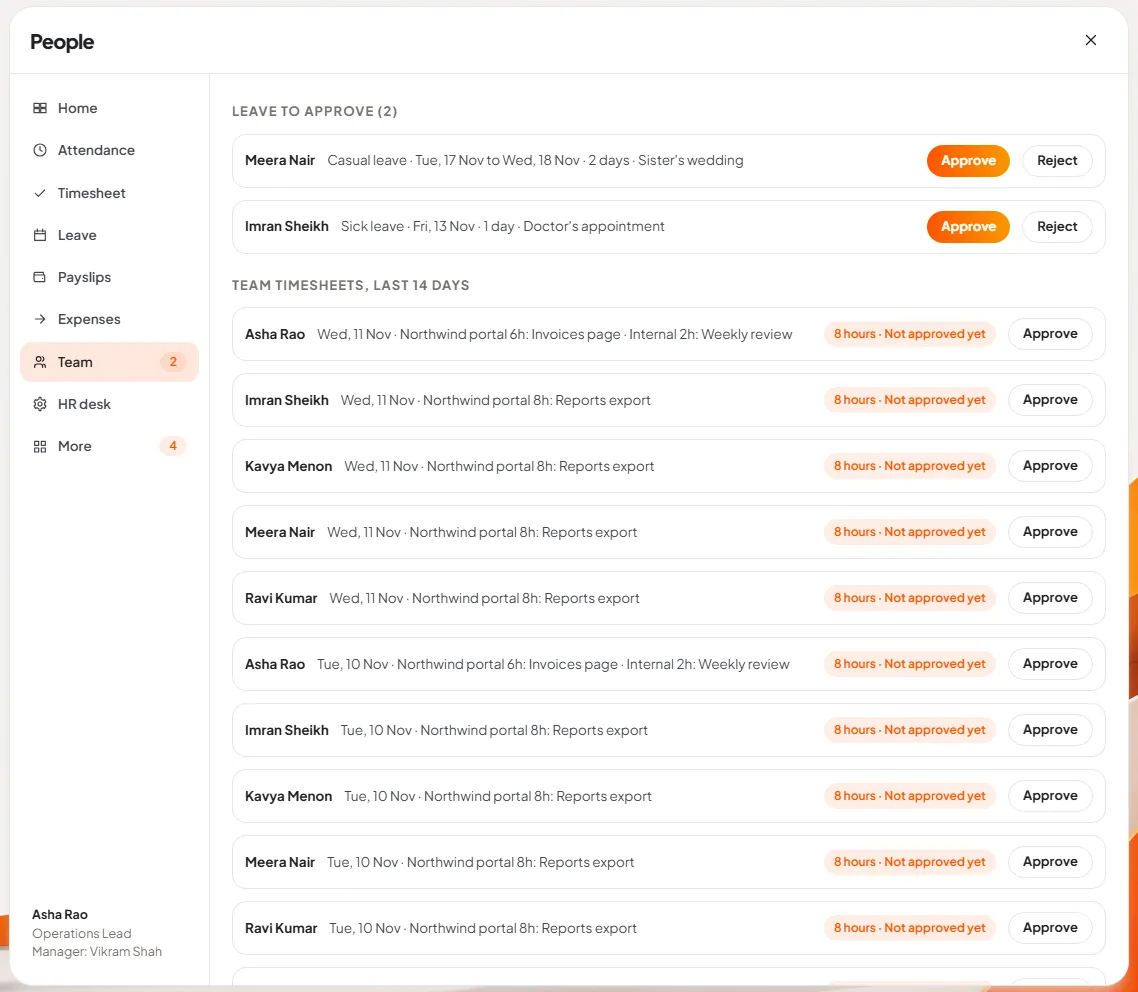
Slide 7: approve the team's requests. The Team page puts everything waiting for a decision in one list: leave to approve or reject, and the team's timesheets. The same number shows as a badge beside Team in the menu, so approvals do not sit unseen in an inbox.
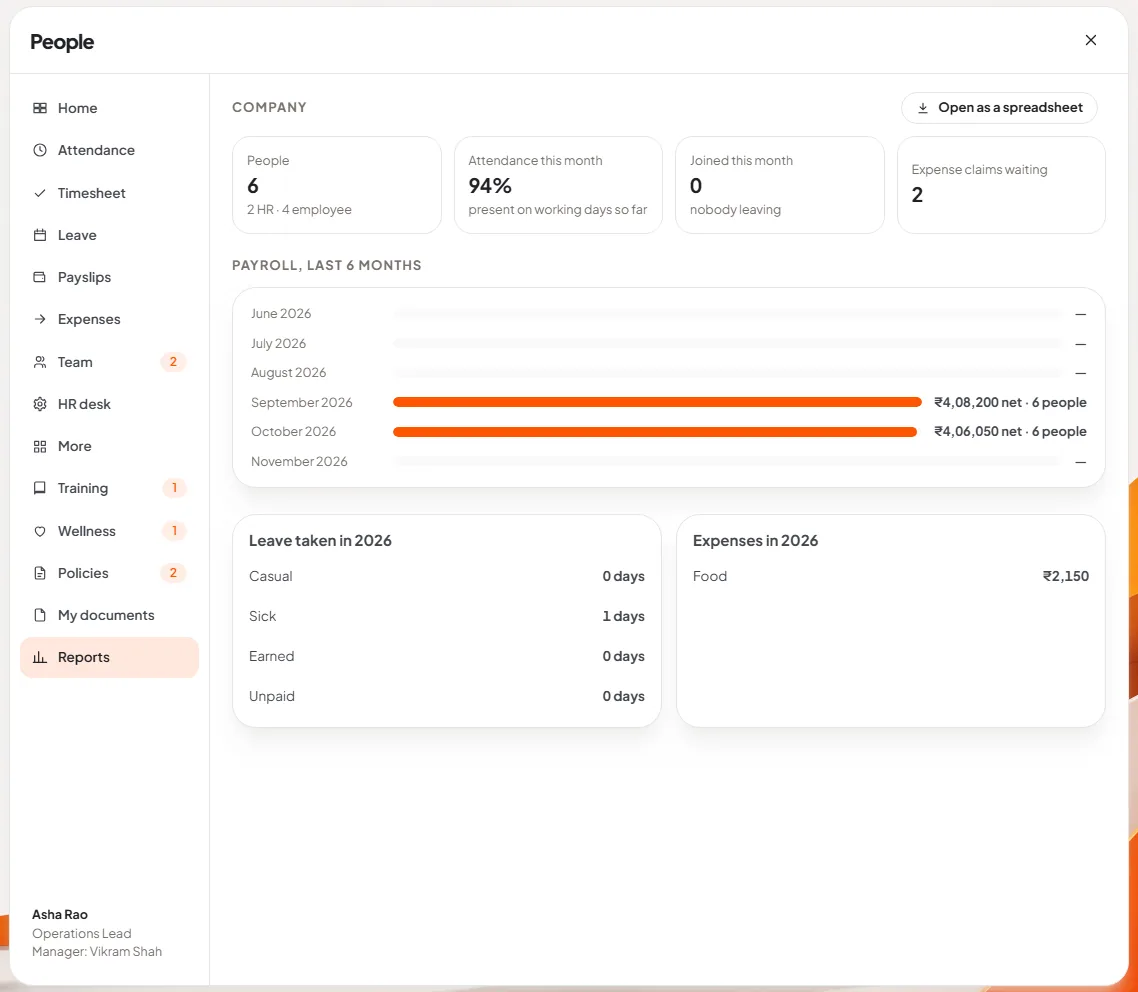
Slide 8: see the company report. HR sees headcount, attendance for the month, payroll for the last six months, leave taken and expenses by type. A manager sees the same for their own team. Open as a spreadsheet exports it.
HR also has an HR desk for the directory, holidays, policies that staff must acknowledge, offer letters and exits, and there are pages for training and a weekly wellness check-in whose results HR sees only as averages for a group.
How does payroll work, and where does it stop?
This is the part to read carefully, because payroll is where HR software earns or loses trust.
HR enters each person's yearly salary, whether provident fund applies, and the income tax to deduct each month. Pressing Calculate this month produces draft payslips. They stay with HR until they are published. A published month does not change.
The calculation is deliberately simple and visible:
| Line | How it is worked out |
|---|---|
| Basic | 50% of monthly gross |
| House rent allowance | 40% of Basic |
| Special allowance | The rest of the gross |
| Loss of pay | Approved unpaid leave on working days reduces all three in proportion |
| Provident fund | 12% of Basic, with Basic capped at ₹15,000 |
| Professional tax | One monthly amount set by HR |
| Income tax (TDS) | The monthly amount HR entered for that person |
| Reimbursements | Approved expense claims, added after tax |
What it does not do yet:
- It does not compute TDS. HR enters the monthly figure. The app does not work it out from the tax regime and declarations.
- It does not handle ESI, gratuity, bonus or labour welfare fund, and professional tax is one amount, not state-wise slabs.
- It does not file returns or produce statutory forms.
- Absence without leave is not deducted automatically. Only approved unpaid leave reduces pay.
- The salary structure is fixed to the three earnings above.
For a small company whose accountant already computes the statutory figures, this is a clean way to issue payslips and keep leave, attendance and claims in one place. If you need full statutory payroll from the HR tool itself, tell us in the beta: it decides what we build next. Either way, have your accountant check a sample month, as we advise for every vendor.
Where is the HR data kept?
On DNX Hub, which your company hosts. People uses the same sign-in as DNX Team Chat, so there is one account per employee, not one per tool. Salaries, bank-level detail and medical leave are the most sensitive personal data a company holds, and under the DPDP Act you are answerable for it. Our data location checklist explains what to ask.
How do you try it?
DNX People is part of DNX OS and DNX Hub. The beta programme opens in December 2026 for registered Indian businesses with 5 to 50 people, and the launch is in January 2027. Apply for the beta, run one real month of leave and attendance through it, and judge it on that.
Keep reading
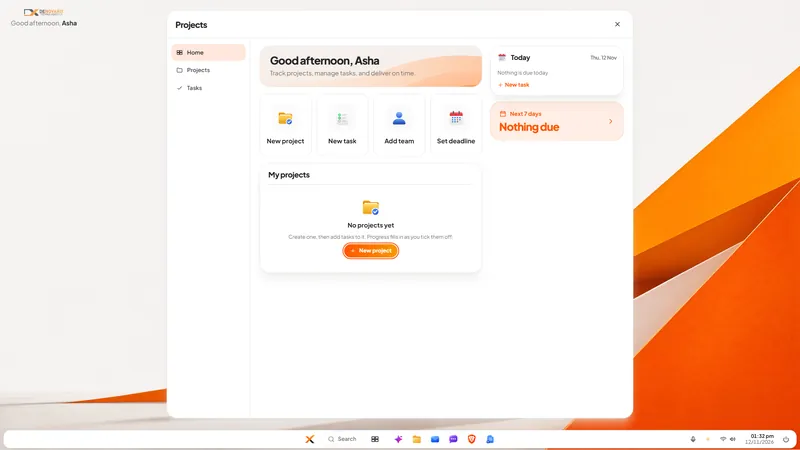
DNX Projects: a simple project and task tracker
DNX Projects is a simple project and task tracker in DNX OS: projects, tasks, deadlines and progress on one screen, with nothing to configure. Seven screens.
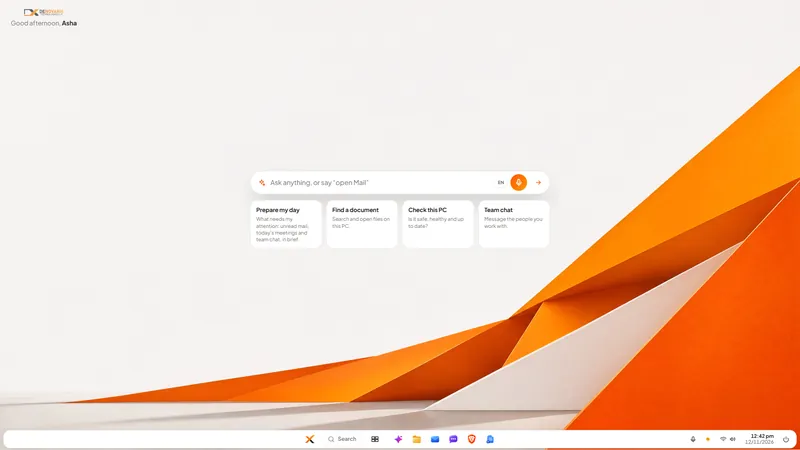
DNX OS desktop: Start, search and "open Mail"
The DNX OS desktop is built so office staff need no training: a Start button, one search, and a bar where you type or say "open Mail". Seven screens show it.
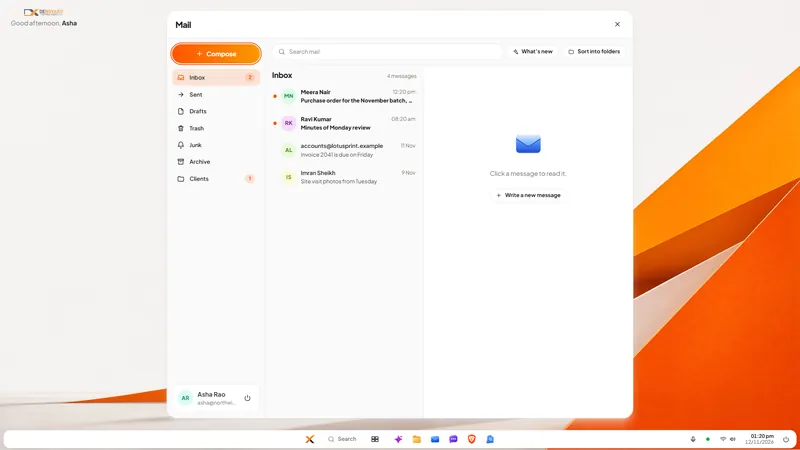
DNX Mail: a business email app with private AI
DNX Mail is the email app in DNX OS. It works with your existing work mailbox and adds AI that summarises, drafts and sorts on the PC itself. See seven screens.