
DNX Mail: a business email app with private AI
DNX Mail is the email app in DNX OS. It works with your existing work mailbox and adds AI that summarises, drafts and sorts on the PC itself. See seven screens.
Part of the guide: Private and on-device AI for business: a guide
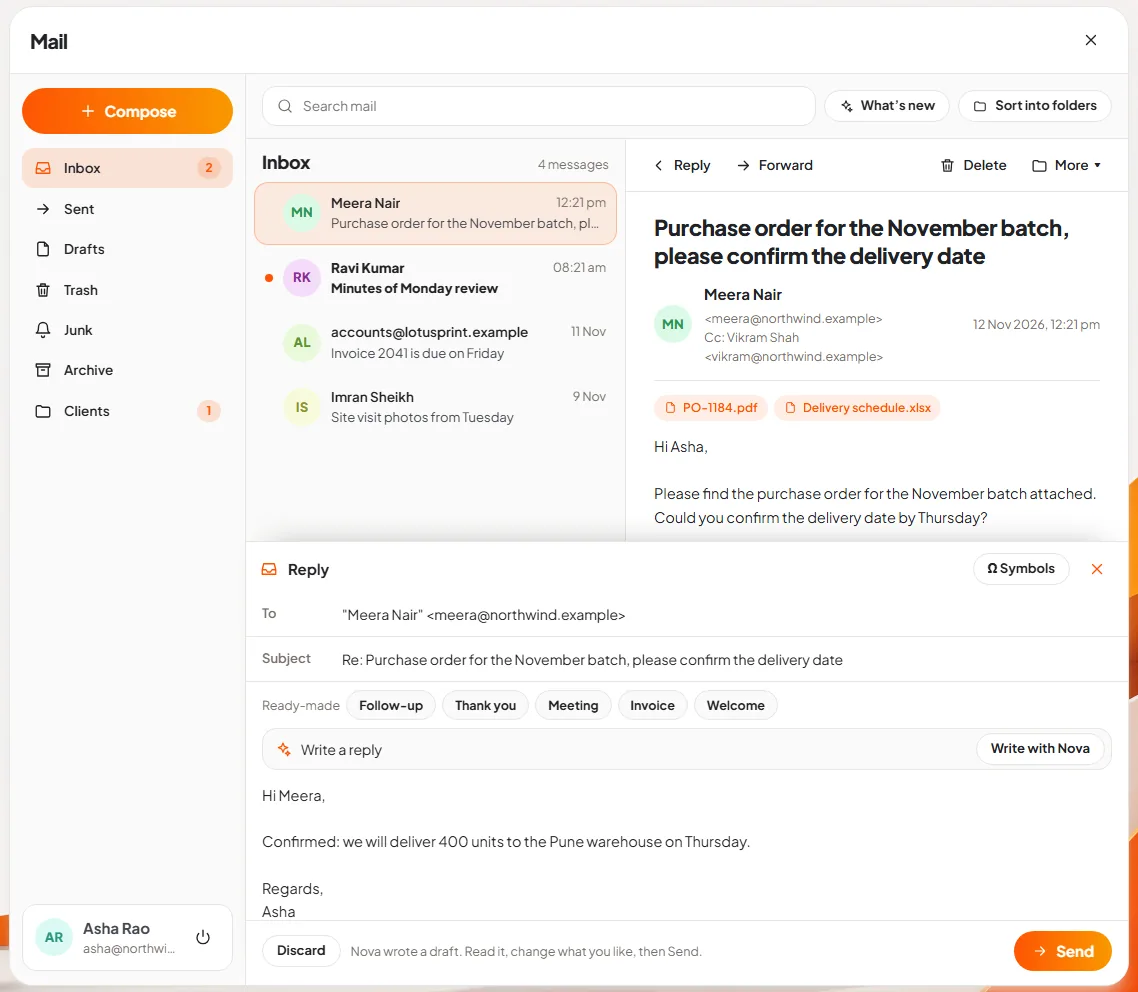
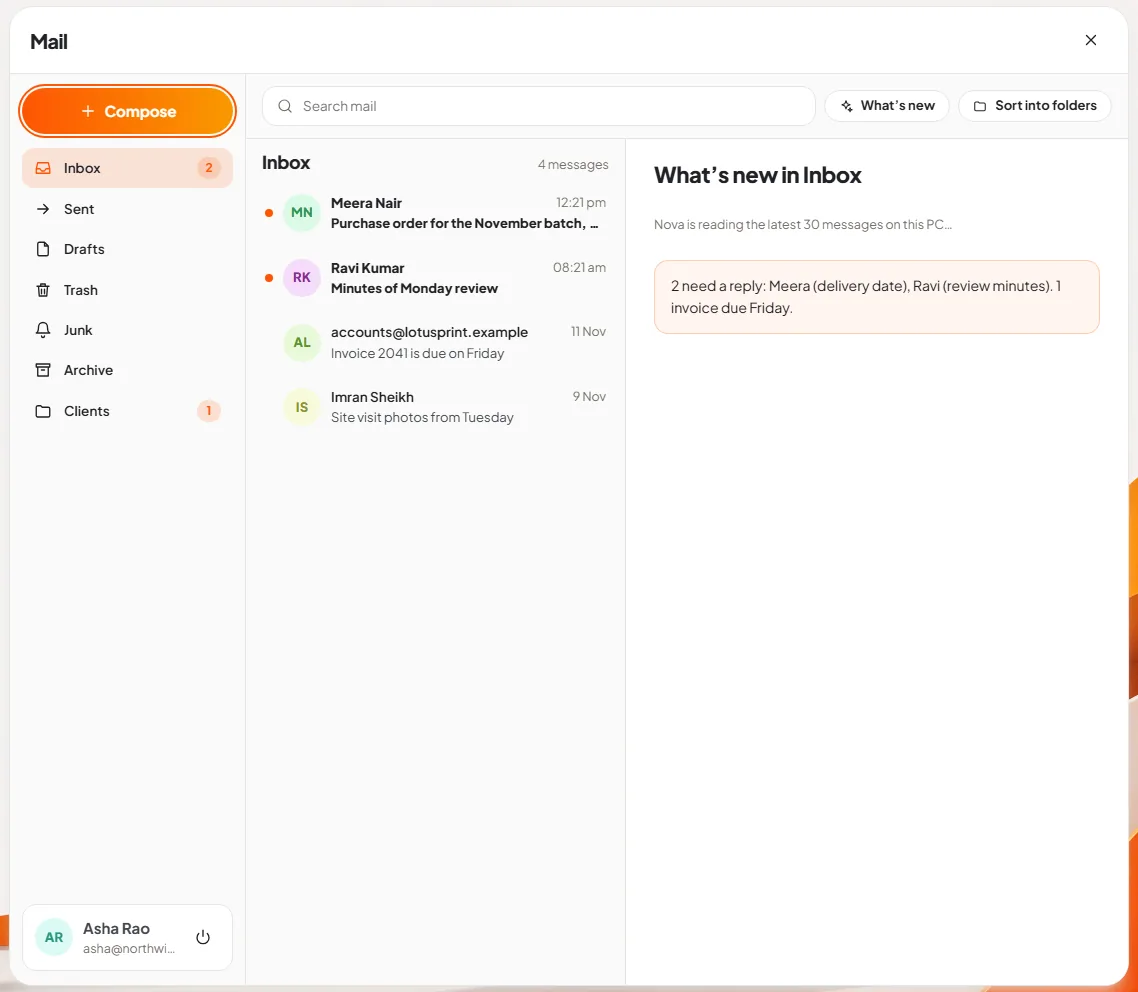
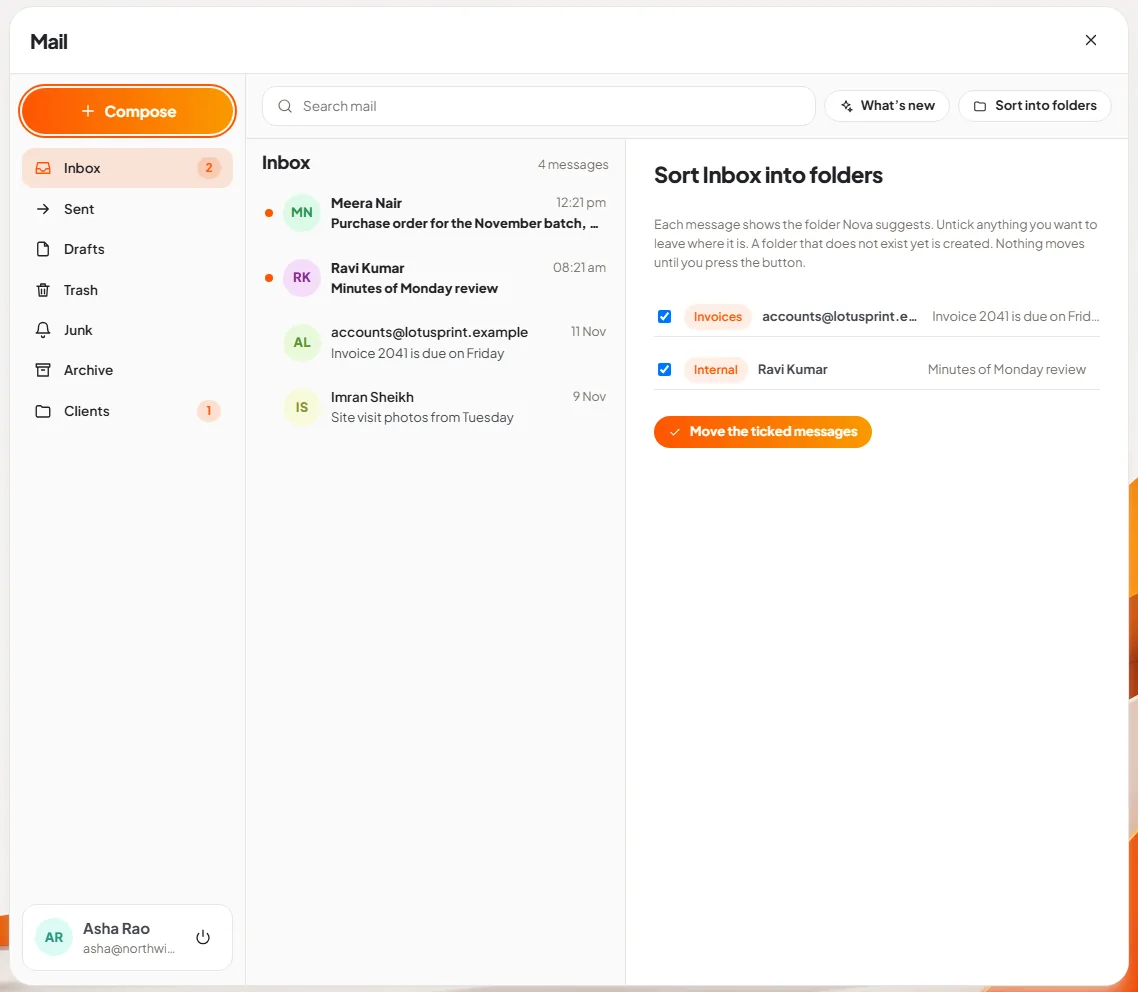
The short answer: DNX Mail is the email app that comes with DNX OS. You sign in with the work email address you already have, and it reads, searches, sends, replies and files your mail like any email program. What is different is the AI. Nova, the assistant built into DNX OS, can summarise a long email, draft a reply, tell you what is new and suggest folders, and it does that on your own PC. Your mail is not sent to an AI company to be read.
The slideshow shows seven real screens. The sign-in screen is exactly as the product shows it. The mailbox in the other six is sample mail from invented people, and the texts Nova is shown producing (the summary, the draft, the digest and the folder suggestions) are sample texts supplied for the screenshots, because the pictures were taken on a machine without the language model loaded.
Why would a company want AI in email kept private?
Email is where a company's most sensitive words live: prices, salaries, disputes, bank details, a client's plans. AI is very good at email. It can cut a long thread to two lines and write a polite reply in seconds.
The usual way to get that help is an AI feature that sends each message to a data centre for processing. For many firms, and for anyone handling client data under contract, that is an uncomfortable trade. On-device AI removes the trade: the model that reads the email runs on the same computer as the mailbox.
How do you set up DNX Mail?
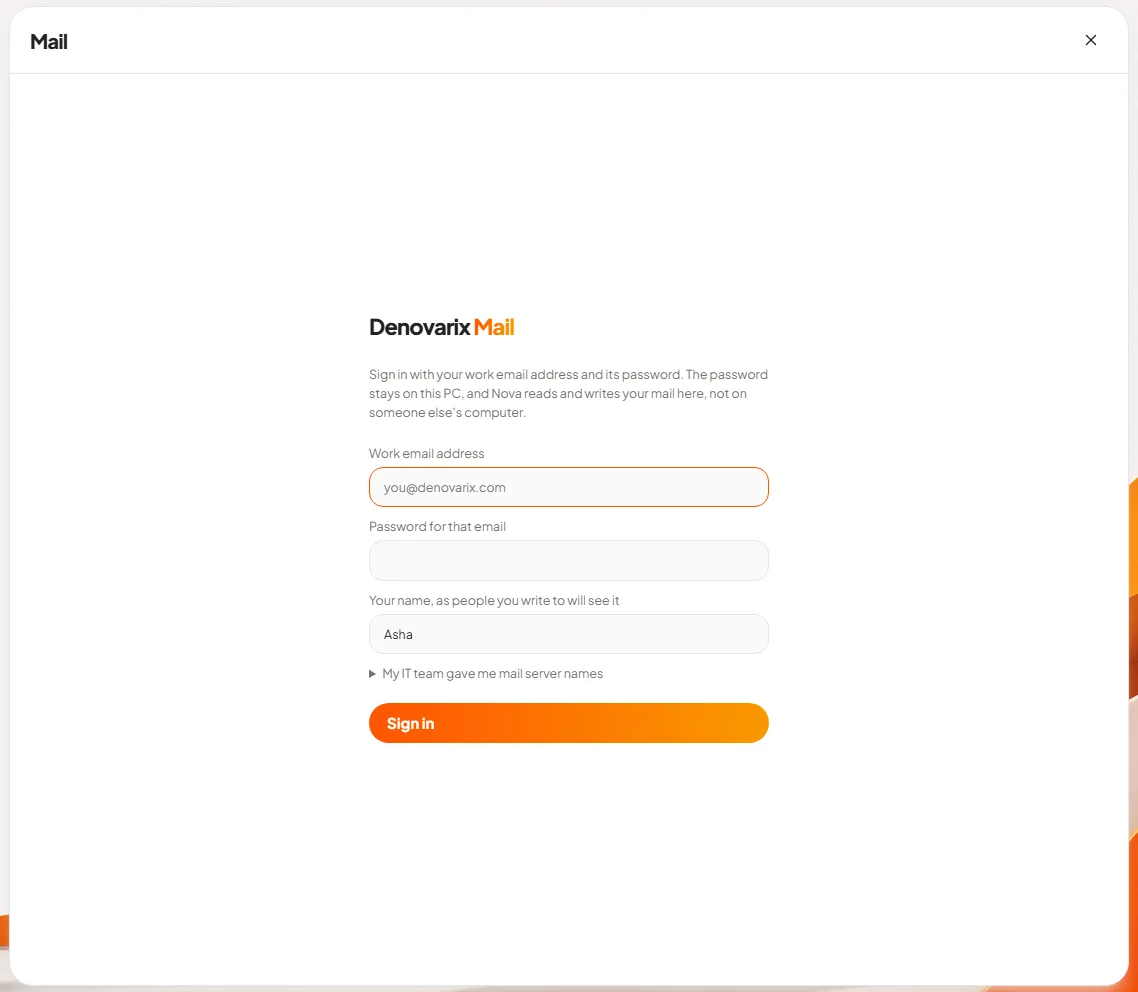
Slide 1: sign in with your work email. The first screen asks for three things: your work email address, the password for that email, and your name as recipients should see it. The text above the form states where the password goes: "The password stays on this PC, and Nova reads and writes your mail here, not on someone else's computer."
Most people need nothing more. If your IT team has given you the names of the mail servers, a line at the bottom opens the fields for them.
You do not have to move your mailbox or change your email address to use DNX Mail. It is a program for reading the mailbox you already have.
What does everyday email look like?
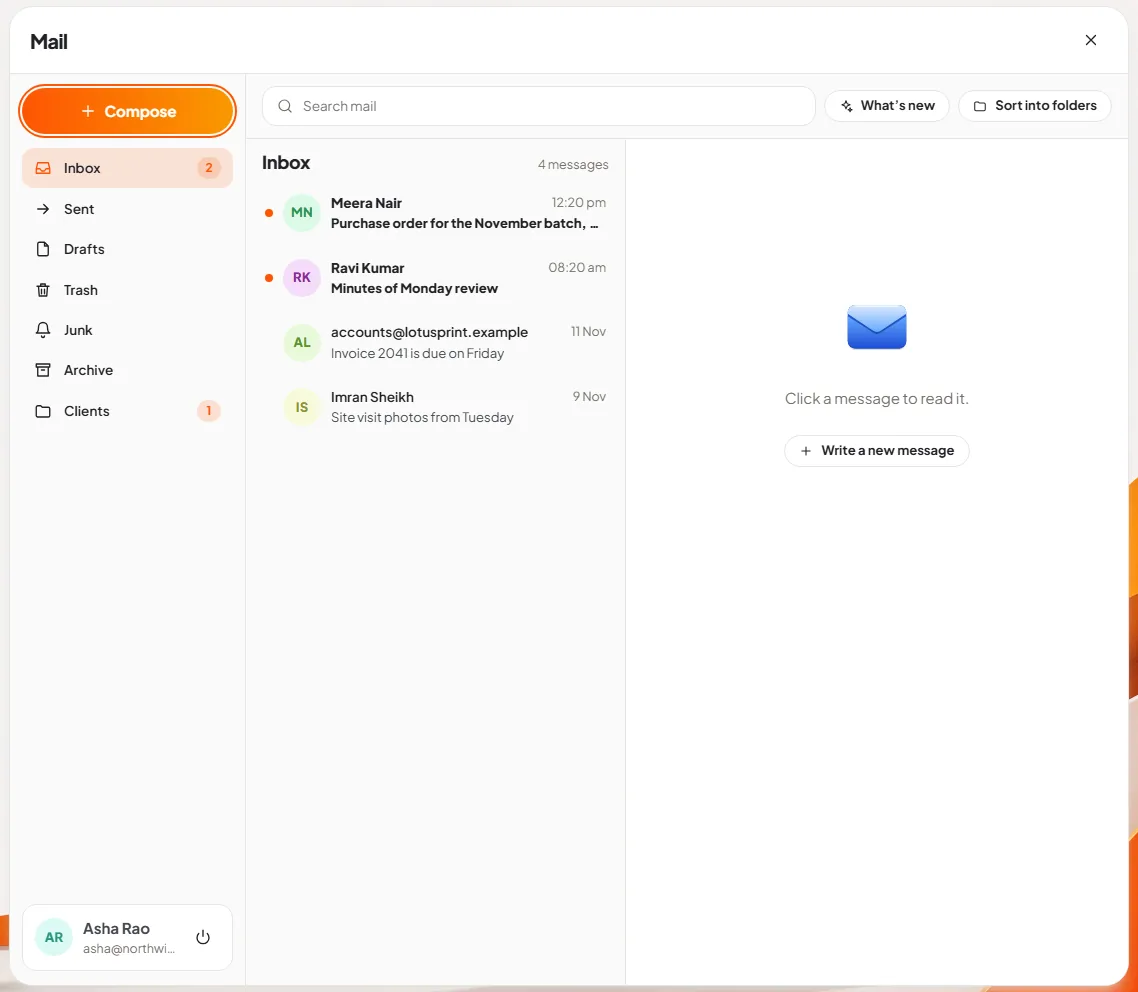
Slide 2: read the inbox. Three columns. On the left, the Compose button and your folders: Inbox, Sent, Drafts, Trash, Junk, Archive and any folders of your own, with a count of unread mail. In the middle, the message list: sender, subject and time, with a dot on unread mail. On the right, the reading pane. Your name and address are at the bottom left, with the button to sign out.
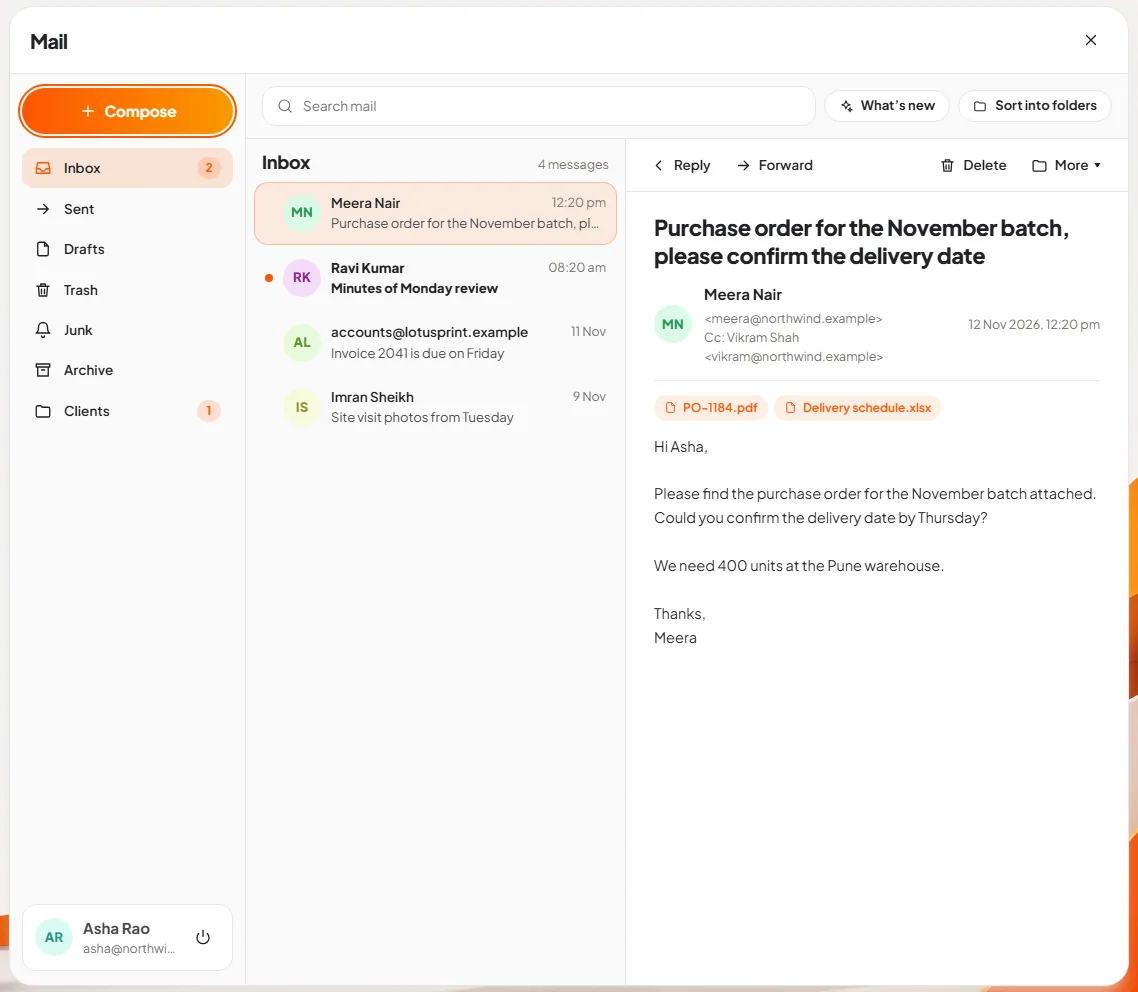
Slide 3: open a message. Click a message and it opens beside the list. The subject is large, the sender and anyone copied are below it, attachments are listed as buttons, and four actions sit above: Reply, Forward, Delete and More. The search box at the top searches the mailbox.
Writing a new message has some help that needs no AI at all. The compose box offers five ready-made openings (Follow-up, Thank you, Meeting, Invoice and Welcome) and a Symbols button for the characters that are hard to type, such as ₹, ° and ±.
What does Nova do in Mail?
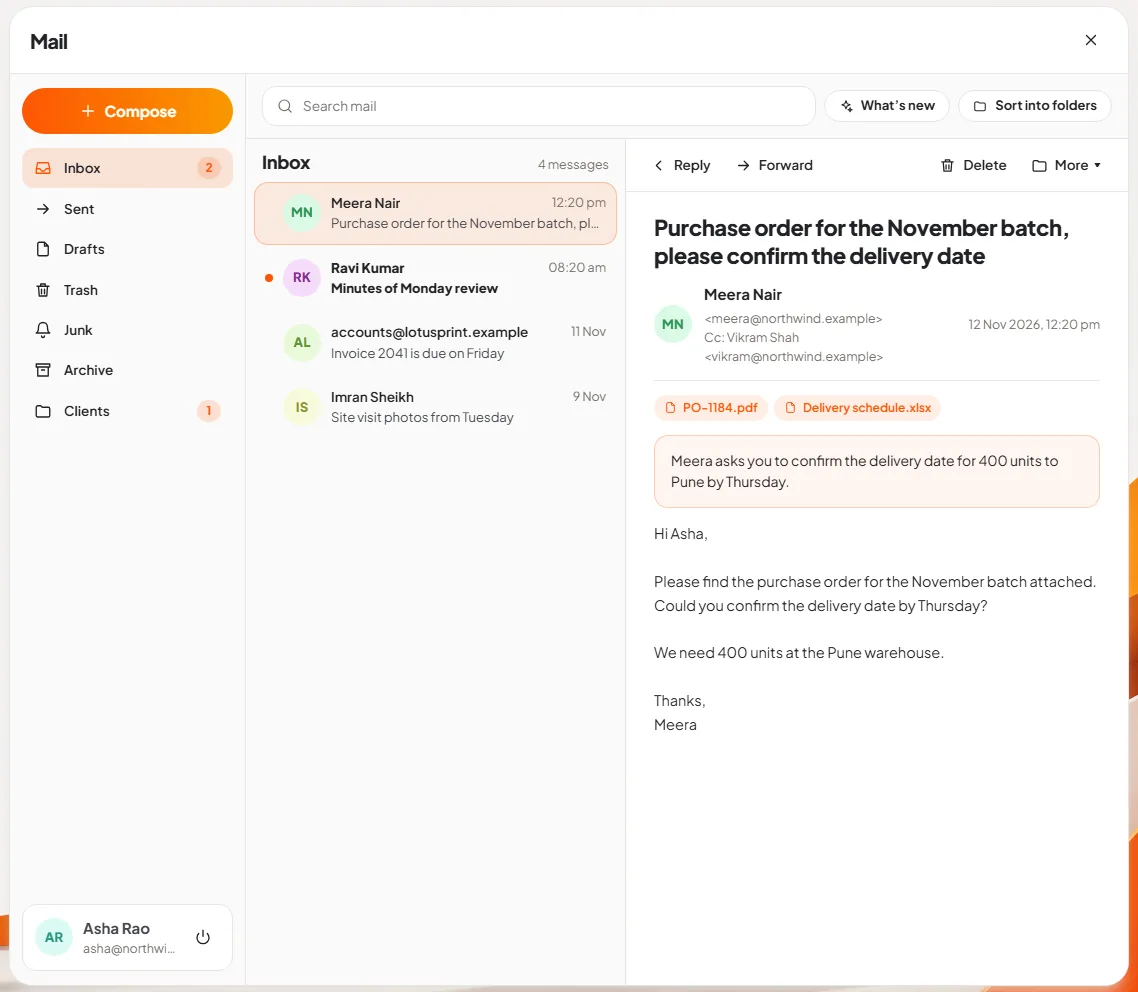
Slide 4: summarise a long email. Under More, choose "Summarise this message". A short summary appears above the message. On a five-paragraph email from a supplier, that is the difference between reading it now and leaving it for later.
Slide 5: let Nova draft the reply. Choose "Let Nova write the reply", or press Reply and use the line that says "Tell Nova what to say". You give the instruction in a few words, for example "confirm Friday 3pm and ask for the order number", and press Write with Nova. A draft appears in the message box. The line beside the Discard button reads: "Nova wrote a draft. Read it, change what you like, then Send."
That last step matters. Nova never sends mail by itself. You read the draft, fix it and press Send.
Slide 6: ask what is new. The What's new button at the top asks Nova to read the latest 30 messages in the folder and write a short digest: who needs a reply, what is due. After a day of meetings, it is the quickest way back into the inbox.
Slide 7: sort the inbox into folders. Sort into folders asks Nova to suggest a folder for each message. The result is a list, not an action: every message is shown with its suggested folder and a tick box. Untick anything you want left alone. A folder that does not exist yet is created. As the panel says, "Nothing moves until you press the button."
This pattern, plan first and act only after a yes, is the same everywhere in DNX OS. It is described in the article on Nova.
Where does my mail go when Nova reads it?
Nowhere new. Your mail travels between your mail server and your PC, as it does with any email program. When you ask for a summary or a draft, the text is read by a model running on that PC. In DNX OS each AI service is sandboxed with no network access, so it has no route to send the text elsewhere.
If your company must show where personal data is processed, that is a simple answer to give. Our DPDP Act checklist covers the questions an auditor or a client will ask.
What does DNX Mail not do?
- It is an email app, not a mail service. It does not give you a mailbox or a domain. You need a work email account from your mail provider or your own server.
- Mail only, in this build. It reads, searches, sends, replies, forwards, archives, deletes and moves mail. It does not have its own calendar or address book.
- One mailbox at a time. The screens show one signed-in account.
- Nova's drafts are drafts. A small on-device model writes clear, ordinary replies. It will not know a fact that is not in the email or in what you told it, so read every draft before it goes.
- Speed depends on the PC. A summary takes some seconds, longer on an older machine.
How do you try it?
DNX Mail is included in DNX OS, with no separate licence and no AI add-on to buy. The beta programme opens in December 2026 and the launch is in January 2027. If you run a registered Indian business with 5 to 50 people, apply for the beta, sign in with one real mailbox and try the summary on the longest email you received this week.
Keep reading
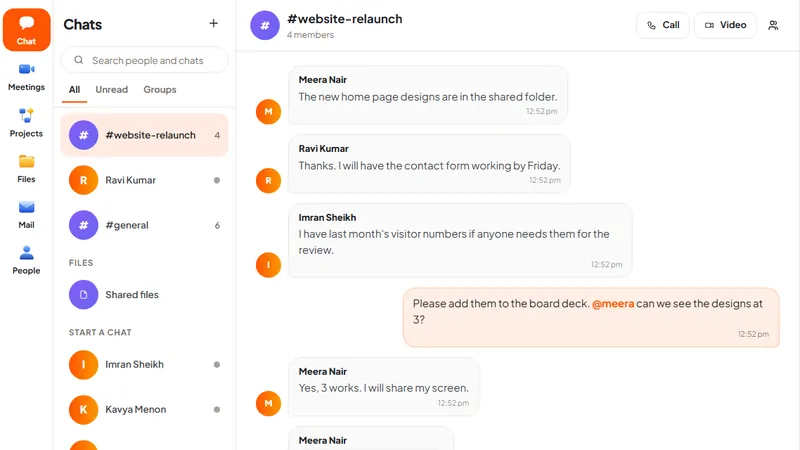
DNX Team Chat: team chat that keeps data in India
DNX Team Chat is a team chat app that runs on a server your company hosts, in your office or an Indian data centre: groups, direct messages, files and calls.
DNX Meetings: automatic minutes for any meeting
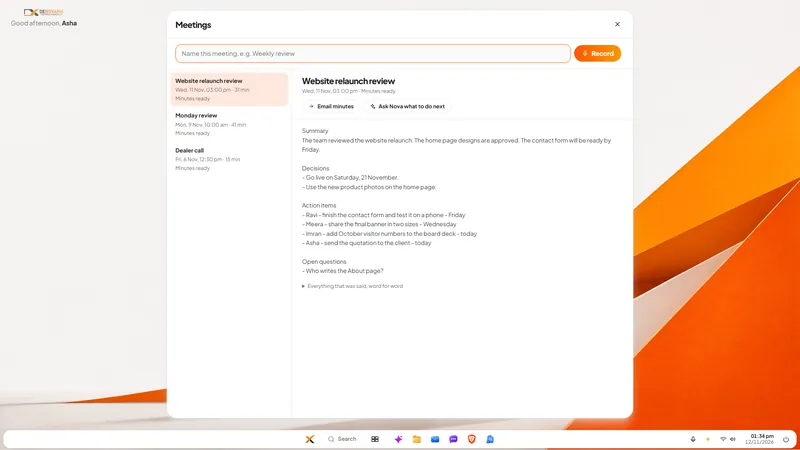
DNX Meetings records a call in any app, then writes the minutes on your own PC: summary, decisions, action items and a transcript. Six real screens show how.
DNX Flow: automate invoice approval without coding
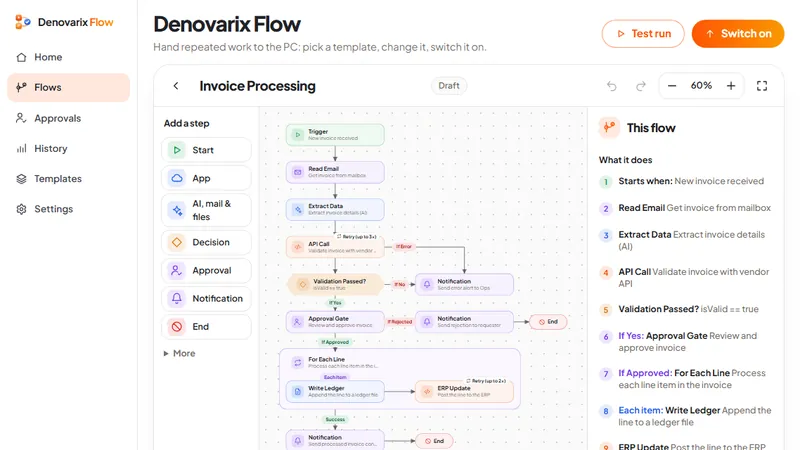
DNX Flow automates repeated office work such as invoice approval, starting from a ready template you read in plain words, test, then switch on. Seven screens.