
Nova AI: a private AI assistant for office work
Nova is the private AI assistant built into DNX OS. It runs on the office PC itself, so questions and files stay there. See it at work in six real screens.
Part of the guide: Private and on-device AI for business: a guide
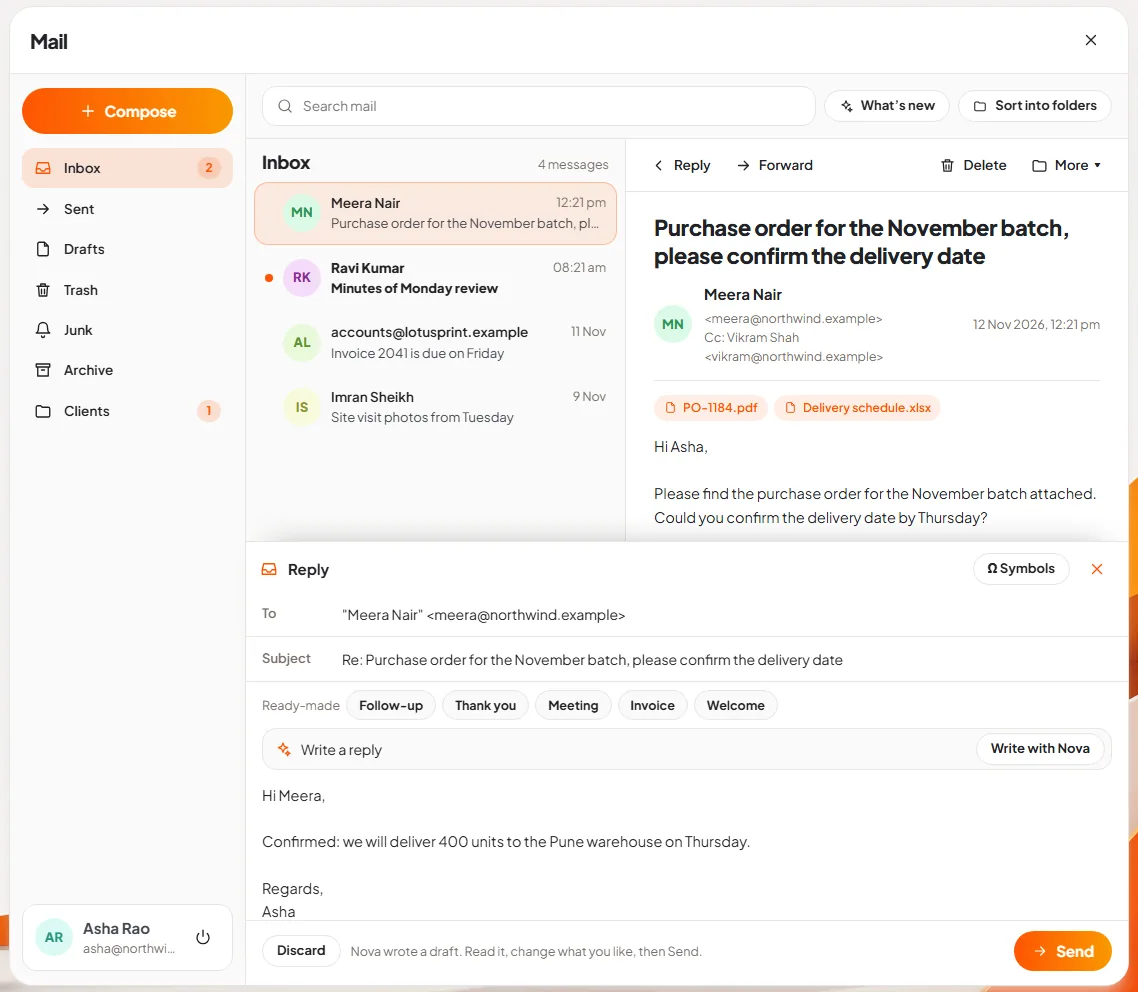
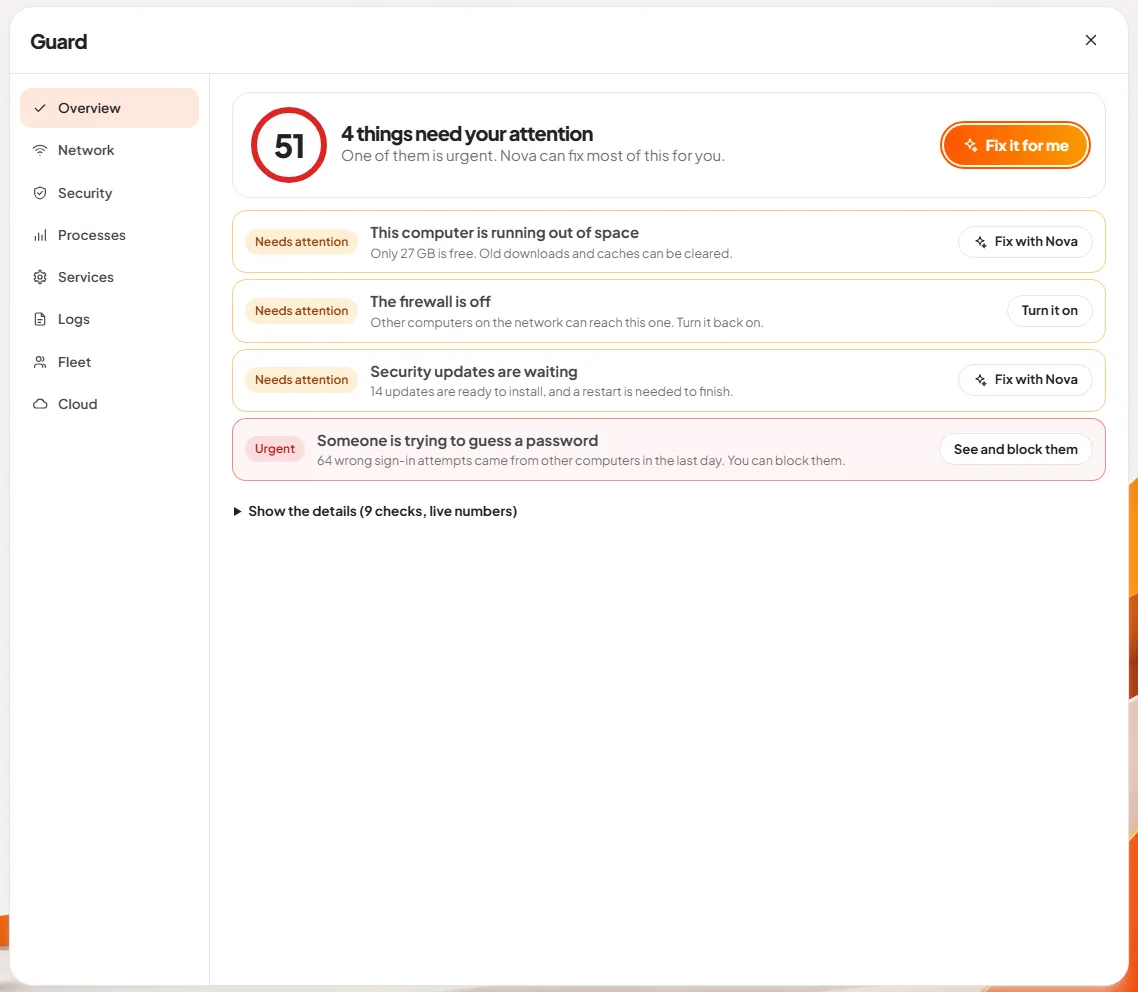
The short answer: Nova is the AI assistant built into DNX OS. It runs on the computer in front of you, not on an AI company's servers, so the questions you ask and the files you show it stay on that machine. You can ask it things from the desktop, and it also sits inside Files, Mail, Meetings and Guard. When a request would change something, Nova shows what it wants to do and waits for your yes.
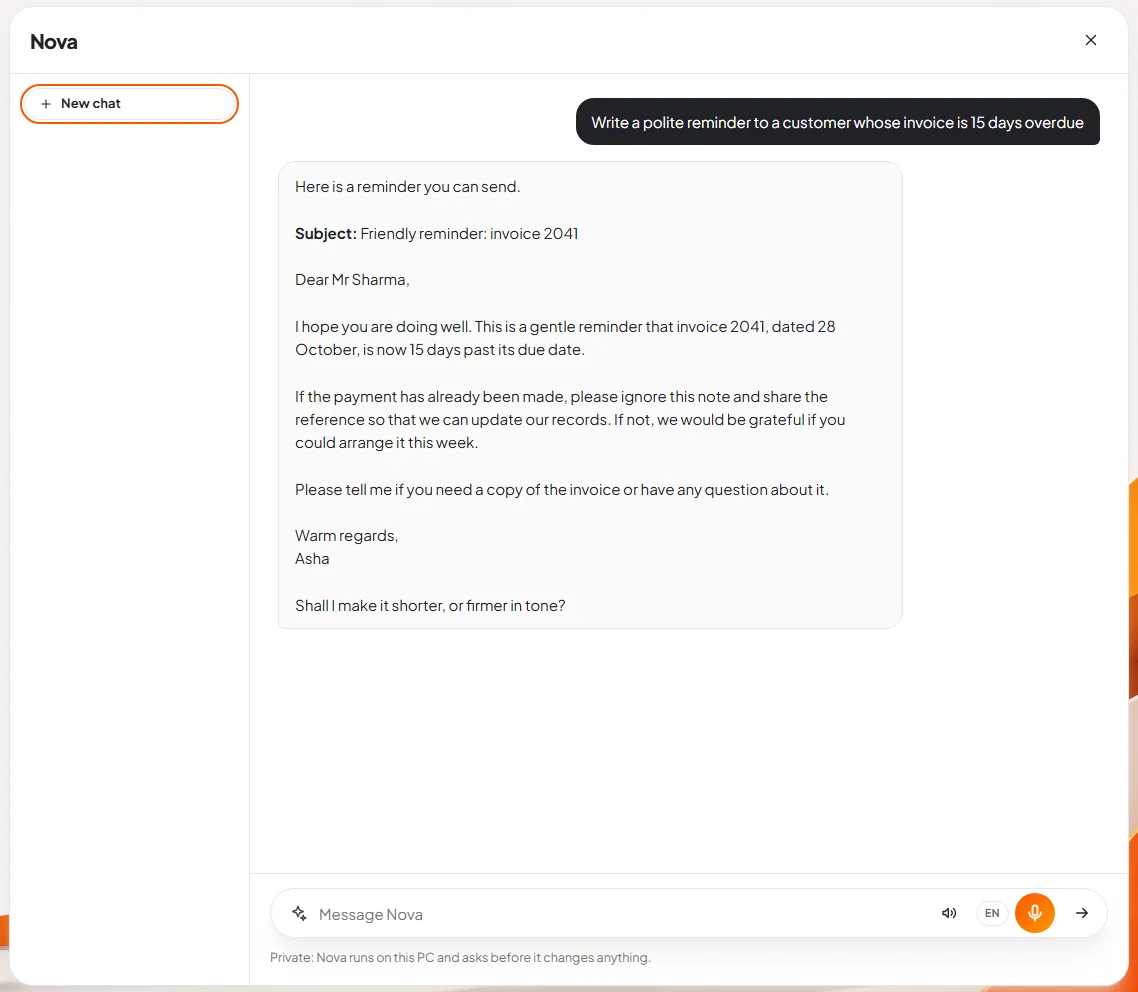
The pictures above are real screens of DNX OS with sample data. One thing to know before you read on: they were taken on a machine where Nova's language model was not loaded, so the wording of Nova's replies in slides 2 and 5 is sample text placed for the screenshot. Everything else is the product as it is.
What makes an AI assistant private?
Most AI assistants work by sending your question, and any file you attach, to a data centre run by the AI company. A private assistant does the thinking on hardware you control.
Nova runs on the laptop's own processor. It needs no graphics card and no cloud AI subscription, and it works on machines with 4 GB of RAM. The line under every Nova chat says it plainly: "Private: Nova runs on this PC and asks before it changes anything." In DNX OS each AI service is also sandboxed with no network access, so a prompt cannot leave the machine through it.
That matters for the things office staff actually paste into chatbots: a contract, a salary sheet, a customer list. Our article on shadow AI explains the risk, and on-device AI versus cloud AI explains the trade-off honestly.
How do you ask Nova something?
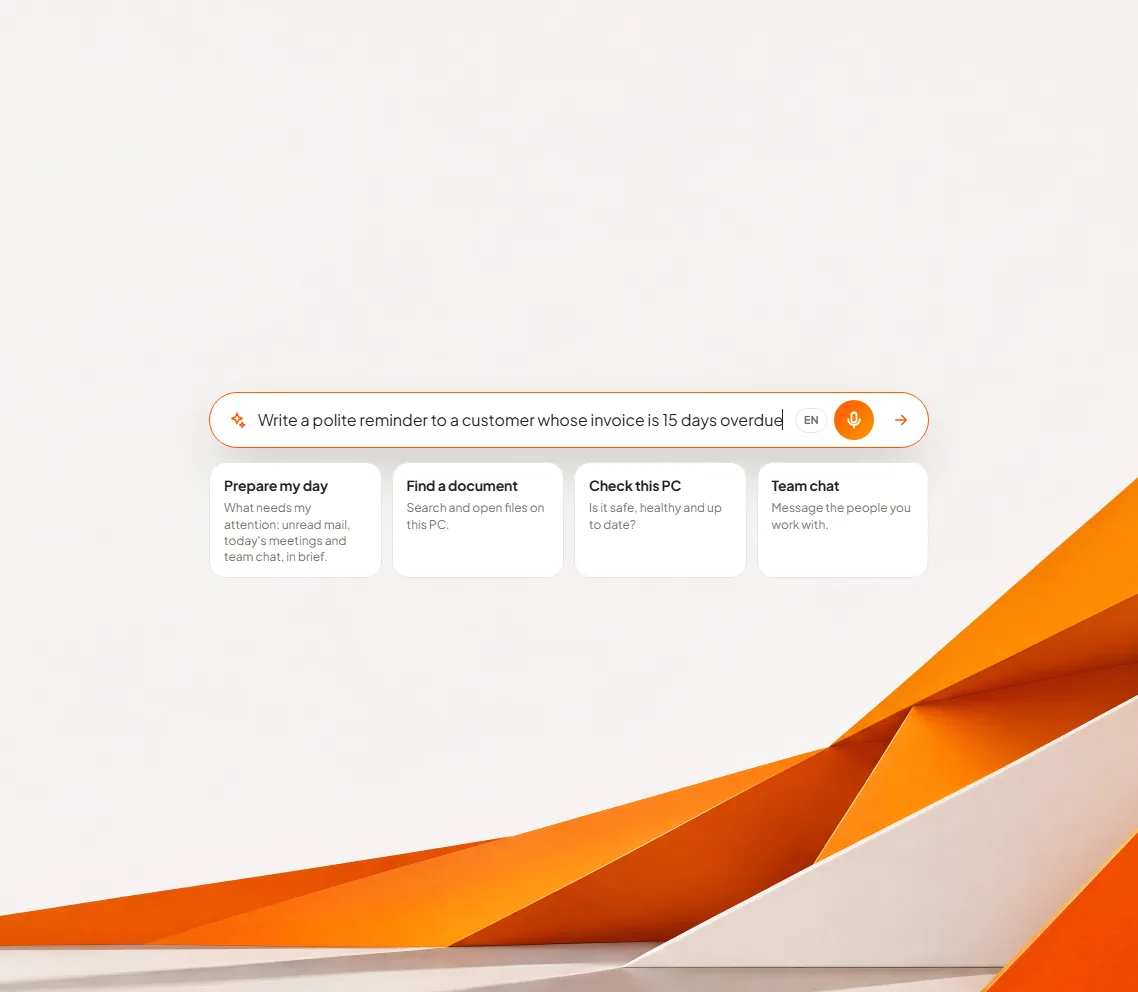
Slide 1: ask from the desktop. The DNX OS desktop has one bar in the middle of the screen: "Ask anything, or say open Mail". You type a request in ordinary words. In the picture, the request is for a polite reminder to a customer whose invoice is 15 days overdue. The orange microphone beside the bar takes the same request by voice, and the small language button switches dictation between English, Hinglish and Banglish.
Slide 2: read the answer. Pressing Enter opens Nova with your request already sent. The answer appears in the chat, and you can keep going in the same conversation: ask for it shorter, firmer, or in another language. Earlier conversations are listed at the side, and "New chat" starts a fresh one. A speaker button in the message bar makes Nova read its answers aloud.
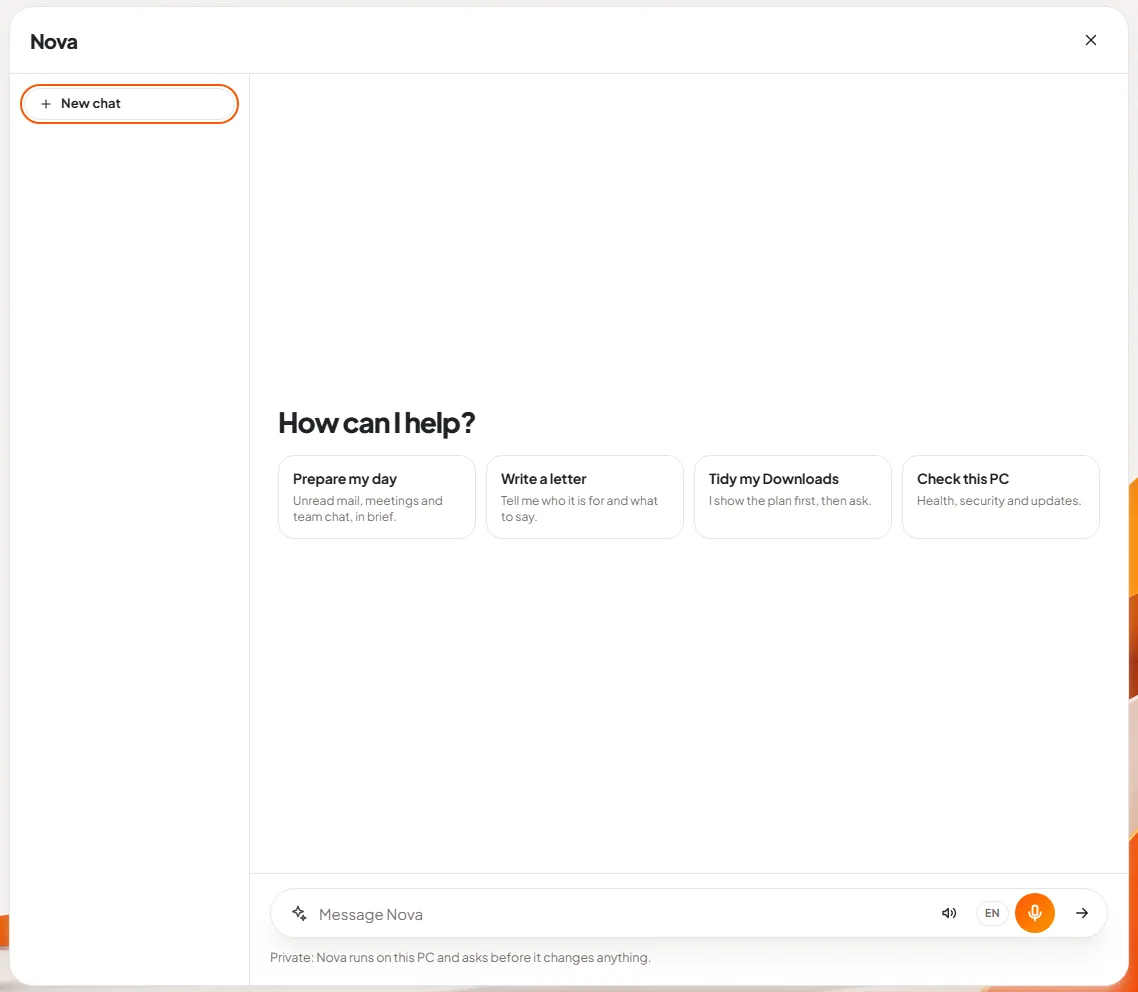
Slide 3: start from a suggestion. People new to AI often do not know what to ask. An empty Nova chat offers four starting points instead of a blank page:
- Prepare my day: unread mail, meetings and team chat, in brief.
- Write a letter: Nova asks who it is for and what it should say.
- Tidy my Downloads: Nova shows the plan first, then asks.
- Check this PC: health, security and updates.
Where else does Nova appear in DNX OS?
An assistant in a separate window is only half useful. The rest of the slides show Nova inside the apps where the work is.
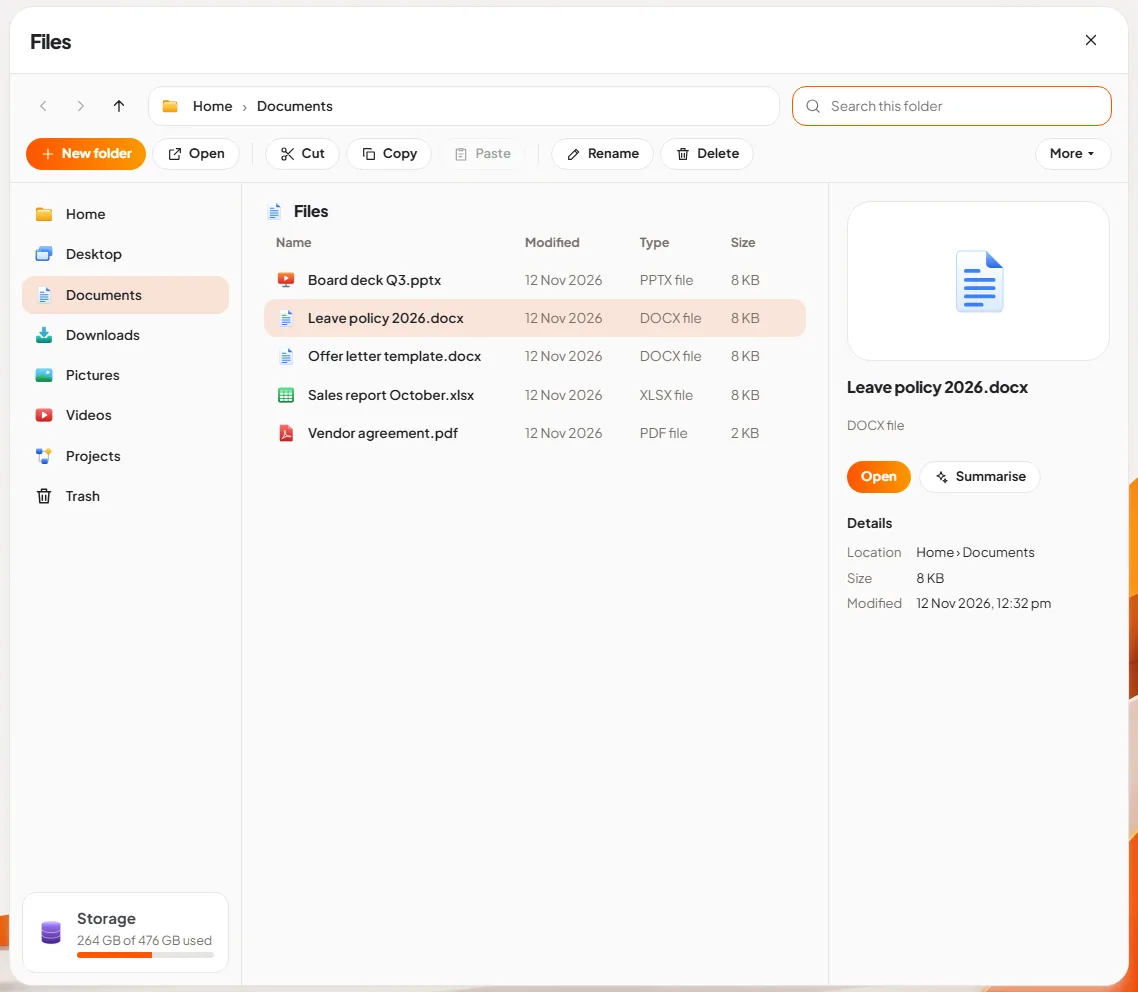
Slide 4: summarise a document. In DNX Files, select a document and the details pane shows two buttons: Open and Summarise. Summarise hands the file to Nova and asks for the gist. The More menu in Files also has "Tidy this folder with Nova", which asks Nova to sort a folder by file type, plan first.
Slide 5: let Nova draft a reply. In DNX Mail, open a message, choose "Let Nova write the reply", and say in a few words what the reply should confirm. Nova writes a draft into the message box. The line under it reads: "Nova wrote a draft. Read it, change what you like, then Send." Nothing is sent until you press Send.
Slide 6: fix a PC problem. DNX Guard lists what needs attention on the computer in plain sentences, such as "The firewall is off" or "Security updates are waiting". Beside each one is a button: Ask Nova, Fix with Nova, or one "Fix it for me" at the top. Nova then explains the problem and proposes the fix.
Nova also writes the minutes in DNX Meetings and can fill a timesheet line in DNX People.
Does Nova change things without asking?
No. This is the rule the product is built around.
When a request would change something, for example moving files, sending a message or changing a setting, Nova stops and shows a card that begins "Nova wants to:" followed by the action in words and the details in labelled rows. Under it: "Nothing happens unless you approve." There are two buttons, Approve and Decline.
We have not pictured that card here, because it appears only when the language model is running and we will not draw one. You will see it in the first minute of using the product.
What can Nova not do?
It is better to say this before you try it than after.
- It is not the largest model in the world. Nova runs small models on an ordinary processor. For everyday office work, such as drafting, summarising, tidying and explaining, that is the right size. For a long research report on a subject it has never seen, a very large cloud model will do better.
- It is slower than a data centre. An answer takes seconds, not a blink, and longer on an older machine.
- It does not browse on your behalf in these screens. What you see here is Nova working with what is on the PC: your files, your mailbox, your meetings and the computer itself.
- Bigger models are planned, not shipped. DNX AI Cloud, with larger models on GPUs hosted in India, is on the roadmap for 2027.
Who is Nova for?
Nova is for the company that wants its staff to use AI every day and does not want client data in someone else's logs. If your policy today is "do not paste anything confidential into a chatbot", Nova is the tool that makes the policy easy to follow, because the safe option is the one already on the desktop.
It is also for owners who are tired of paying per user, per month, for an assistant. Nova comes with DNX OS. There is no separate AI bill.
How do you try it?
DNX OS is in its final stretch before launch: the beta programme opens in December 2026 and the launch is in January 2027. If you run a registered business in India with 5 to 50 people and can give it a four-week trial, apply for the beta. Bring the three tasks your team does most often. That is the fair test of any assistant, ours included.
Keep reading
DNX Files: find and tidy company documents fast
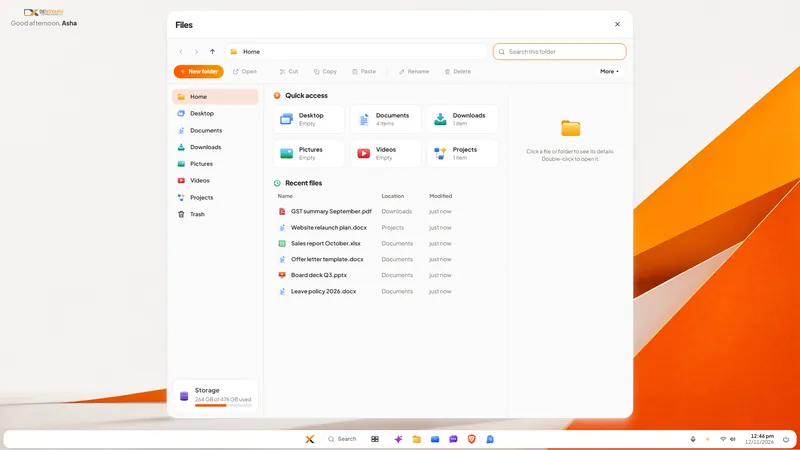
DNX Files is the file manager in DNX OS: folders, search, a Trash you can undo, and Nova to summarise a document or tidy a folder. Seven real screens show it.
DNX People: HR and leave software for small companies
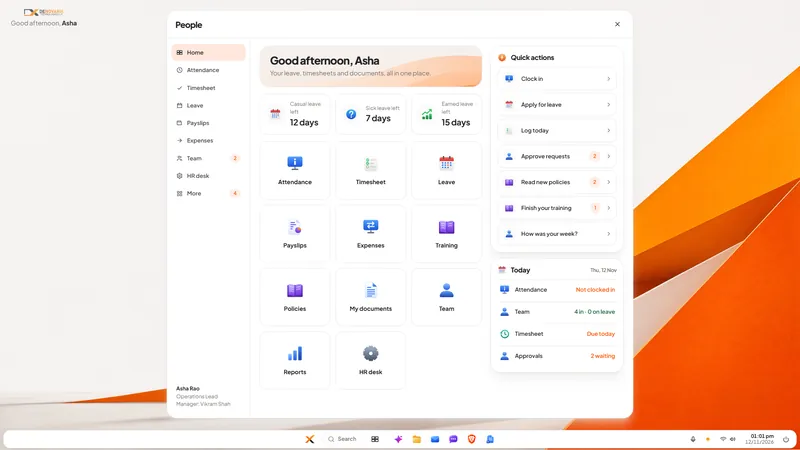
DNX People handles leave, attendance, timesheets, payslips and expenses for a small Indian company, on a server you host. Eight real screens show how it works.
DNX Projects: a simple project and task tracker
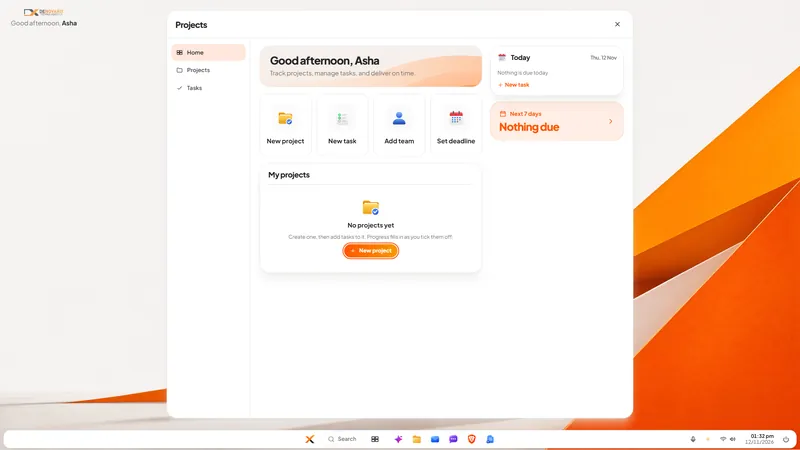
DNX Projects is a simple project and task tracker in DNX OS: projects, tasks, deadlines and progress on one screen, with nothing to configure. Seven screens.