
Google Workspace alternative for Indian companies
A fair look at a Google Workspace alternative for Indian companies: what Workspace does well, where an owned stack differs, DNX OS's limits, and how to move.
The short answer: Google Workspace is the easiest office bundle to run, and its browser-based way of working together is hard to beat. Look for an alternative if you want company files on machines you own instead of in a cloud drive, an AI assistant that does not process your documents in a data centre, or HR and device management on the same login. DNX OS offers those, as desktop software on your own PCs and a hub you host. It does not offer several people editing one document in a browser. It is in beta from December 2026, launches in January 2027, and has no published price.
Who is this page for?
Small and mid-sized Indian companies that run on Gmail, Drive and Docs, or are choosing between Workspace and something else. It fits teams whose documents are mostly letters, quotations, registers and presentations exchanged with clients as files. It does not fit teams whose daily habit is six people typing into one shared document; for them Workspace remains the better tool.
What does Google Workspace do well?
The points below are from Google's India pricing page for Workspace, read on 12 November 2026.
- One bundle of familiar apps. Google lists a "Full suite of Google Workspace apps, including Gmail, Calendar, Meet, Chat, Drive, Docs, Sheets, Slides, Forms and Sites".
- Storage is pooled. The page describes "flexible pooled storage per user that is shared across the organisation".
- AI is listed inside plans. The page lists a "Gemini AI assistant in Gmail" on one Business plan and a "Gemini AI assistant in Gmail, Docs, Meet and more" on a higher one.
- It scales to a mid-sized company. The page states that Business plans support up to 300 users, with a lower limit on its smallest plan.
Two further things are our own observation, not Google's words. Workspace needs very little administration, and a new employee is productive in it within the hour.
One point to check for yourself. On that page, the only mention of choosing where data is held is "Enterprise data regions", under the Enterprise plan. If data location matters to you, ask Google or your reseller which plans let you choose a region, and get the answer in writing. We have not quoted prices; read them on Google's page on the day you decide.
How does a stack you own compare?
In the table, the rows naming Google's apps, storage and AI are from Google's page. The rows about how people work are our own observation.
| Google Workspace | DNX OS | |
|---|---|---|
| How you work | In the browser, online | In desktop apps, on files on your PC |
| Documents | Docs, Sheets and Slides | DNX Word, DNX Sheets and DNX Presentation; .docx, .xlsx and .pptx by default |
| Working together | Several people in one document at once | Files passed through chat and mail |
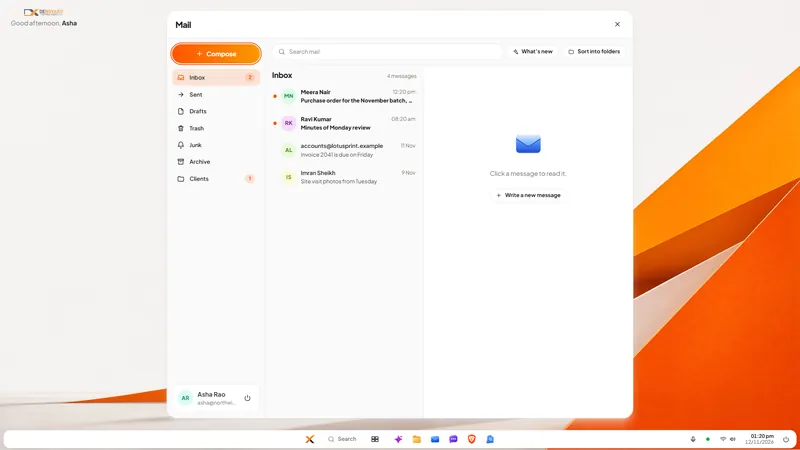
| Gmail, with the mailbox | DNX Mail, a mail program for the mailbox you already have | |
| Chat and calls | Chat and Meet | DNX Team Chat and meetings on your own hub |
| Files | Drive, in Google's cloud | Folders on the PC; shared files kept in chat on your hub |
| HR and payslips | Not among the apps Google lists on that page | In DNX Hub |
| AI | Gemini, as listed in the plans | Nova, running on the PC |
| Availability | Available now | Beta from December 2026; launch January 2027 |
| Price | Published by Google | Not published |
What does DNX OS not do yet?
- No simultaneous editing in a browser. This is the largest difference. DNX Office works on files.
- No cloud drive with sharing links. DNX Files is about the files on one computer, and its search looks at file names, not the text inside documents.
- No mailbox, calendar or address book of its own. DNX Mail reads, searches and sends mail from your existing account, one mailbox at a time.
- Meetings notes are separate. DNX Meetings records and writes minutes after the call; it does not name speakers.
- No guest access in chat for clients or partners.
- A smaller AI model. Suited to everyday office tasks, and slower than a data centre.
- You look after a server. DNX Hub runs on a machine you host. Someone must keep it running, updated and backed up, or you host it with a provider who will.
How do you switch from Google Workspace?
- Sort your team by how they work. People who co-edit daily, and people who mostly write and send files. Start with the second group.
- Export a sample. Download a set of real Docs and Sheets in Microsoft formats and open them in DNX Word and DNX Sheets. Check the layouts you care about.
- Keep the mailbox. Your mail can stay with your current provider; DNX Mail signs in with the work email address and its password. Check with your administrator that the account allows a mail program to connect.
- Pilot for four weeks with five people, keeping their Workspace accounts.
- Decide where shared files will live before moving anyone else. This is the question a cloud drive answered for you without your noticing.
- Take out everything before you close accounts. Use Google's own export tools, and open the export to confirm it is complete.
Many companies will keep a few Workspace seats for the people who truly need live co-editing. That is a reasonable end state.
Which articles show the apps?
- DNX Mail: a business email app with private AI
- DNX Office: open and save Word, Excel, PowerPoint
- DNX Files: find and tidy company documents fast
- DNX Meetings: automatic minutes for any meeting
- Client documents scattered across laptops: a fix
- Vendor lock-in: how to choose software you can leave
See DNX OS in full, or apply for the beta. The wider subject is in the guide to replacing the vendor stack.
Sources
Read on 12 November 2026. Google Workspace, Gmail, Drive, Docs, Sheets, Slides, Meet and Gemini are Google's products and names, used here only to identify what is being compared.
- Google Workspace, India pricing page: the apps in the suite, pooled storage, Gemini in plans, user limits and the mention of Enterprise data regions.
Other comparisons
- Microsoft 365 alternative
- Looking for a Microsoft 365 alternative in India? What Microsoft 365 does well, how a stack you own differs, what DNX OS does not do yet, and how to switch.
- Zoho One alternative
- Considering a Zoho One alternative? What Zoho One does well, how a self-hosted stack with on-device AI differs, what DNX OS lacks today, and how to switch over.
- ChatGPT alternative (private AI)
- A ChatGPT alternative for companies that cannot share client data: what OpenAI's own pages say, how on-device AI differs, Nova's limits, and how to roll it out.
- Adobe Acrobat alternative
- An Adobe Acrobat alternative for offices that edit, sign and redact PDFs: what Acrobat Pro does well, what DNX PDF Editor covers and lacks, and how to switch.
- Slack or Teams alternative
- A Slack or Microsoft Teams alternative that keeps chat data in India: what each vendor's own pages say about Indian residency, and what self-hosting changes.