
Passkeys, encryption, device management: the 2026 baseline
Passkeys, automatic disk encryption and device management are becoming standard in 2026. What changed, what Indian guidance says, and a small-company baseline.
Part of the guide: Operating systems for companies: what to run in 2026
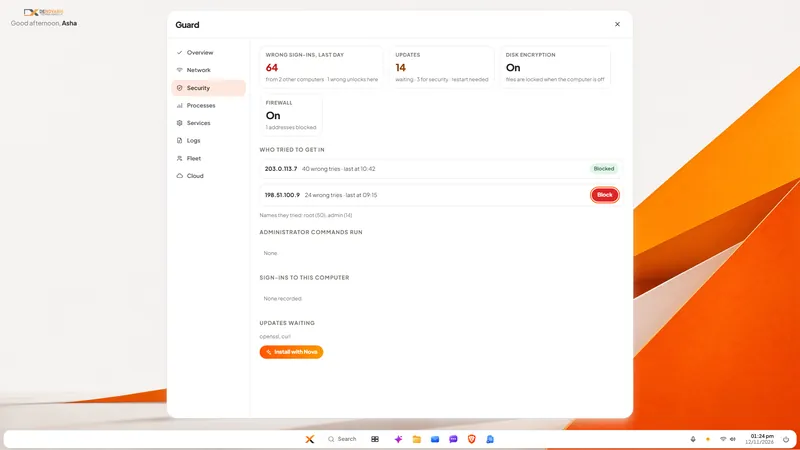
The short answer: three protections that used to be optional extras for large companies have become the default in mainstream products. Sign-in is moving from passwords to passkeys: new Microsoft accounts have been "passwordless by default" since May 2025. Disk encryption now switches itself on for more PCs. And device management, the ability to see, update and wipe company computers centrally, comes inside ordinary business subscriptions. For a small Indian company the 2026 baseline is: passkeys or at least multi-factor sign-in for everyone, every laptop encrypted with the recovery key kept safely, and one person who can see the state of every device.
What is a passkey, and why are vendors pushing it?
A passkey replaces a password with a key stored on your phone or computer, unlocked by your fingerprint, face or device PIN. There is nothing to type, so there is nothing to phish, guess or reuse.
The push has been strong. Microsoft announced on 1 May 2025 that "Brand new Microsoft accounts will now be 'passwordless by default'". In the same post it reported that people signing in with passkeys succeed far more often than those using passwords, "about 98% versus 32%", and that it had observed "7,000 password attacks per second" in the previous year. Those are Microsoft's own figures about its own service.
The FIDO Alliance, the industry body behind the standard, said in May 2026 that it estimates "5 billion passkeys are now in use worldwide". Its survey, run by Sapio Research in April 2026 across ten countries with 1,400 workplace decision-makers, found that "68% of organizations have deployed or are actively deploying passkeys for employee sign-ins". Bear in mind that this comes from the body that promotes passkeys.
The official guidance has moved as well. The US standards agency NIST published the final version of its digital identity guidelines, SP 800-63 Revision 4, in 2025. It recognises synced passkeys and says that for its middle level of assurance, "Verifiers SHALL offer at least one phishing-resistant authentication option".
Have the rules about passwords changed too?
Yes, and many company policies have not caught up.
The same NIST document says services "SHALL NOT require subscribers to change passwords periodically" and "SHALL NOT impose other composition rules (e.g., requiring mixtures of different character types)". The reasoning, long argued by security researchers, is that forced changes and symbol rules produce predictable, written-down passwords. Length matters more, and a password should be changed when there is evidence it has leaked.
Here is a point of honest disagreement to be aware of. CERT-In's baseline of fifteen cyber security controls for MSMEs, version 1.0 dated 1 September 2025, asks for password complexity and expiry intervals, the opposite of NIST on both. That same baseline also asks organisations to "Enable Multi-Factor Authentication (MFA) for all critical systems, administrative accounts, and remote access tools", on which everyone agrees.
Our reading: if an Indian auditor or customer measures you against the CERT-In baseline, follow it. Either way, put your effort into multi-factor sign-in and passkeys, where the real protection is.
Is disk encryption automatic now?
More often than before, with a catch that matters to small companies.
Microsoft's support page describes Device Encryption as a Windows feature that "enables BitLocker encryption automatically for the Operating System drive and fixed drives". It turns on when the PC is set up with a Microsoft account or a work or school account. But the page is explicit about the exception: with a local account, "Device Encryption isn't turned on automatically". The full BitLocker management tool is in the Pro, Enterprise and Education editions only.
Many small offices set up PCs with a local account, on the Home edition, because that is how the shop delivered them. Those laptops may well be unencrypted. Do not assume. Open the settings on each one and look.
The second trap is the recovery key. Encryption without a safely stored recovery key turns a forgotten password into permanent data loss. Decide where keys are kept before you switch anything on. Our guide to full-disk encryption and device management for company laptops covers both.
What is device management, and does a small company need it?
Device management means company computers and phones are enrolled in a system that lets an administrator see them, push settings and updates, require encryption, and lock or wipe a device that is lost.
It used to be a separate purchase. It is now included in mainstream business plans: Microsoft's documentation notes that its Business Premium plan includes its device management service, and says of an enrolled device, "If the device is ever lost or stolen, you can remotely wipe the device".
A company of five in one room can manage by walking around. Somewhere past ten or fifteen people, or as soon as laptops leave the office, you need a list you can trust. The question to answer is not "which product" but "who would know today that Ravi's laptop has not updated in two months?"
What does Indian guidance require?
Two CERT-In documents are worth knowing by name.
- The Directions of 28 April 2022. These require reporting of specified cyber incidents "to CERT-In within 6 hours of noticing such incidents" and keeping logs for a rolling 180 days. They apply widely, to companies as well as service providers.
- The MSME baseline of 1 September 2025. Fifteen controls, including licensed endpoint protection on all devices and multi-factor sign-in for critical systems. Its wording on yearly audits is that MSMEs "may" conduct them through empanelled auditors, so we do not describe it as mandatory.
Separately, the DPDP framework makes "reasonable security safeguards" a legal duty for anyone holding personal data, with the highest penalty attached to failing at it. Encryption and controlled access are the obvious first safeguards. See our DPDP Act checklist.
What is a sensible baseline for a small company?
- Multi-factor sign-in on email and anything with money or customer data. Today, before anything else.
- Passkeys where your services offer them, starting with administrators.
- No shared passwords. One account per person.
- Every laptop encrypted. Checked, not assumed.
- Recovery keys stored somewhere the owner and one other person can reach.
- Automatic updates on, and someone who checks they are happening.
- The firewall on on every machine.
- Automatic screen lock.
- A device list: who has what, and its state.
- A written step for a lost device: who is called, what is wiped.
- Know the six-hour rule and who would make the report.
None of this needs a security team. It needs an hour per machine and one named person.
How does DNX OS approach this?
In DNX OS we tried to make that baseline the starting state instead of a project. Full-disk encryption is offered when the system is installed, updates are signed and install automatically, and the company's hub gives an administrator a view of every DNX OS computer and of work phones.
The part we can show is DNX Guard, the app that checks one PC against exactly the list above and says what is wrong in plain words.
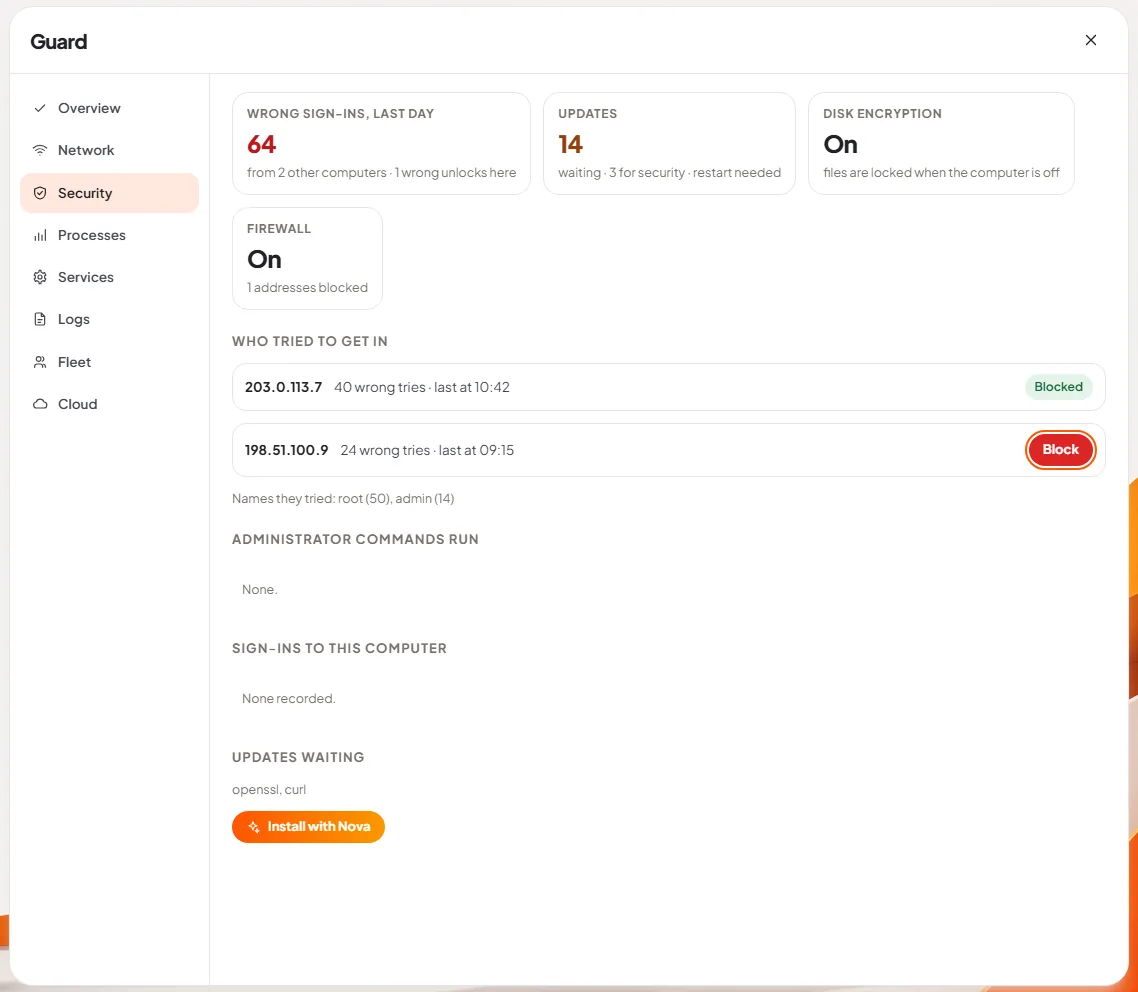
Two honest notes. DNX OS is in beta from December 2026 and launches in January 2027. And the sign-in to our own hub uses a one-time code sent to the employee's work email, not passkeys. We are not going to describe a feature we have not built. If you want to see the rest, apply for the beta. For the settings side, see DNX Settings.
What is still uncertain?
- How fast passkeys reach every business app. The big platforms support them. Many smaller business tools still do not.
- Whether CERT-In's password guidance will be aligned with NIST's. Today they differ.
Sources
All sources were opened on 12 November 2026.
- Microsoft Security Blog, Pushing passkeys forward, 1 May 2025.
- FIDO Alliance, World Passkey Day 2026 report, 7 May 2026.
- NIST, SP 800-63B-4, Authentication and Authenticator Management, 2025.
- Microsoft Support, Device Encryption in Windows.
- Microsoft Learn, Managed and unmanaged devices, Microsoft 365 Business Premium, updated 30 October 2026.
- CERT-In, Directions under section 70B, 28 April 2022.
- CERT-In, 15 Elemental Cyber Defense Controls for MSMEs, v1.0, 1 September 2025 (copy hosted by the Government of Delhi).
Keep reading

AI rules in India in 2026: what a business must do
India has no single AI law in 2026, but guidelines, labelling rules, CERT-In documents and the DPDP Rules already apply to a business using AI. A plain guide.

Open document formats: files you can leave with
Open document formats decide whether you can leave a software vendor. What ODF and OOXML are, which governments are switching, and what a company should do.
Do you need an AI PC? On-device AI on ordinary PCs
AI PCs need a special chip and 16 GB of RAM, but small language models now run on ordinary office computers too. What on-device AI can and cannot do in 2026.