
DNX Flow: automate invoice approval without coding
DNX Flow automates repeated office work such as invoice approval, starting from a ready template you read in plain words, test, then switch on. Seven screens.
Part of the guide: Business challenges and how technology solves them
The short answer: DNX Flow is the automation app in DNX OS. You pick a ready-made flow, such as invoice processing or a two-level approval, and get your own copy. Flow shows it both as a diagram and as numbered steps in plain words, tells you what is still missing, lets you test it safely, and runs it only after you switch it on. You do not write code. When a flow needs a person's yes or no, it stops and waits on an Approvals page.
The slideshow is seven real screens of the app. The approval and the run in slides 5 and 6 were made by actually running the template with a sample request.
What kind of work can be automated without coding?
Work that follows the same steps every time and waits on the same people. An invoice arrives by email; someone reads it, checks it, asks a manager, and enters it somewhere. A purchase request goes to a manager, and above a certain amount to a director as well. A new employee needs the same six things set up.
None of this is difficult. It is slow because it sits in inboxes. Automating it does not remove the people who decide. It removes the waiting, the retyping and the "did you see my email?"
How do you start a flow?
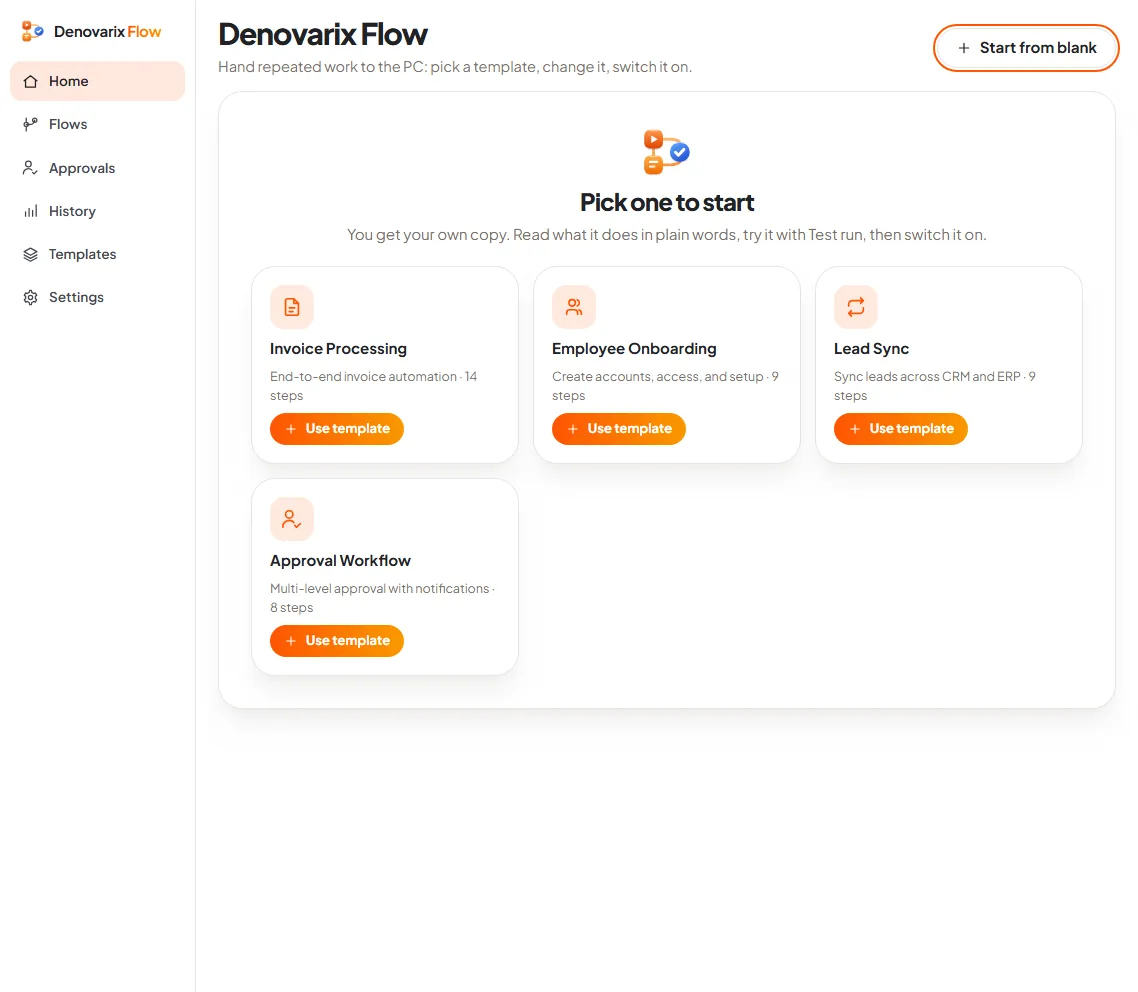
Slide 1: pick a template. The home page says what Flow is for in one line: "Hand repeated work to the PC: pick a template, change it, switch it on." Four templates are offered:
- Invoice Processing: end-to-end invoice automation, 14 steps.
- Employee Onboarding: create accounts, access and setup, 9 steps.
- Lead Sync: sync leads across CRM and ERP, 9 steps.
- Approval Workflow: multi-level approval with notifications, 8 steps.
Press Use template and you get your own copy as a draft.
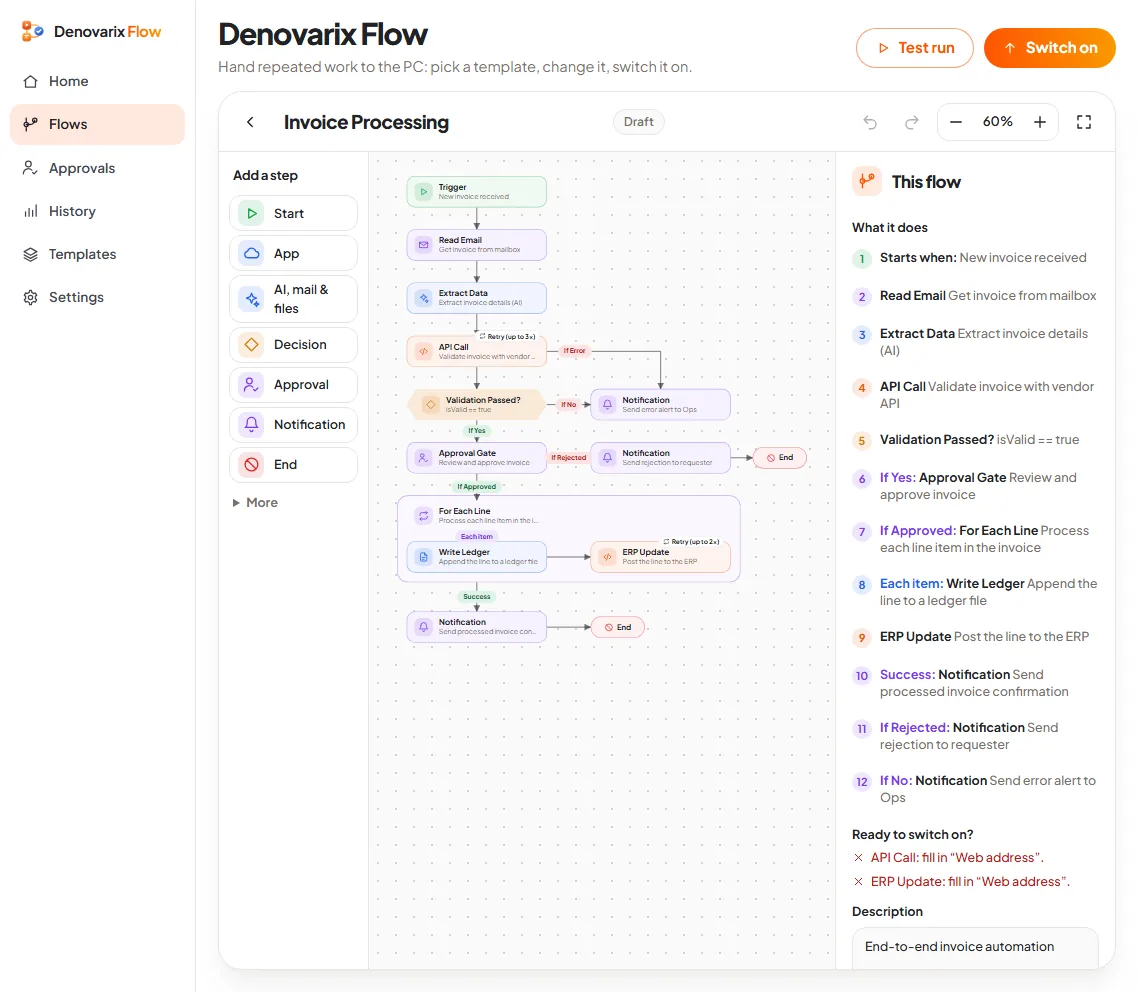
Slide 2: read the flow in plain words. This is the screen that makes Flow usable by someone who is not a programmer. The diagram is in the middle. On the right, under "What it does", the same flow is written as a numbered list of twelve lines. In short:
- Starts when: new invoice received.
- Read Email: get invoice from mailbox.
- Extract Data: extract invoice details (AI).
- API Call: validate invoice with vendor API.
- Validation passed? If yes, an approval gate: review and approve the invoice.
- If approved, for each line: write it to a ledger file and post it to the ERP.
- Then a notification of success, or of rejection, or an error alert.
Below the list is "Ready to switch on?", and here it answers honestly: two steps still need a web address filled in. A template is a starting point, not a finished connection to your accounting system.
How do you change a step?
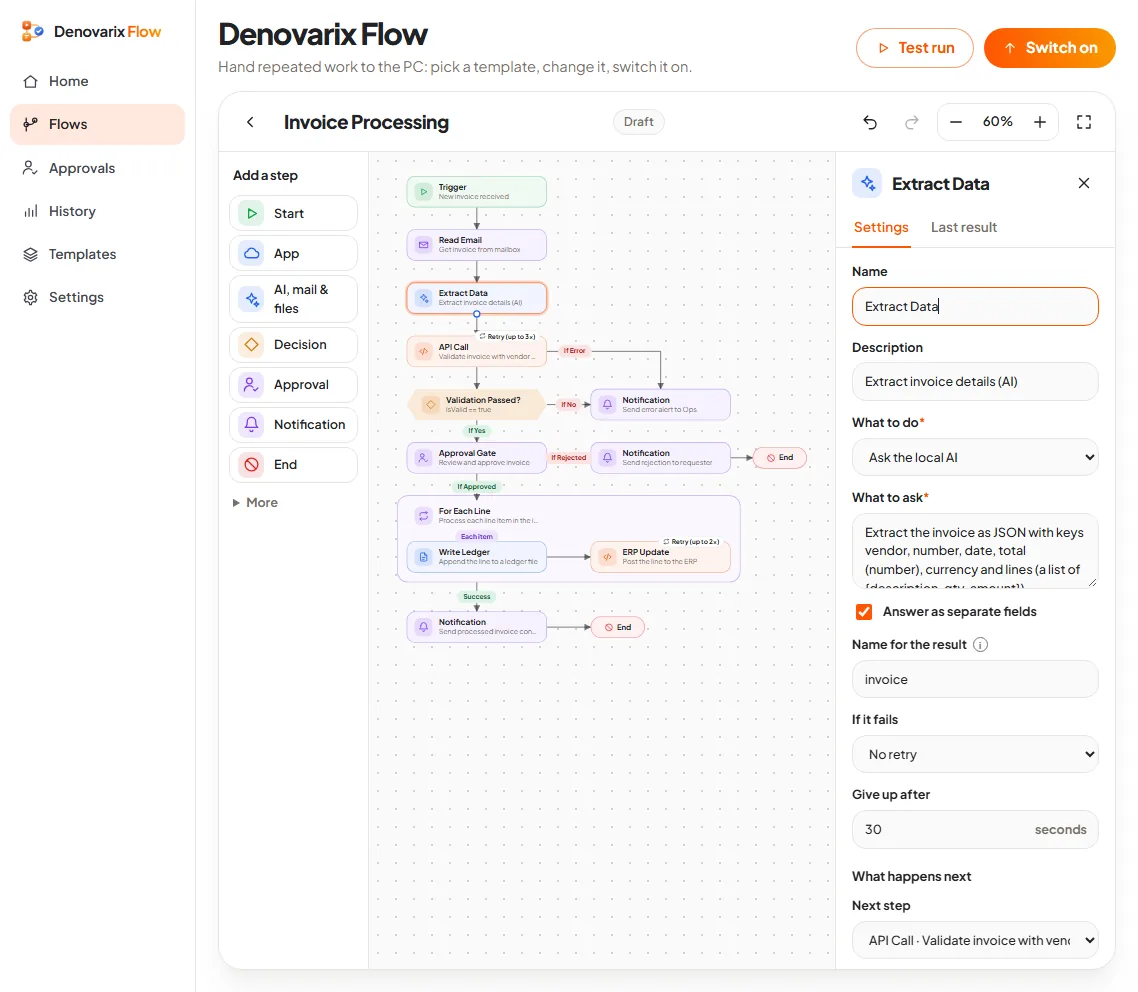
Slide 3: change a step. Click any step, in the list or on the diagram, and its settings open. For "Extract Data" you see its name, a description, what it does ("Ask the local AI"), the question it asks, the name its result is stored under, and what to do if it fails: retry or not, and after how many seconds to give up.
The AI step uses the local AI: the invoice is read by Nova on your own machine, not sent to an outside service. Every step also has a "Last result" tab, so after a run you can see what it produced.
New steps are added from the list on the left: Start, App, AI mail and files, Decision, Approval, Notification and End, with more under "More". A flow can start in five ways: by hand, on a schedule, when new mail arrives, when a file appears, or when another system calls it.
How do you test a flow without breaking anything?
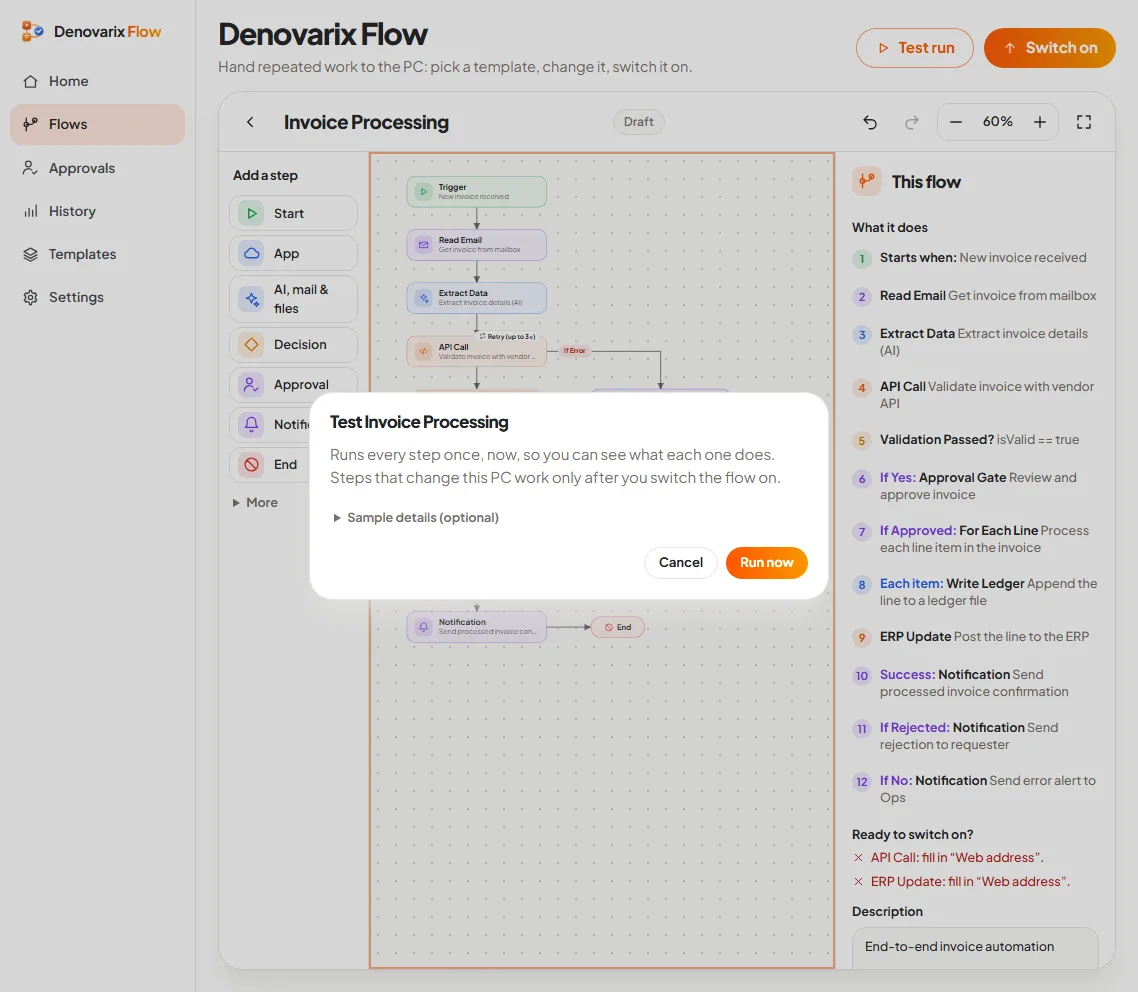
Slide 4: test it safely. Test run opens a box that says: "Runs every step once, now, so you can see what each one does. Steps that change this PC work only after you switch the flow on." You can give it sample details, for example an amount, to see which branch it takes.
So a test shows the path and the results without sending real messages to the wrong people or writing to real files. Only Switch on makes a flow live, and if you later edit a live flow, it goes back to draft until you switch it on again.
How does an approval work?
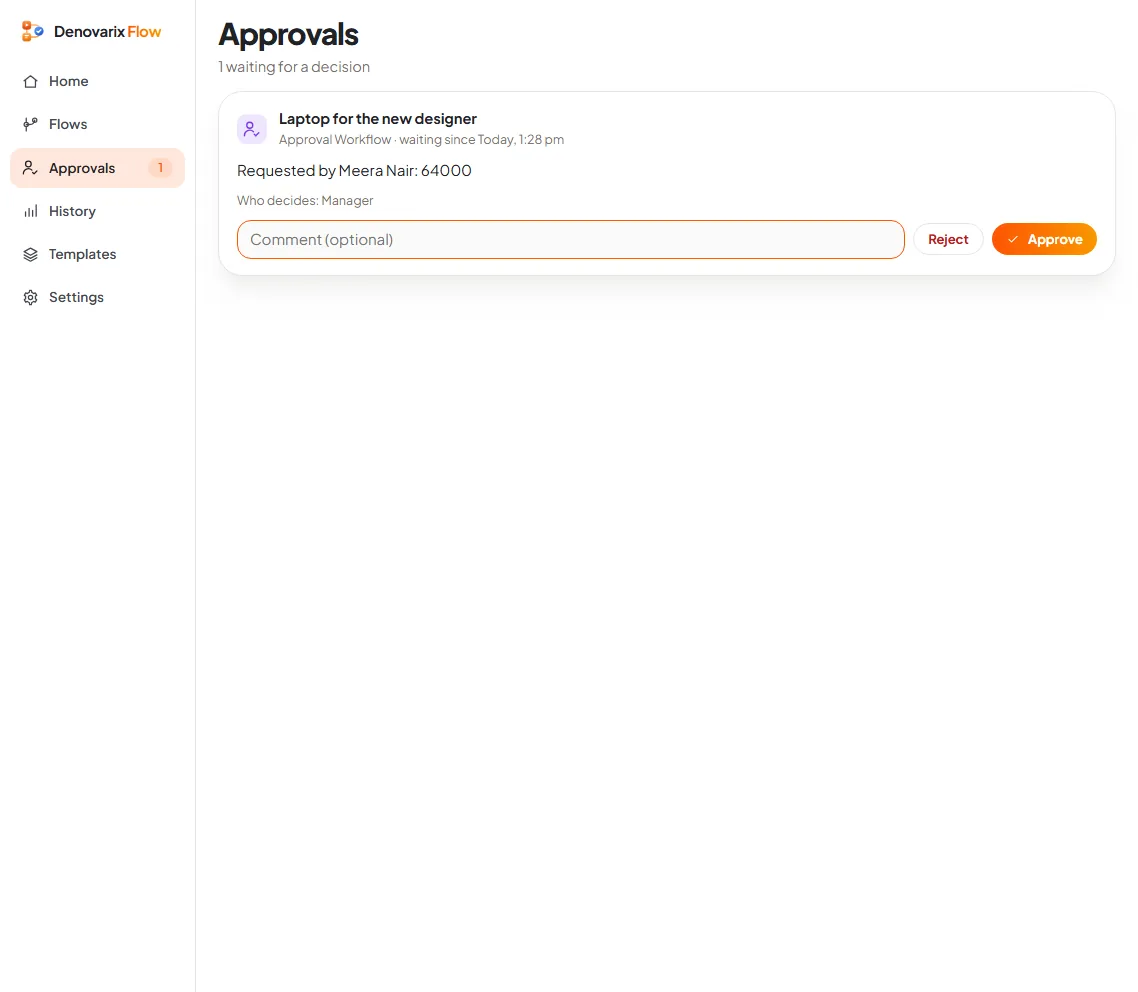
Slide 5: approve or reject. We ran the Approval Workflow template with a sample request: a laptop for a new designer, ₹64,000, requested by Meera Nair. The flow reached its first approval step and stopped. On the Approvals page the request is waiting, with who asked, what for, who decides, a box for a comment, and two buttons: Reject and Approve. A badge beside Approvals in the menu shows how many are waiting.
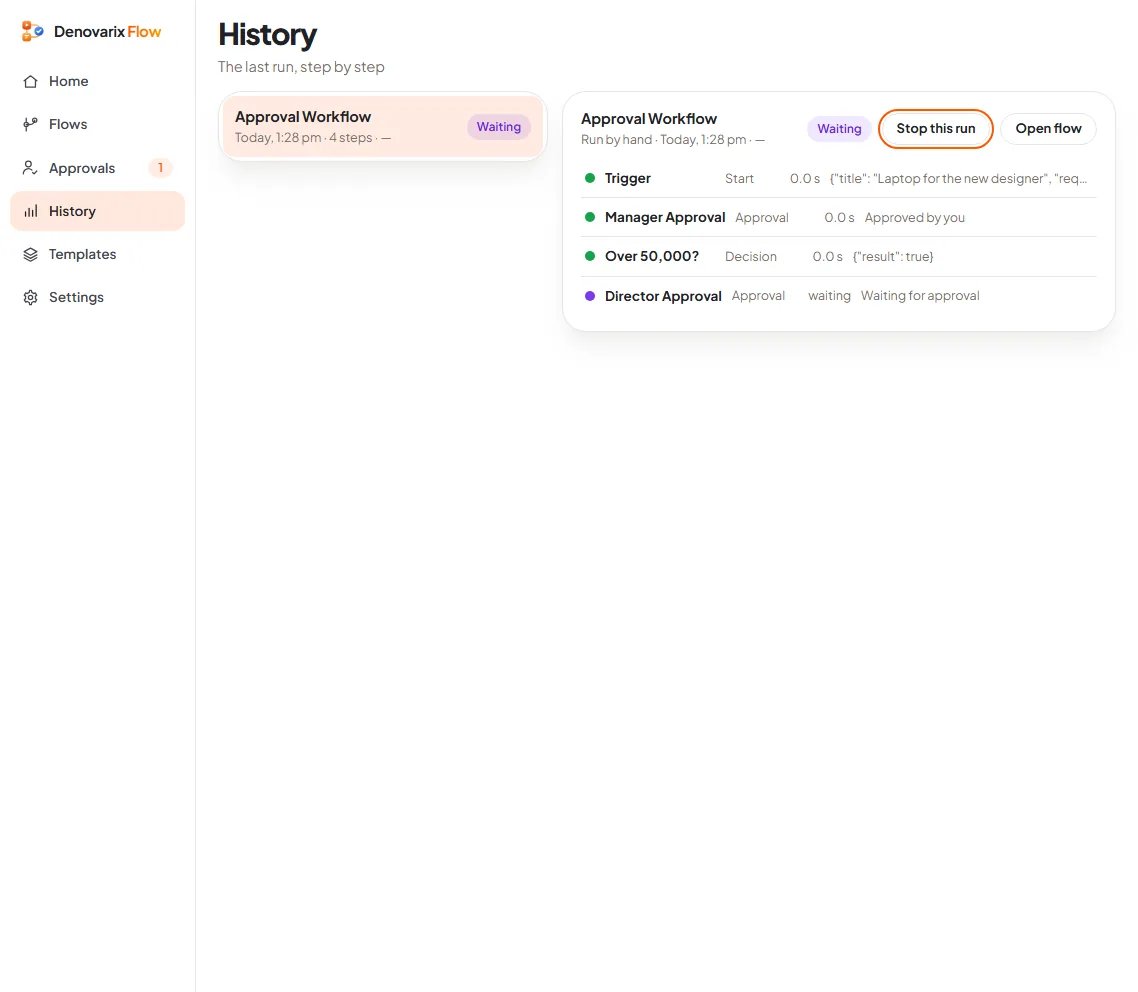
Slide 6: follow a run step by step. After the manager approved, the History page shows where the request is. The trigger carried the details. Manager Approval: approved. "Over 50,000?": true. So the flow has moved to Director Approval, and is waiting there. Each step shows how long it took and what it returned. If something fails, this is where you see which step and why.
That is a real two-level approval rule, "above ₹50,000 a director must also approve", working without a line of code. The amount is one field you can change.
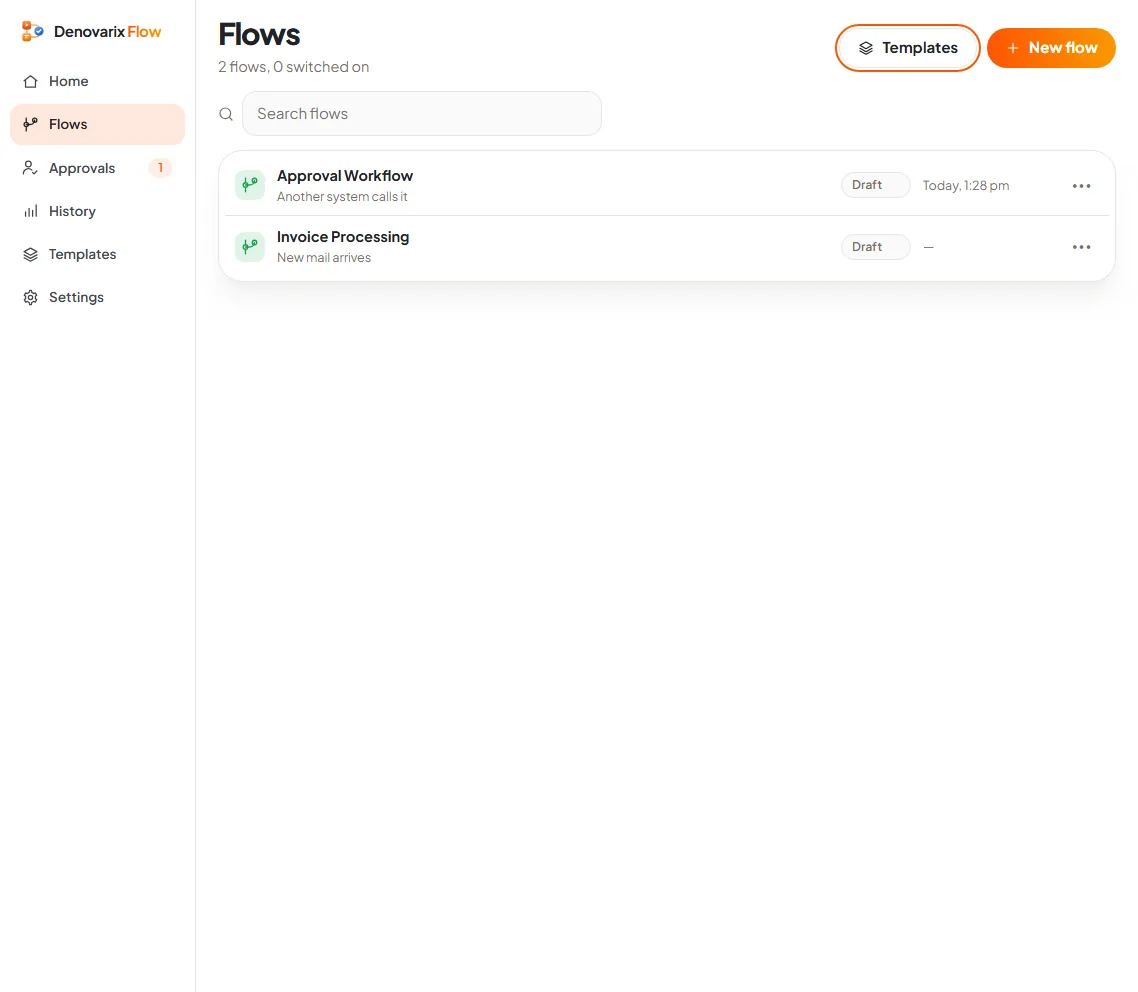
Slide 7: see all your flows. The Flows page lists every flow with its state (draft or on), what starts it, and when it last ran. The summary beside it counts the flows that are switched on and the share of runs that worked.
What does DNX Flow not do yet?
- Templates need your details. The invoice template cannot post to your accounting system until you give it that system's address and it has a way in. Connecting to another company's software always depends on what that software allows.
- Approvals wait in Flow. The person who decides opens the Approvals page on a DNX OS computer. The pictures do not show approval from a phone or by email reply.
- Extracting data from invoices uses a small on-device model. Check its output on your own invoices, especially handwritten or poorly scanned ones, before you trust it unattended.
- It runs on the PC or server where it is switched on. If that machine is off, scheduled flows do not run.
Why not use a cloud automation service?
For connecting two cloud apps they are often the right choice. But an invoice flow carries supplier names, amounts and bank details through whichever service runs it. DNX Flow runs on your own machine, and so does its AI step. See also our article on vendor lock-in.
How do you try it?
DNX Flow is part of DNX OS. The beta programme opens in December 2026 and the launch is in January 2027. Registered Indian businesses with 5 to 50 people can apply for the beta. Bring one approval that annoys everyone in your office. It is the best first flow. For more on the assistant behind the AI step, see Nova.
Keep reading
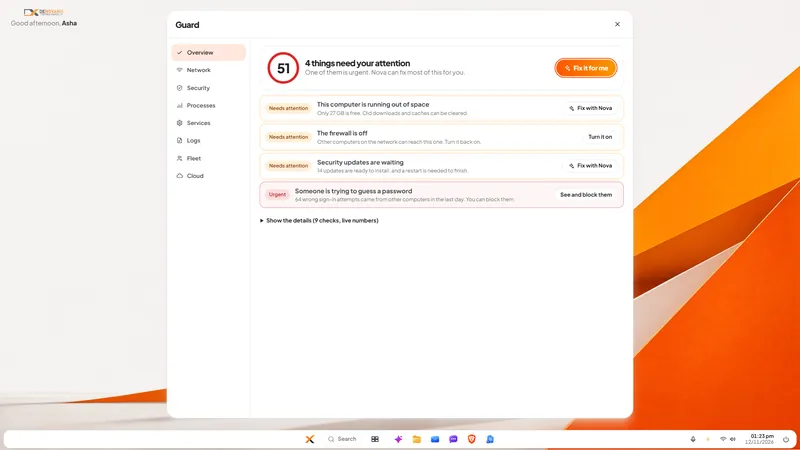
DNX Guard: PC security and health checks for admins
DNX Guard checks a company PC's firewall, disk encryption, updates, sign-in attempts and disk space, and says in plain words what to fix. Six real screens.
DNX Settings: light, dark and two-tone themes
DNX Settings puts every PC setting in one searchable window, with light, dark and two-tone orange, green and blue themes and a plain privacy page. 8 screens.
DNX PDF Editor: edit PDFs without a subscription
DNX PDF Editor changes the text inside a PDF, signs, blacks out details for good and reorders pages, with no subscription and no upload. Seven real screens.