
Branches on WhatsApp groups: moving to company chat
A team spread across branches runs on consumer chat apps and personal numbers. What that risks, and how to move to a company chat in four weeks, step by step.
Part of the guide: Business challenges and how technology solves them
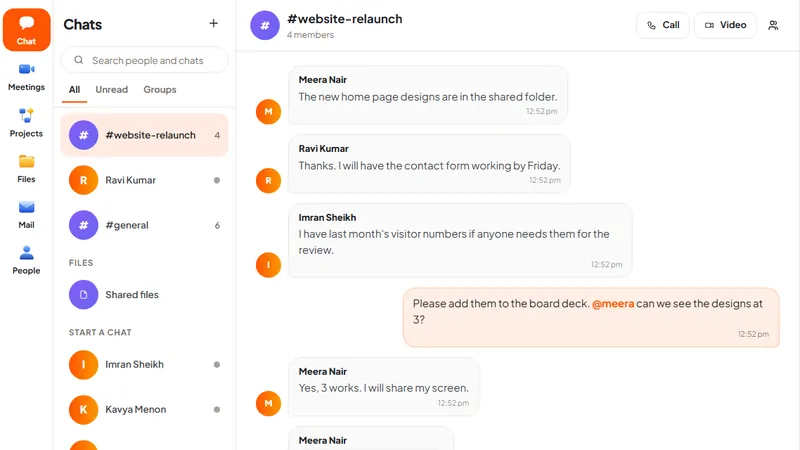
The short answer: consumer chat apps are popular at work because they are fast and everyone already has them. The problems are ownership and exit: the groups belong to personal phone numbers, the company cannot see or keep its own records, and a person who leaves keeps everything. Move in four weeks: choose a company chat, mirror the groups people really use, shift one kind of conversation at a time, and keep the consumer app for what it is good at, which is talking to customers who prefer it.
What is wrong with running branches on a consumer chat app?
Take a company with 60 people in a head office and three branches, as an example. There are groups for each branch, for sales, for dispatch, for "management", and a dozen more that nobody remembers creating. Price lists, customer complaints, photographs of delivery challans and the occasional salary query all pass through them.
It works, which is why it is hard to change. The risks are quiet ones:
- The company does not own the groups. The admin is whoever created the group, on a personal number.
- Leavers keep the history. A salesperson who joins a competitor still has two years of prices and customer names on their phone, unless someone remembered to remove them, and even then the old messages stay.
- There is no record the company can produce. A decision made in a group cannot be found six months later, or shown to an auditor.
- Work and private life share one inbox. People mute the work groups to get peace, and then miss the urgent message.
- Files have no home. The latest price list is "scroll up".
- Personal data spreads. Customer details sit on dozens of personal devices the company cannot protect or wipe.
None of this is about the app being insecure in transit. It is about who is in control of the company's own conversations.
What should a company chat give you?
Whatever product you choose, look for five things:
- Accounts the company creates and closes. Tied to the work email, not a phone number.
- Groups the company owns.
- A place where shared files can be found again.
- A phone app, because branch and field staff are not at desks.
- A known location for the data, and a way to export it.
Our comparison of Microsoft 365, Google Workspace and Zoho One covers the chat tools inside the big bundles. The steps below use DNX Team Chat because we can show it.
How do you move, step by step?
Week 1: prepare.
- List the groups that are actually active. In most companies it is fewer than ten.
- Decide the new groups: one per branch, one per function, one for announcements. Do not copy every old group.
- Create accounts. In DNX Team Chat a person signs in with their work email and a six-digit code sent to it, so there is no new password to invent.
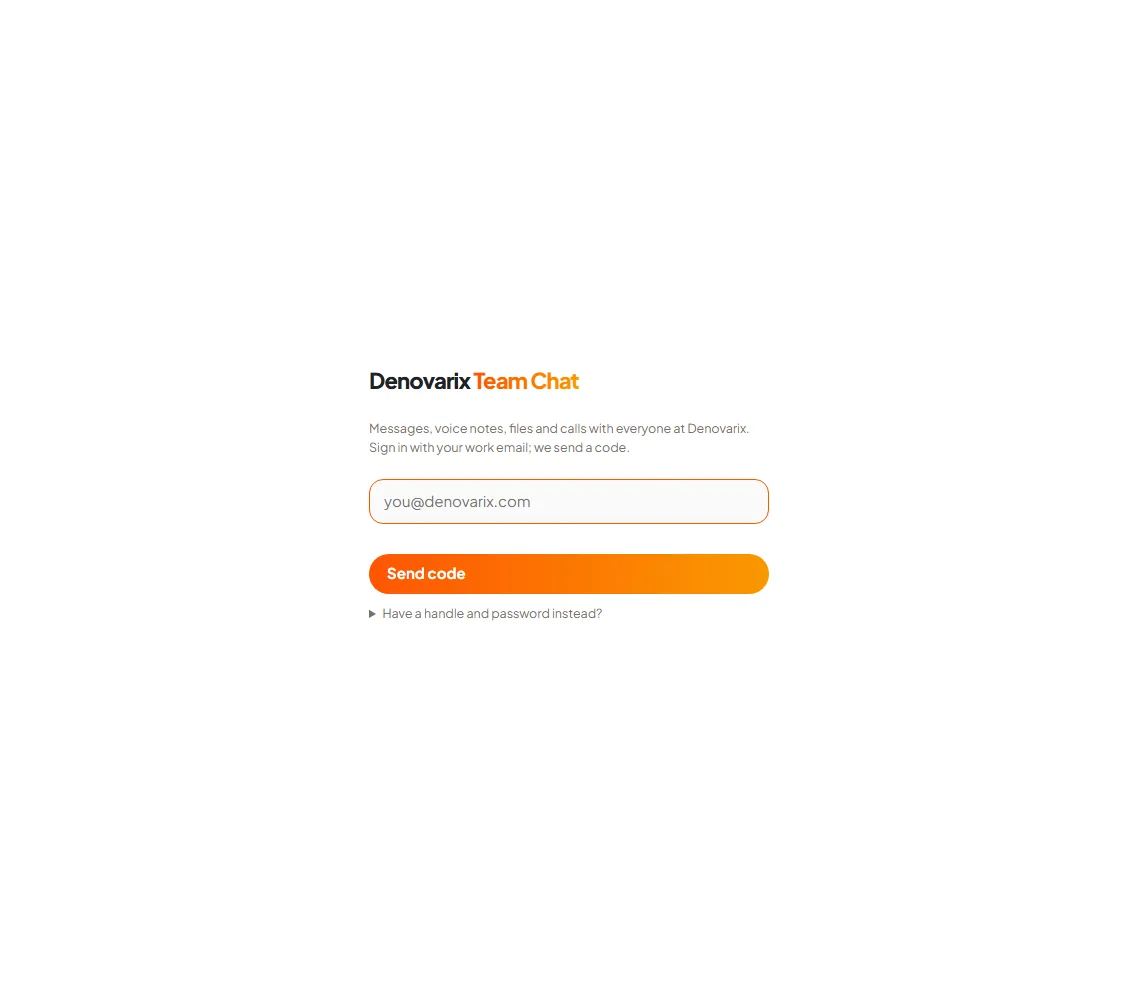
Week 2: move announcements. Company-wide notices go only to the new chat. This gives everyone a reason to open it daily without changing how they work yet.
Week 3: move one working conversation per branch. Choose the busiest: dispatch, or daily sales. The branch head posts there and politely redirects anything sent the old way.
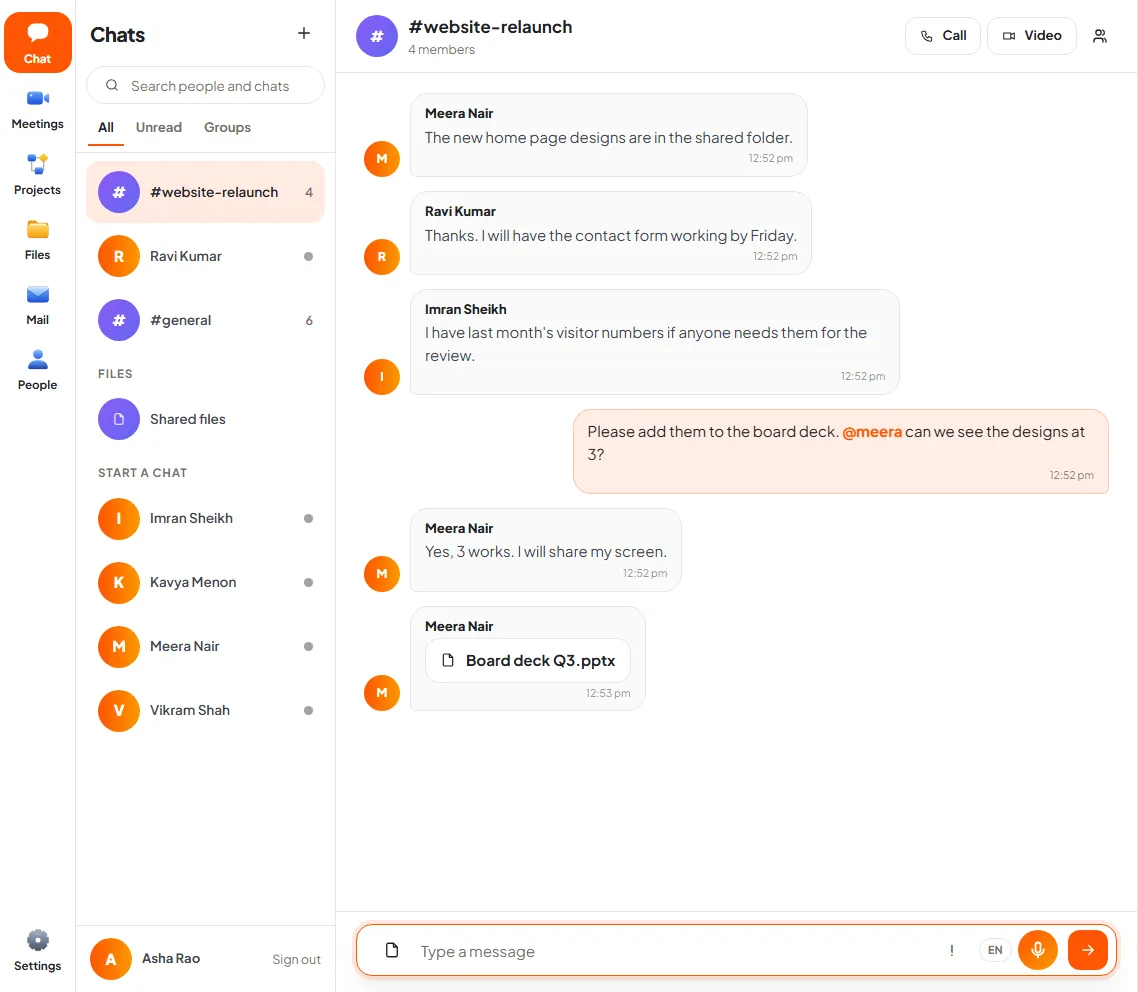
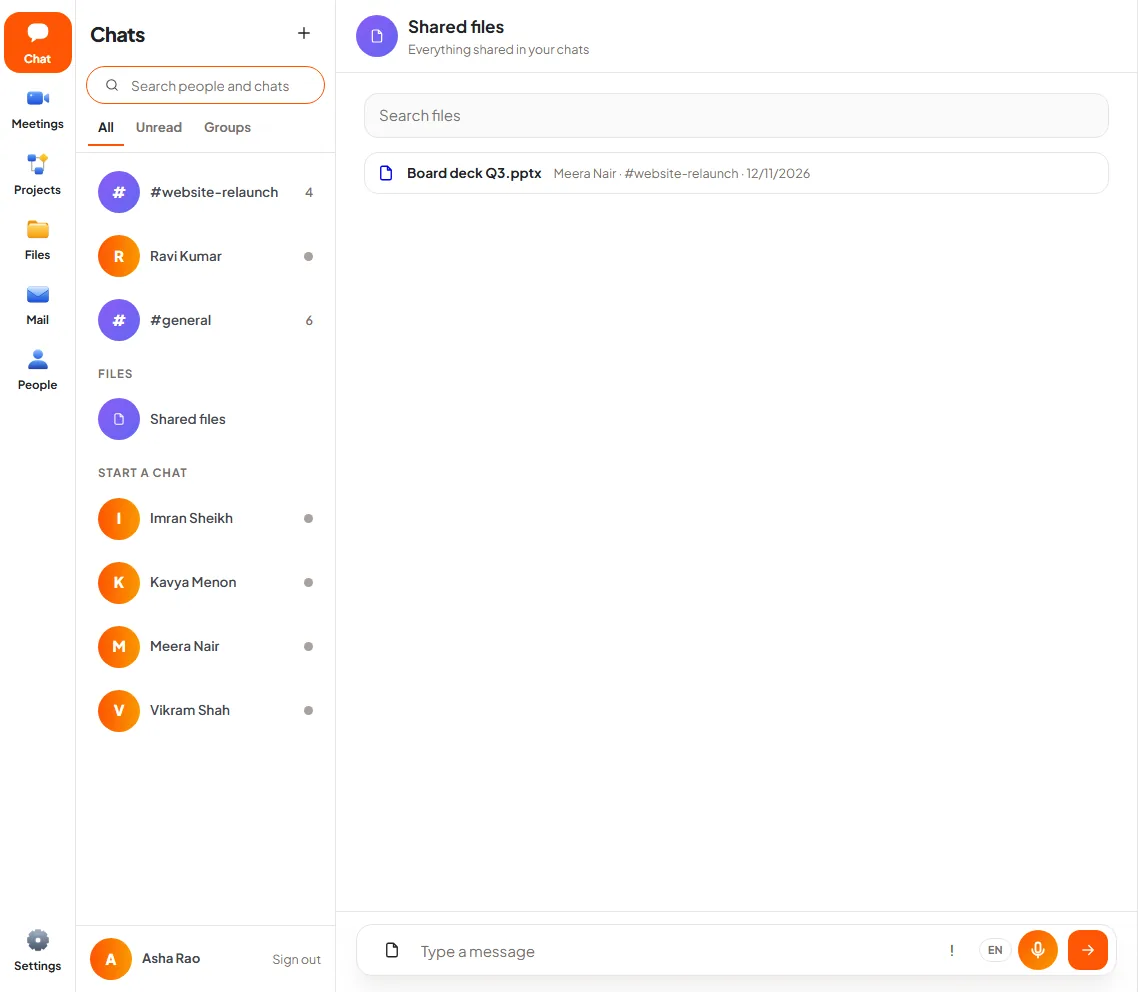
Week 4: move files and close the old groups. Post current price lists and forms in the new groups, so that the latest copy is in one place. Then set the old groups to admin-only with a last message pointing to the new chat.
After that: add leaving to the exit checklist. Closing one account ends access to every group.
What does it cost in effort?
- Setup: a day to create groups and accounts, less with a small team.
- A server, if you host it. DNX Team Chat runs on DNX Hub, a server program the company installs on a machine of its choice: a computer in the office or a server rented in an Indian data centre. Someone has to keep that machine running, updated and backed up. If you have no such person, host it with a provider who will.
- Reaching it from branches. Staff outside the head office need a secure route to the hub, so it must be hosted where they can reach it. Plan this before week 1, not during it.
- Four weeks of patient repetition from branch heads. The tool is the small part.
What can go wrong?
- Managers keep replying in the old groups. The move fails from the top. Senior people must be the first to stop.
- Phones are forgotten. If the new chat is desk-only for people who are never at a desk, they will return to what works. DNX Hub has an Android app with chat on it; check it on a branch employee's actual phone.
- Customers are dragged along. Do not. Customers and suppliers who use a consumer app stay there. DNX Team Chat is for your own team; its article says there are no guest accounts for clients.
- Expecting every feature. Know the limits before you promise. In DNX Team Chat messages are plain, with mentions, files and voice notes but no threads under a message, and search finds chats, people and file names, not the full text of old messages.
- Old history is lost. Decide whether anything in the old groups must be kept, and export it before closing them.
- The hub goes down. A self-hosted chat is your responsibility. Backups and a named person are not optional.
Does this keep the data in India?
Where the chat is stored is your decision. Host the hub in your office or in an Indian data centre and the messages, shared files and voice notes are kept in India, on a machine you control. That shortens the list of places personal data lives, which is the first job in our DPDP Act checklist. The wider picture is in the guide to India's technology ecosystem, and the other everyday problems are in business challenges.
DNX Team Chat is part of DNX OS and DNX Hub, in beta from December 2026 and launching in January 2027. Registered Indian businesses with 5 to 50 people can apply for the beta. A four-week pilot matches the four weeks above.
Keep reading
Onboarding a new employee's PC and accounts in a day
A new joiner often waits a week for a laptop, email and logins. A checklist that gets the PC, accounts and access ready in one day, and closes them at exit.

Staff using public AI with company data: what to do
Your staff already paste contracts and customer data into public AI tools. A six-step plan to find out, set rules, and give them a safer tool they will use.
Invoices stuck in approval: how to fix the queue
Supplier invoices wait for days because the approval rule lives in people's heads. Write the rule down, give it one queue and automate the chasing. Steps here.