
AFRT: software that adapts without reading your data
Adaptive software usually learns by collecting what you do. AFRT, coming to DNX OS, is opt-in and keeps counts only. What it counts and how to wipe it.
Part of the guide: Private and on-device AI for business: a guide
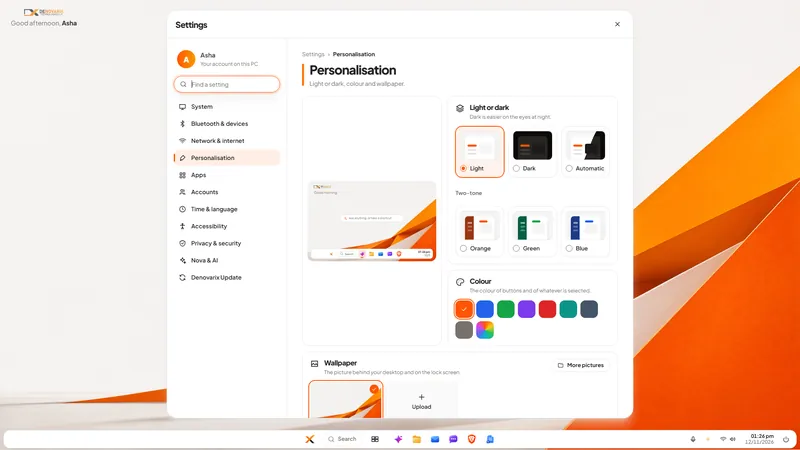
The short answer: software that adapts to you has to learn something about you, and the usual way is to collect a detailed record of what you do and send it to the vendor. AFRT, Adaptive Feedback Response Technology, is our attempt to get the benefit without that record. It is coming to DNX OS and it is opt-in: off until you switch it on. When on, it keeps counts only, such as how often an app was opened and at what hour. It cannot keep a file name, a message, a search or anything you type, it holds no user name or device id, and nothing is sent anywhere. You can read what it holds, save it and wipe it.
It is fair to say at the start what AFRT does not do yet. It does not change the interface today, and Nova does not learn from it today. This article describes how it is designed, what exists now, and what is still to come.
What does adaptive software usually cost in privacy?
Software adapts by observing. A phone keyboard learns your words. A streaming service learns your taste. An operating system learns which features people use, so that its makers know what to improve. The observation is called telemetry, or usage data, or diagnostics.
The trouble for a business is not that software observes. It is what the observations contain and where they go:
- Content rides along with usage. A record that says "opened a file" easily becomes "opened Salary-Revision-2026.xlsx". A search log holds the searches. A crash report can include the document that was open.
- It is tied to a person or a machine. An account name or a device identifier turns general statistics into a history of one employee.
- It leaves the company. The data goes to the vendor's servers, usually abroad, under terms few people read.
- It is on by default. The switch, if there is one, is several screens deep, and turning it off may not remove what was already sent.
- You cannot see it. Almost no product shows you the actual record.
For a firm that holds client data, each of these is a question it may one day have to answer. Under the DPDP Act your company is answerable for personal data wherever it goes, and usage records tied to named employees are personal data. So the cautious choice has been to switch all of it off, and to give up software that fits the way you work.
How is AFRT designed to adapt without reading content?
By making the dangerous data impossible to store, instead of promising not to look at it. Five design decisions do the work.
- Off until you switch it on. There is no default collection. The switch is in Settings, under Privacy and security.
- Counts, not records. AFRT does not keep a log of events. It keeps tallies: this app was opened this many times. A tally has no room for a file name.
- No identity. What is stored contains no user name and no device id.
- It stays on the PC. Nothing is sent anywhere. Sharing with Denovarix would be a separate, later step, and that step would show you the same summary first.
- You can see all of it. The same switch shows exactly what is held, lets you save it to a file, and clears it.
The second decision is the important one. A promise such as "we do not look at your file names" depends on trust. A store that has nowhere to put a file name does not.
What exactly does it count?
Four things, each as a number:
| What is counted | Example of what is held | What that could later be used for |
|---|---|---|
| Which app or screen was opened | Mail: 41 times | Putting what you use most within reach |
| Which settings page was opened | Display: 3 times | Knowing which settings people look for |
| Which theme is in use | Dark | Knowing which looks are worth improving |
| The hour of the day | 10 am: 12 openings | Fitting suggestions to the working day |
The figures in the table are made up to show the shape of the data. That is the whole list.
What can it not keep?
- File names, folder names or anything about a document.
- Messages, in mail or chat, or who they were to.
- Searches, in Start, in Files or anywhere else.
- Anything you type, including what you ask Nova.
- A user name or a device id.
So AFRT can know that Mail was opened forty-one times this month. It cannot know who wrote to you, what about, or which attachment you opened.
How do you switch it on, read it and wipe it?
Everything is in one place.
- Open Settings and go to Privacy and security.
- Turn on the AFRT switch. Until you do, nothing is counted.
- From the same place, read exactly what is held. It is a short list of counts, not a report written about you.
- Save it to a file if you want to keep a copy or show it to your IT person or auditor.
- Wipe it whenever you like. Counting starts again from zero.
- Switch it off and what was held is wiped as well.
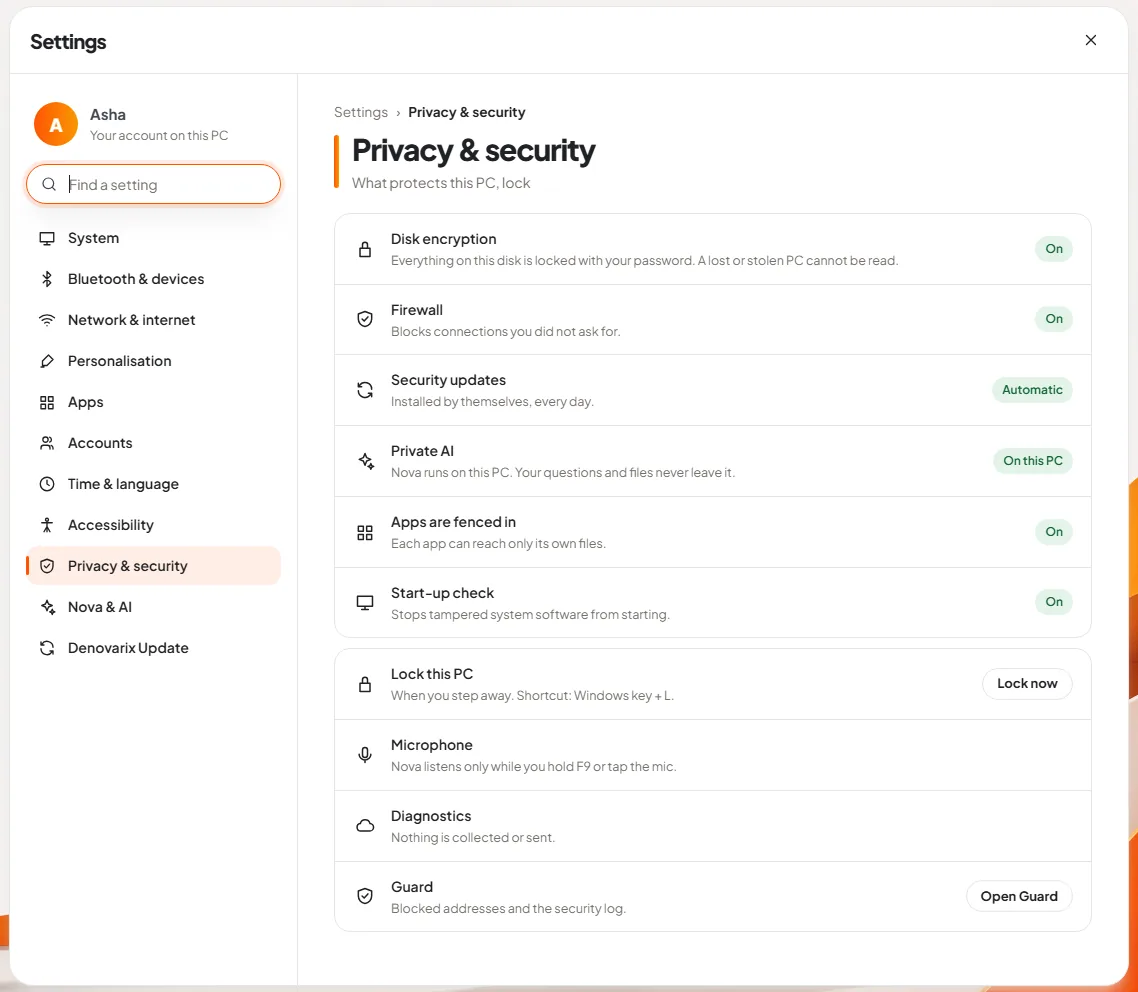
The Diagnostics line on that page reads "Nothing is collected or sent." AFRT does not change that default. It is a separate switch, and it is off.
What is still to come?
This is the part to read carefully, because AFRT is described on our product page as coming, and that is accurate.
- Today: the counting and the switch exist, off by default, with the view, save and wipe actions. Nothing is shared with Denovarix.
- Not yet: DNX OS does not rearrange itself from these counts, and Nova does not use them. We will say so plainly when that changes.
- Planned: using the counts on the PC so that Nova can put what you need within reach.
- On the roadmap for 2027: with your permission, sharing the summary so that the patterns help shape the next version of DNX OS and of Nova. That would be a separate step that shows you the same summary before anything is sent.
We would rather publish the limits now than have you discover them. If the design above is wrong for your company in some way we have not thought of, the beta is where we want to hear it.
Where can you read more?
AFRT has its own section on the DNX OS page. The wider question of AI and data that stays on your machines is covered in the guide to private and on-device AI for business, and the settings page is shown in DNX Settings. For the legal side of usage data, see the DPDP Act checklist.
DNX OS is in beta from December 2026 and launches in January 2027. Registered Indian businesses with 5 to 50 people can apply for the beta.
Keep reading
Microsoft 365 vs Google Workspace vs Zoho One in India
Microsoft 365, Google Workspace or Zoho One for a small Indian company? How the three differ, what each really covers, and where a stack you own fits in.

Shadow AI: staff, ChatGPT and a policy that works
Employees are pasting company data into ChatGPT and other AI tools. Here is what shadow AI is, the real risks, and a one-page AI policy you can adopt today.

DPDP Act checklist: where does your company's data live?
A plain DPDP Act checklist for Indian businesses: what the law expects, why you must know where personal data lives, and twelve steps to get ready in time.